Difficulty
Moderate
Steps
153
Time Required
- HE280 Assembly 59 steps
- Carriage Assembly 8 steps
- LCD Enclosure 5 steps
- EZR Struder 8 steps
- Step 1 - Base Assembly 19 steps
- Step 3. REV2 Rostock Max v3 Top Assembly 16 steps
- Final Assembly 38 steps

User-Contributed Guide
This guide is not managed by the site's staff.

In Progress
This guide is currently being written. Reload periodically to see the latest changes.

Private
This guide will not appear in search results and can only be viewed by team members!
Quiz
0
-
-
Please thoroughly read the Introduction - Read Me First
-
Want to download this guide as a PDF? Click on the PDF link just above the image and save as PDF
-
-
-
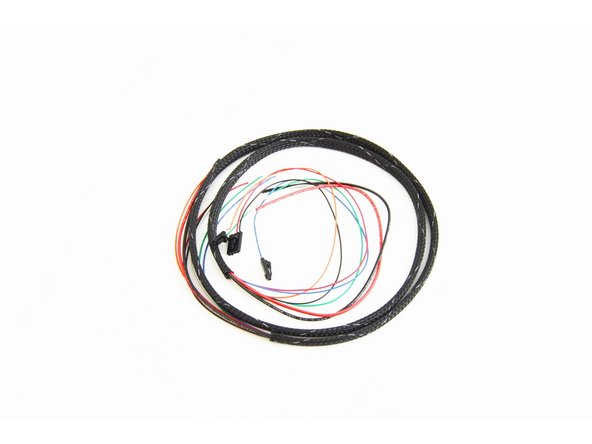
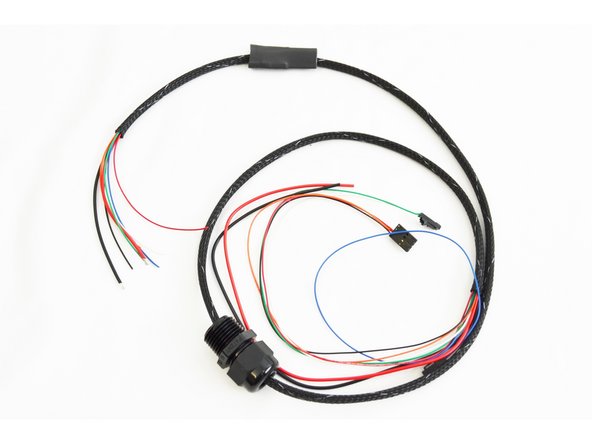
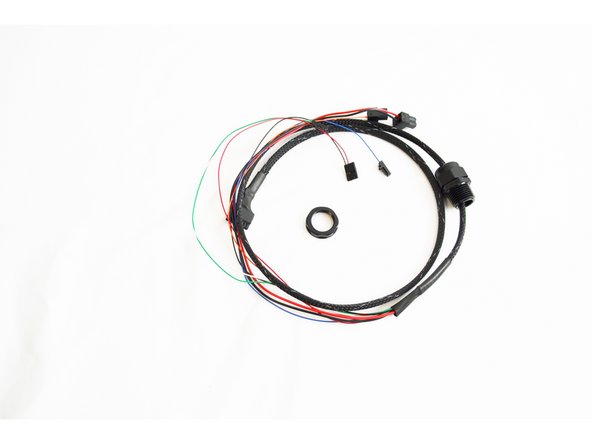
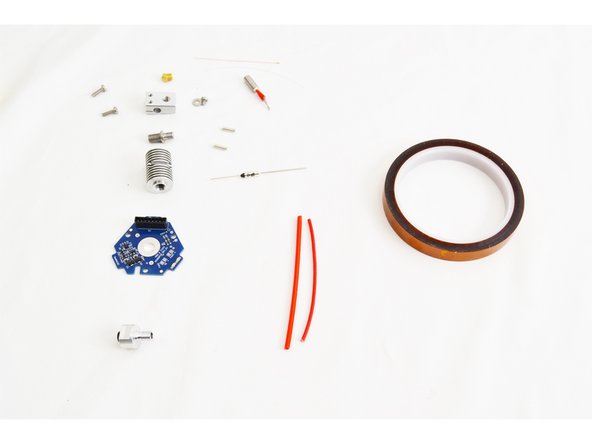
Locate the parts that will be used to assemble your HE280 whip. They are part of the hardware pack 84490 which can be found in the final assembly hardware packs.
-
NOTE: The 2 position terminal blocks (used for this assembly) that connect to Heat 0, Fan 0 and Heat 2 - BED are located in the RAMBo box in a ziplock bag.
-
-
-
-
Use a bit of tape to group the wire ends together (on the end without connectors) in order to make it easier to route through the mesh loom.
-
Insert the mesh loom over the end of the wires that you just taped.
-
Feed the wires all the way through the mesh loom.
-
The picture shows this step complete.
-
-
-
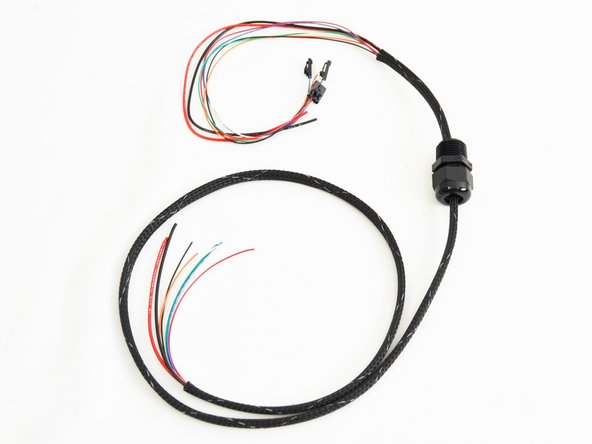
Insert the cable mount hub (26220) onto the wire bundle.
-
Note the orientation of the cable mount hub. The threaded side of this fitting should be closest to the ends of the wires that have connectors pre-installed.
-
-
-
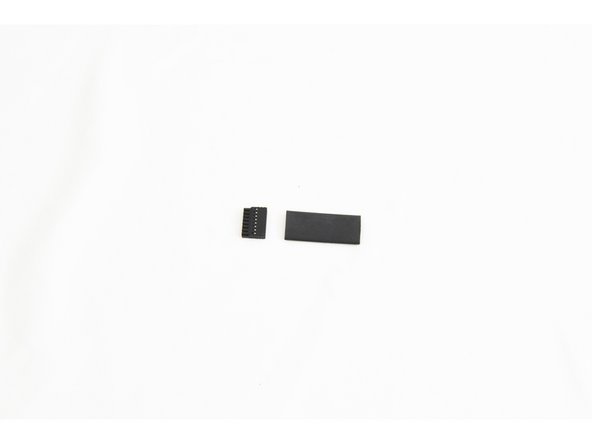
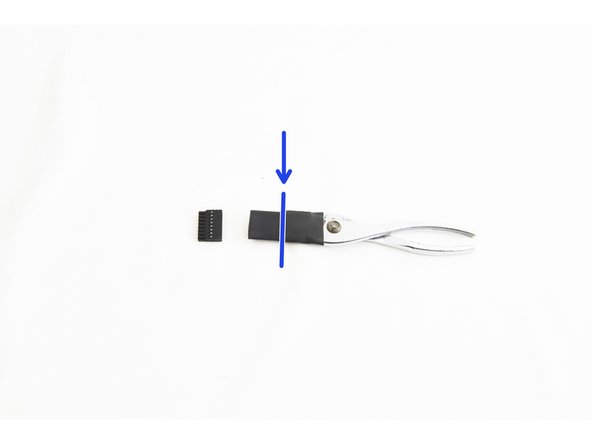
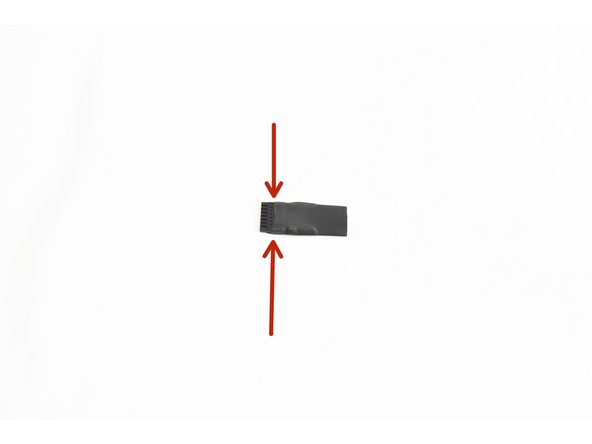
To prepare the heat shrink tubing (84431), one side needs to be stretched enough to fit over the end of the Pluggable 8 position Push-In Wire Terminal Plug End (26217)
-
The easiest way to do this is to use a pair of pliers (fully closed) inserted half way into the heat shrink,
-
When performing this step, be sure to not to over-stretch the heat shrink tubing causing rips or tears.
-
Proceed to slowly open the pliers to stretch the heat shrink.
-
This process may require stretching a shorter section, inserting the pliers further, and then stretching that section.
-
Test fit the heat shrink tubing over the end of the Pluggable 8 position Push-In Wire Terminal Plug End. You can see in the pic, the proper depth to have the plug inserted into the heat shrink.
-
-
-
Insert the heat shrink tubing that you stretched in the previous step onto the whip. The stretched out portion should be facing the end of the whip without any terminated wires.
-
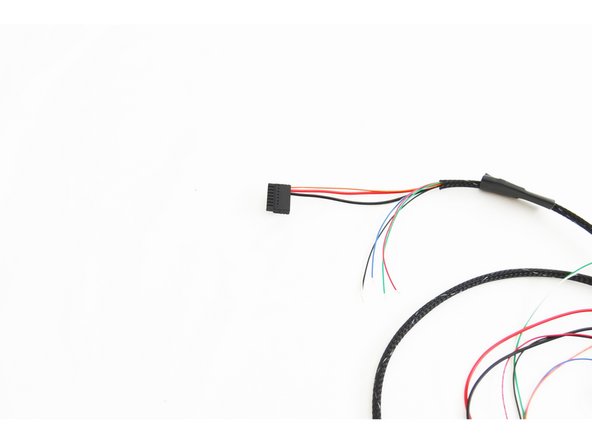
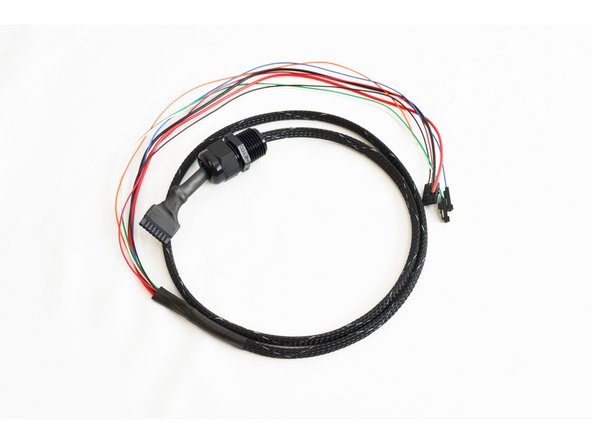
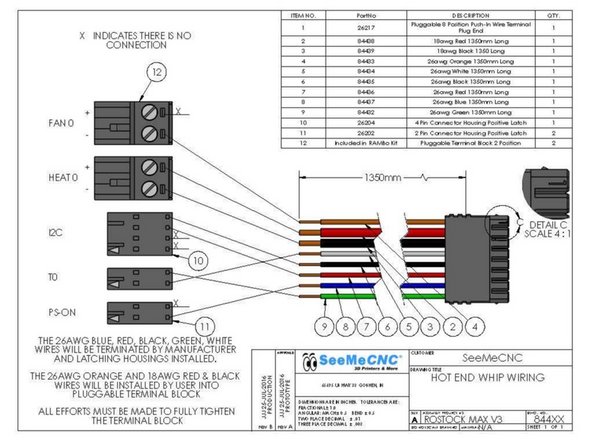
Next, you will insert the wires (from the end of the whip without any connectors) into the Pluggable 8 position Push-In Wire Terminal Plug End. The correct order of wires is shown here: HE280 Whip Diagram
-
It is critical that the wires are not frayed at the ends, and that you insert them into the correct locations in the Pluggable 8 position Push-In Wire Terminal Plug. The orange wire should be inserted into POSITION 1 in this plug (as noted on the HE280 Whip Diagram)
-
Insert the wires one at a time. The preferred method is to use needle nose pliers to grasp the wire approximately 5mm from the end of the insulation and use the wires to push the end of the wire into the plug. Grasp the wire again approximately 5mm from the plug and push the wire in again. Repeat if necessary.
-
If you are having difficulty with the smaller gauge wires, you can depress the pin from the side of the connector, gently, with a flathead. While holding the flathead in place, insert the wire all the way into the connector, remove the flathead. The wire should go in easy and stay snuggly fit after the flathead is removed.
-
Give each wire a gentle push and pull to ensure that is securely seated in the plug. The move onto inserting the next wire until you have inserted all 8 wires.
-
-
-
Slide the mesh loom down on the wires so it is approximately 5mm from the Pluggable 8 position Push-In Wire Terminal Plug.
-
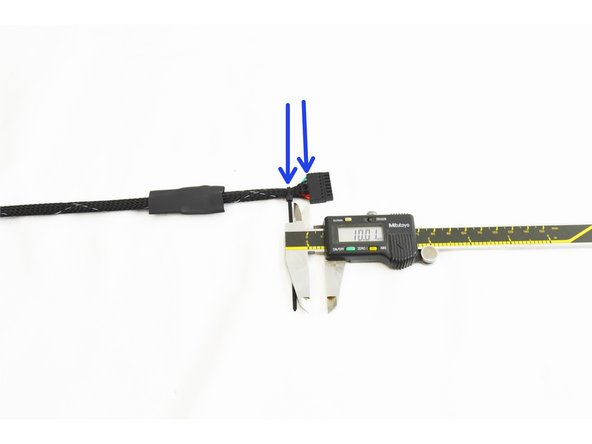
Attach a Wire Tie (26164) over the mesh loom. Secure the wire tie approximately 10mm from the end of the Pluggable 8 position Push-In Wire Terminal Plug. Tighten securely.
-
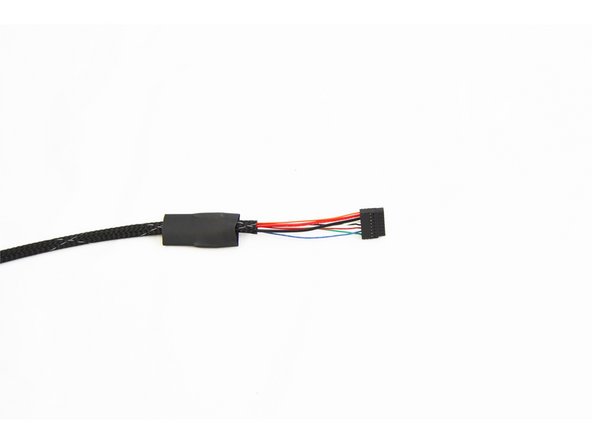
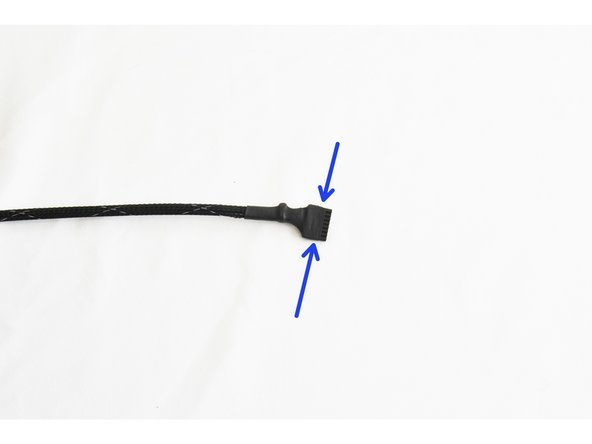
Slide the heat shrink tubing over the wire tie and Pluggable 8 position Push-In Wire Terminal Plug as shown in the pic. Apply heat to the heat shrink tube to secure it in place. Use your preferred instrument. (if using an open flame such as a lighter, be sure not to hold the flame too long in one spot, as this will char the heat shrink tube)
-
-
-
NOTE: This step is not performed for the H2 Delta printer or when upgrading Rostock Max v1/v2 or Orion Delta printers.
-
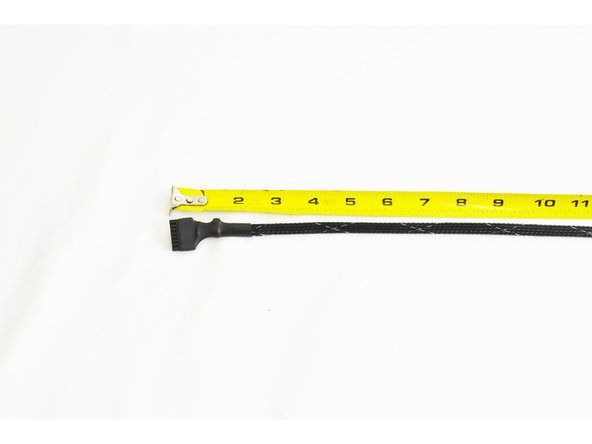
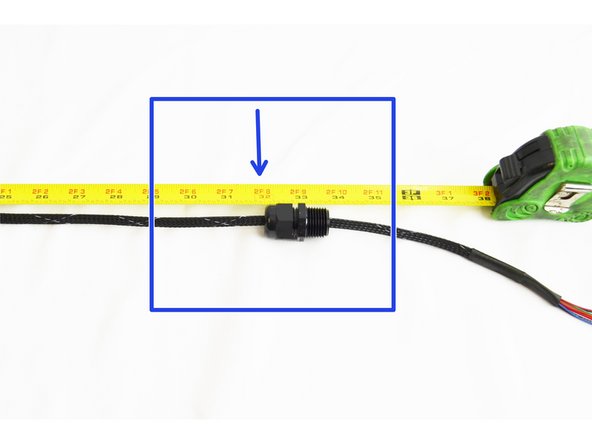
Measure 32" from the end of the whip with the Pluggable 8 position Push-In Wire Terminal Plug and make a mark on the mesh loom (Applying a piece of tape works well)
-
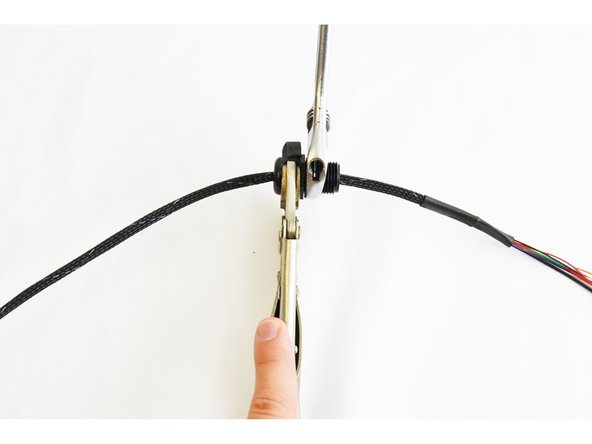
Align the Cable Mount Hub (26220) with the mark. (The reference is the opposite of the threads on the cable mount hub, as shown in the pic)
-
Use your available tools to tighten the hub securely to the loom. (For this example a crescent wrench and vise grip was used)
-
You will be tightening this fitting nearly 100%. It is designed in such a way that the teeth that grip the wires/loom will not cause any harm to the wires/loom.
-
-
-
NOTE: This step is not performed for the H2 Delta printer or when upgrading Rostock Max v1/v2 or Orion Delta printers.
-
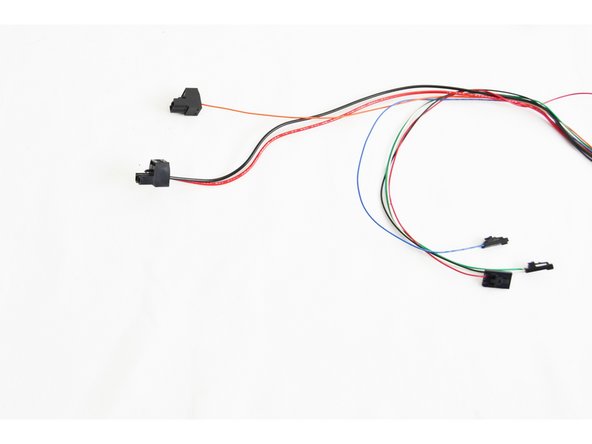
You will now install the supplied 2 position terminal plugs onto the remaining wires. (They are packed in the white box with the RAMBo board) The HE280 Whip Diagram shows the correct connections. These connectors can be found in the bag of terminals in the RAMBo box
-
Make sure the screws in the terminal blocks are as loose as possible to prevent strands of the wires being forced under the connectors.
-
The orange wire (Layer Fan) will be inserted into one of the 2 position terminal blocks.
-
The red and black wires (Hot End 12v power) will be inserted into the other 2 position terminal block.
-
Be sure to get the polarity correct (as shown in the diagram
-
Tighten the screw terminals as tight as possible, including the vacant position on the terminal block with the orange wire (layer fan).
-
-
-
Locate the parts that will be used to assemble your HE280. They are part of the hardware pack 71290 which can be found in the final assembly hardware pack.
-
Some of the metal parts may have been loosely assembled before shipping. Separate them before proceeding.
-
SeeMeCNC runs the machine's parts through a cleaning routine to remove burs and other debris but you may find some remain. We recommend using a cotton swab to sweep the inside orifices to eliminate any remaining debris.
-
-
-
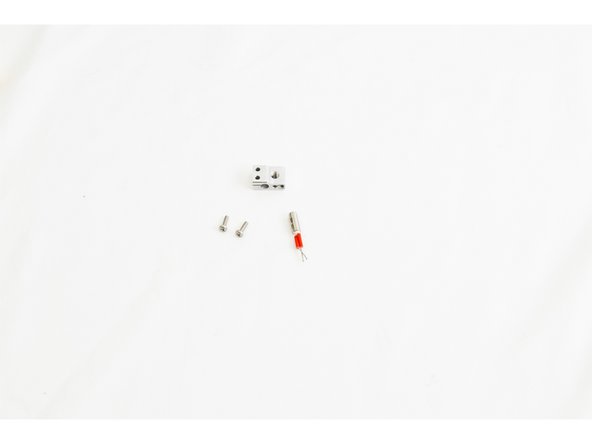
Locate the Heater Block (71216), 12v 40 watt Heater Cartridge (26789), and (2) M3 -.5 x 10mm Phillips Pan Head Machine Screws (30318)
-
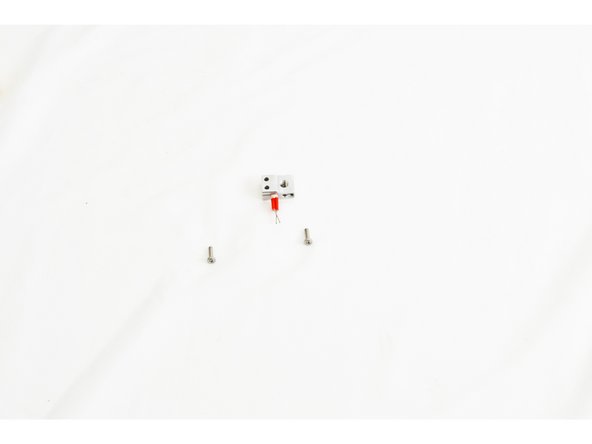
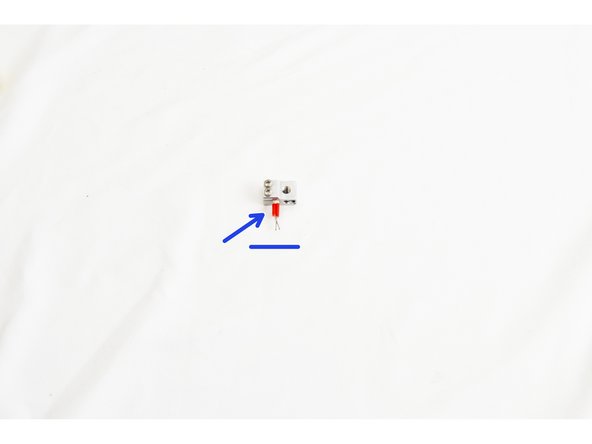
Insert the heater cartridge into the side of the heater block. The leads of the heater cartridge should stick out of the side of the heater block with 3 holes. The leads should be in a horizontal orientation and NOT VERTICAL. The heater cartridge should be inserted so that it is flush on the opposite face of the heater block.
-
Secure the heater cartridge in the heater block by tightening both of the M3 - .5 x 10mm screws.
-
Be sure to get these M3 - .5 x 10mm screws tight.
-
-
-
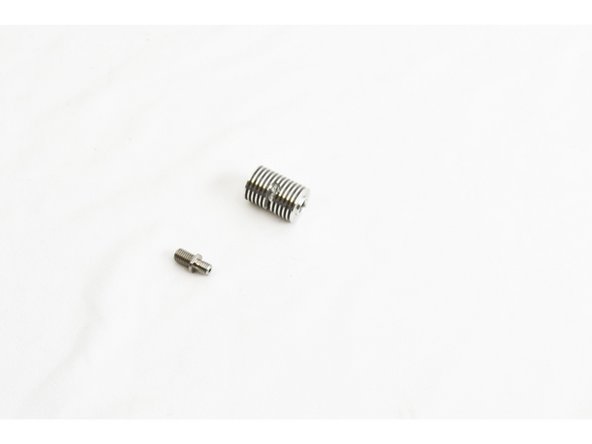
Locate the HE280 Heat Break and test fit the 4mm PTFE tubing. The tube should insert and fully seat.
-
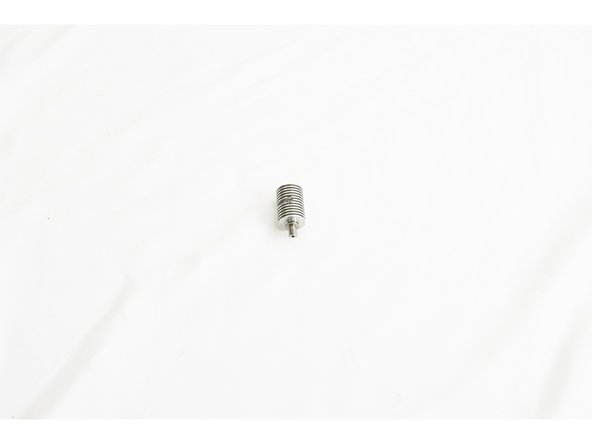
Screw the heat break into the heat sink. The heat sink is symmetrical, so either end is OK.
-
Fully tighten the heat break using an 8mm or 5/16 wrench.
-
-
-
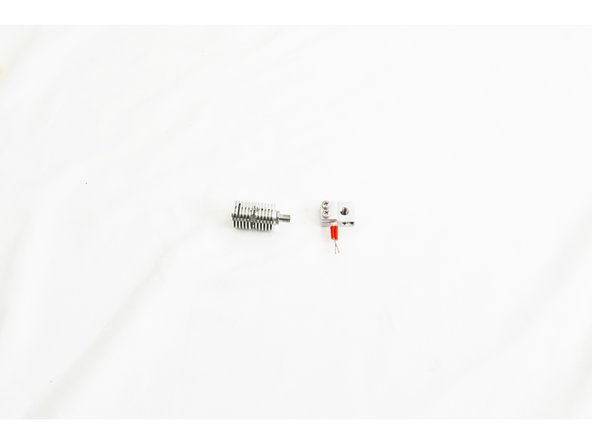
Screw the heat break into the heater block approximately 4mm.
-
It does not have anything to seat against yet, so will not be tight.
-
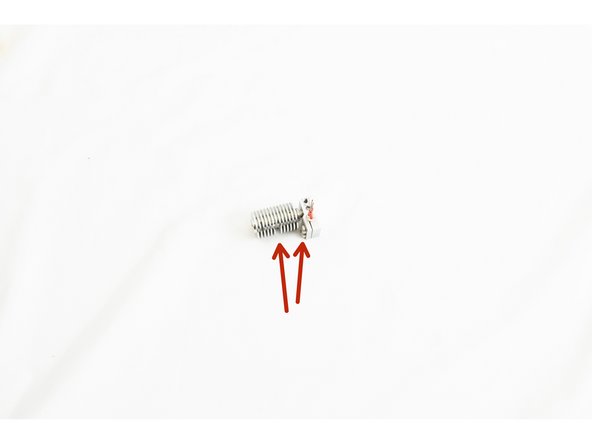
Screwing the heat break ~4mm deep is very important! The Nozzle should be able to go almost entirely into the heater block before getting stopped by the heat break.
-
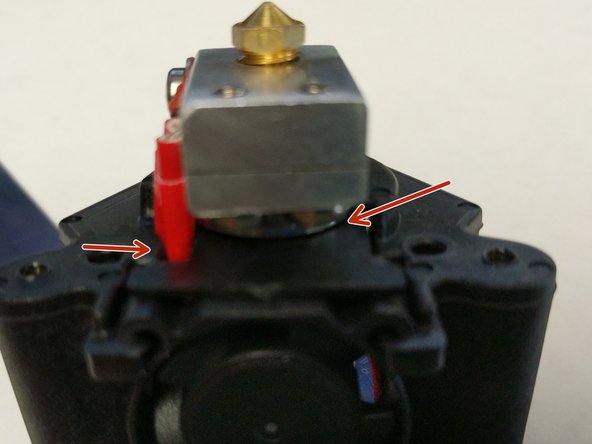
The most critical part of this step is that you get the round cut out in the heat sink running parallel with the heater cartridge, and on the same side as the M3 -.5 x10mm screws (as shown in pic, indicated with two red arrows)
-
-
-
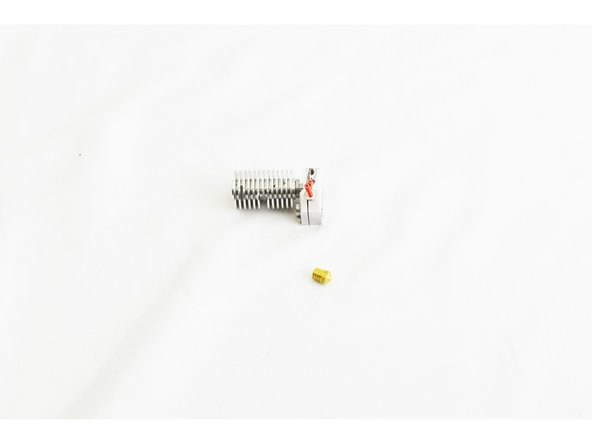
Locate the HE280 .5mm Brass Nozzle.
-
Screw the nozzle into the bottom of the heater block until it makes contact with the heat break. Finger tight!
-
On the next step, tightening the nozzle, be sure not to damage the heater cartridge with the 15mm or 5/8 wrench.
-
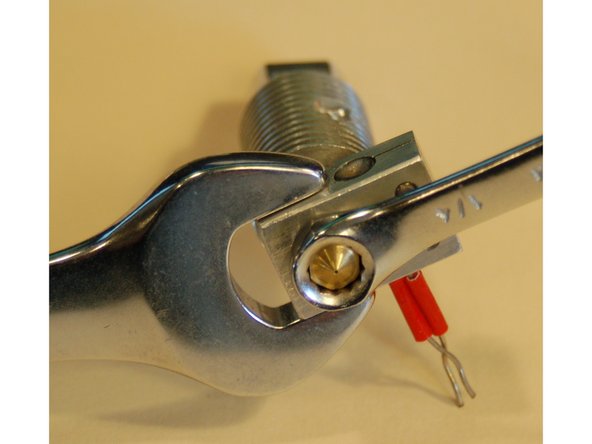
Be sure the Nozzle is screwed in almost all the way before starting to tighten. You should be able to see one row of threads when fully tightened. See Pic #2.
-
Tighten the nozzle fully, using a 15mm or 5/8 wrench on the heater block and a 6mm or 1/4 wrench on the nozzle.
-
It shouldn't take more than a 1/4-1/2 turn from the wrench to snug up the nozzle. If it isn't tightening, you started with the heat break screwed in too far and the nozzle not screwed in enough. Don't make an expensive mistake.
-
-
-
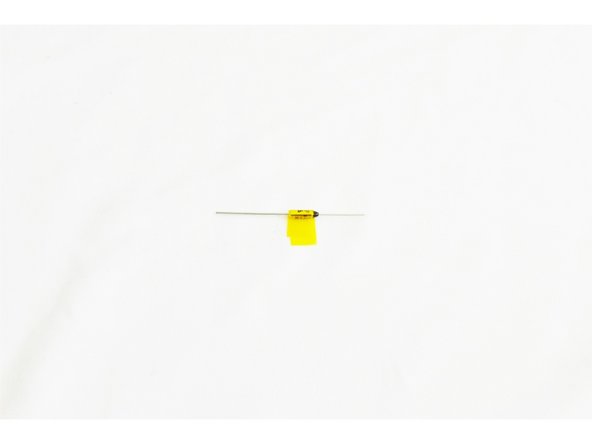
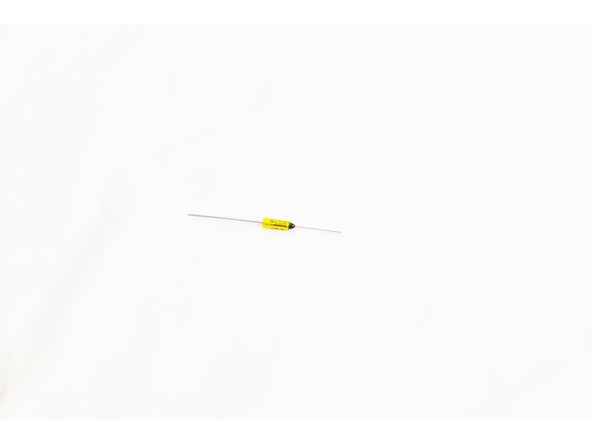
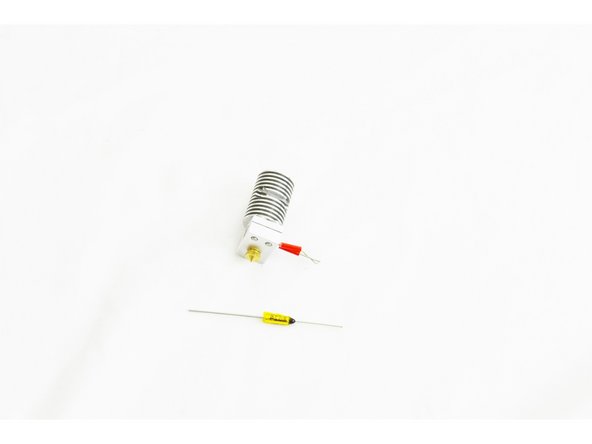
Locate the Thermal Safety Fuse (26792).
-
It will come from SeeMeCNC with Kapton Tape already wrapped around it and taped to itself.
-
Trim the Kapton Tape as shown in the image.
-
-
-
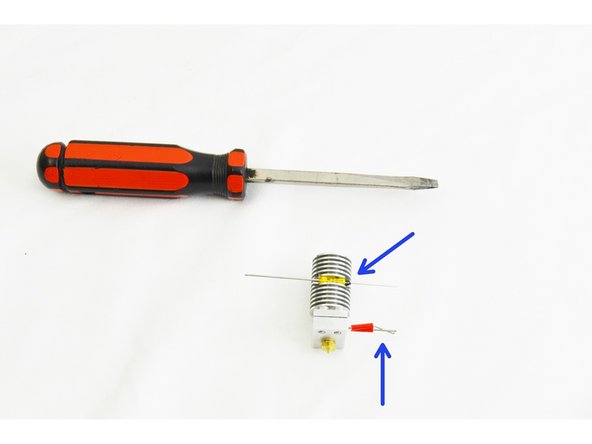
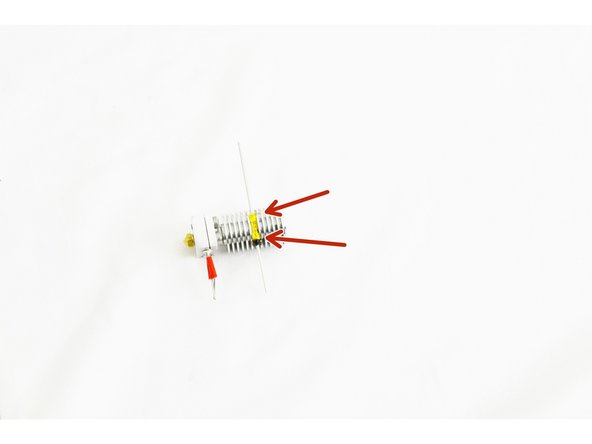
Slide the thermal safety fuse into the side of the heat sink with the black epoxy coated end being on the same side as the leads for the heater cartridge.
-
If the fit is too tight, a standard screwdriver may be used to slightly flex the fins of the heat sink apart enough the slide the thermal fuse in. Be sure not to flex the fins too much, as this will prevent it from having good contact with the fins.
-
You should center the thermal fuse in in the heat sink.
-
After the thermal safety fuse is in place, use the standard screw driver to flex gently flex the fin above and below the fuse so that it is held securely in place.
-
-
-
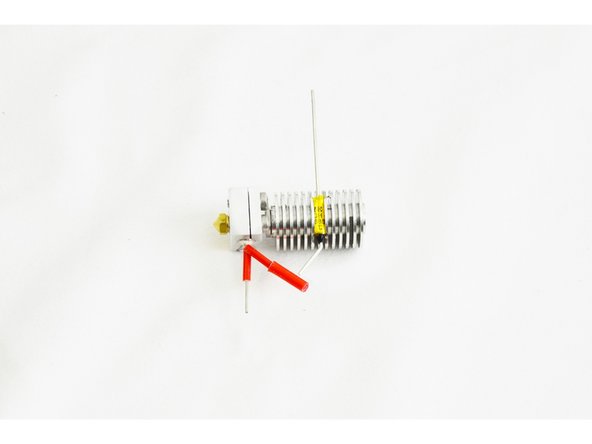
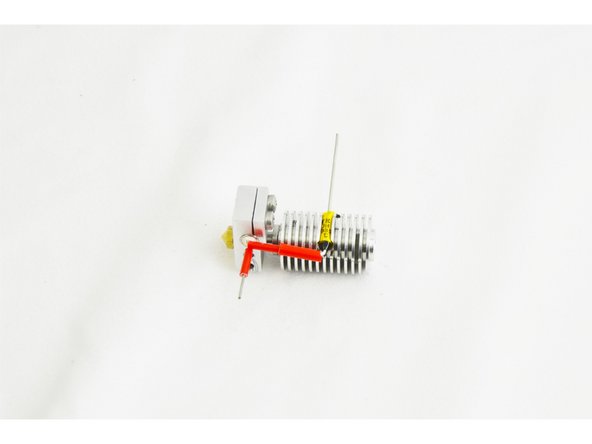
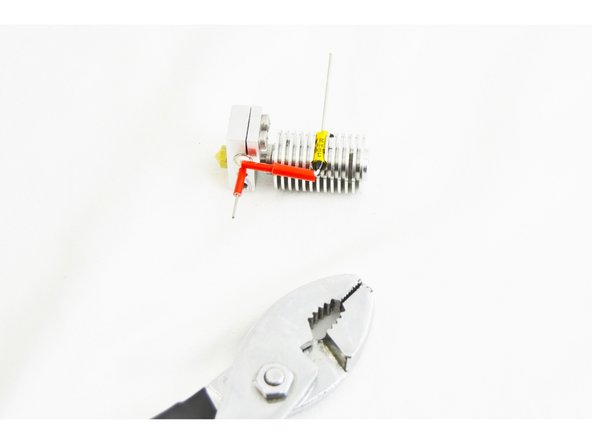
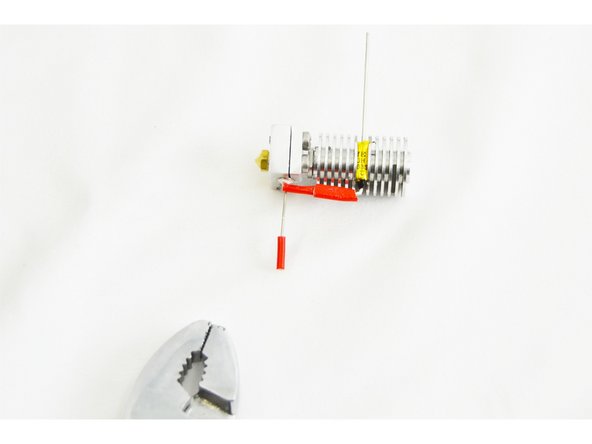
Using a pair of needle nose pliers, bend the lead of the thermal safety fuse (the side with the black epoxy coating) at a 90 degree angle, making it parallel with the heat sink, heat break, and nozzle.
-
Perform the same operation with one of the leads belonging to the heater cartridge.
-
Note that you may need to trim the lead of the thermal safety fuse so that the end of the lead comes even with the end of the red insulation sleeve.
-
-
-
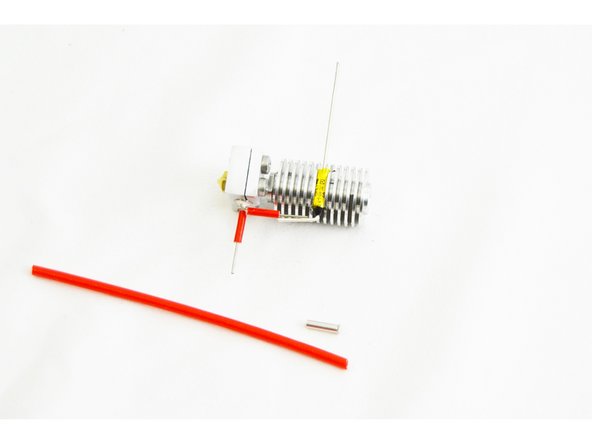
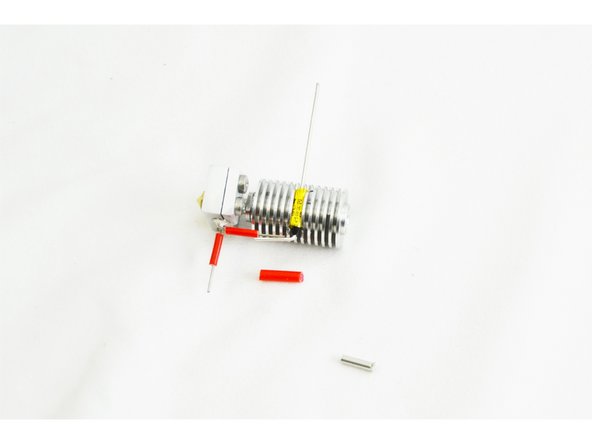
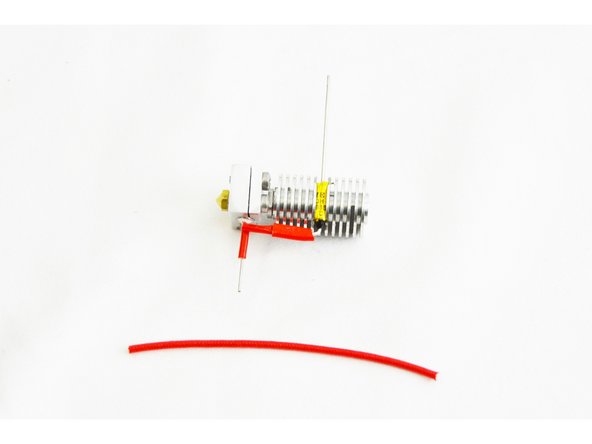
Locate one of the Non-insulated Wire Ferrules (26222) and the 55mm long Red Silicone High Temp Insulation (26191).
-
Your supplied red silicone high temp insulation will not be as long as that indicated in the images.
-
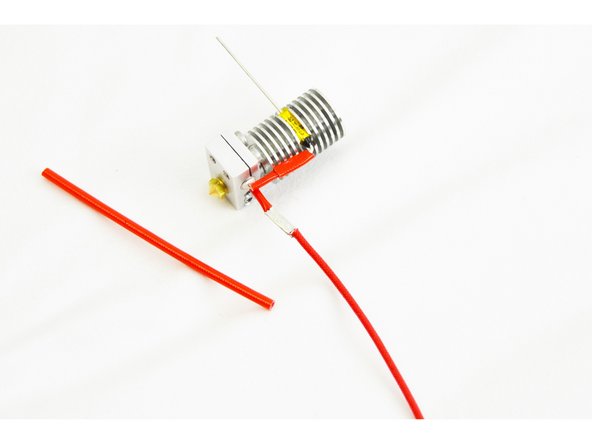
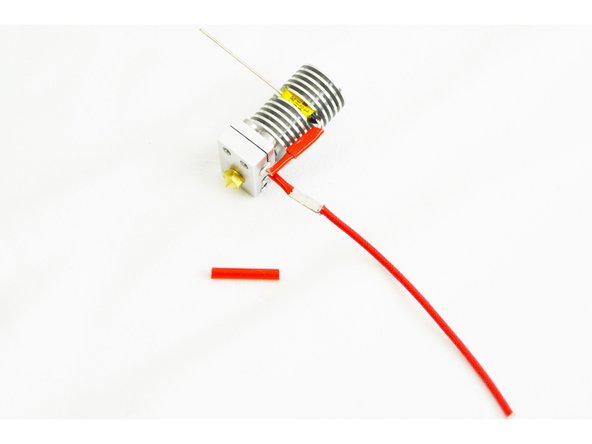
Cut the red silicone high temp insulation into 3 pieces 18mm long.
-
-
-
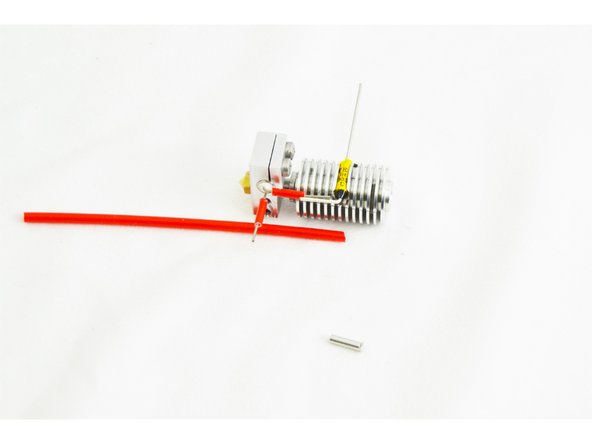
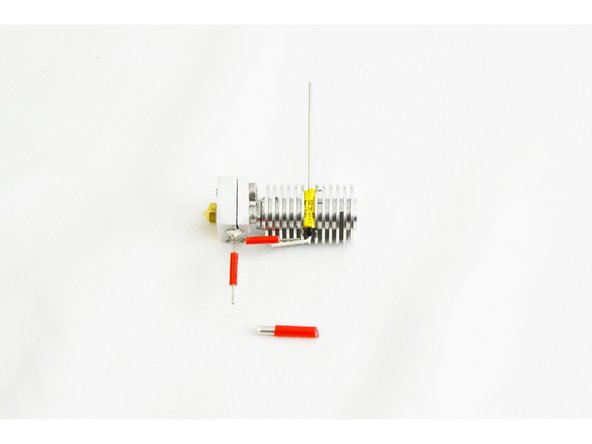
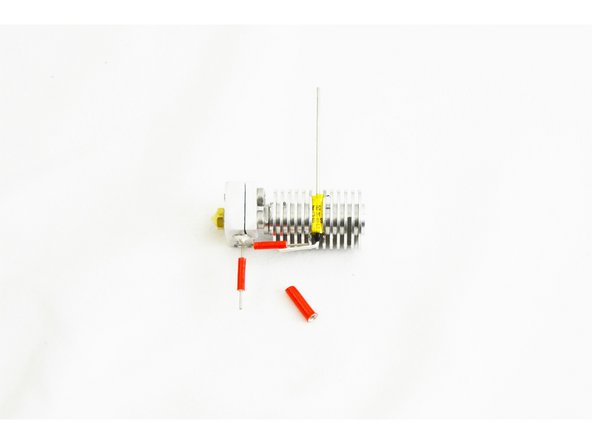
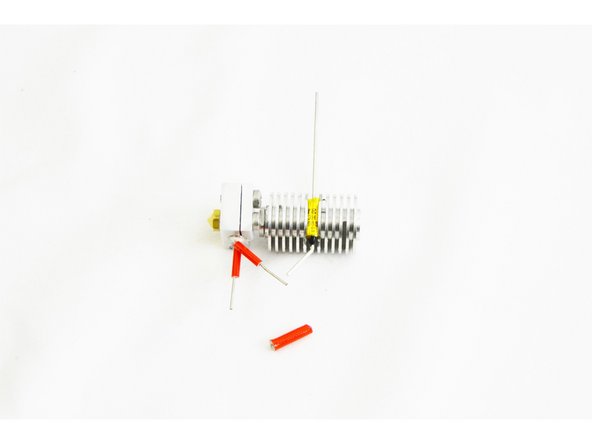
Insert the non-insulated wire ferrule into one of the pieces of red silicone high temp insulation, centering it.
-
-
-
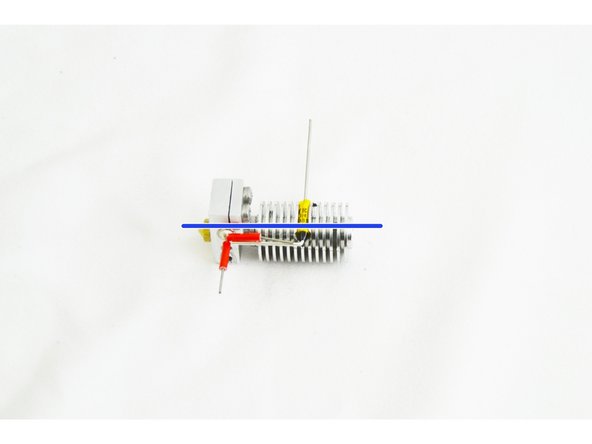
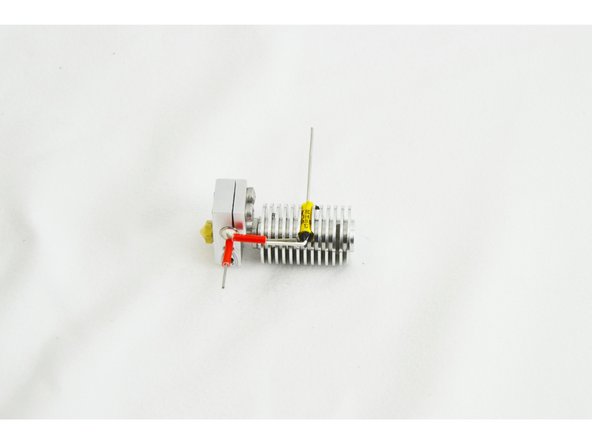
Slightly bend out the leads from the heater cartridge and the thermal safety fuse.
-
Slide the ferrule (with insulation installed) over the heater cartridge lead, and then manipulate the lead from the thermal safety fuse to get it inserted into the other end of the ferrule.
-
Straighten the leads back out so they are running nearly parallel with the heat sink, heat break, and nozzle.
-
-
-
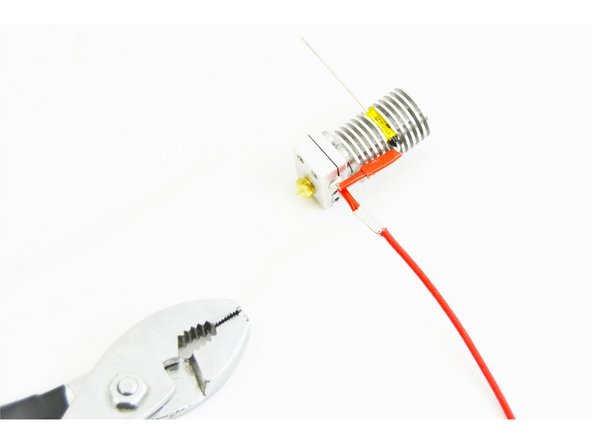
Use a pair of pliers to crimp the ferrule to the leads. Do this in three steps: roughly locate the midpoint of the ferrule and crimp the upper portion (side with the thermal safety fuse lead), then the lower side (side with the heater cartridge lead), and finally crimp, one last time in the center of the ferrule.
-
Do this carefully. It does not take much force. You WILL damage the insulation if you squeeze too hard.
-
-
-
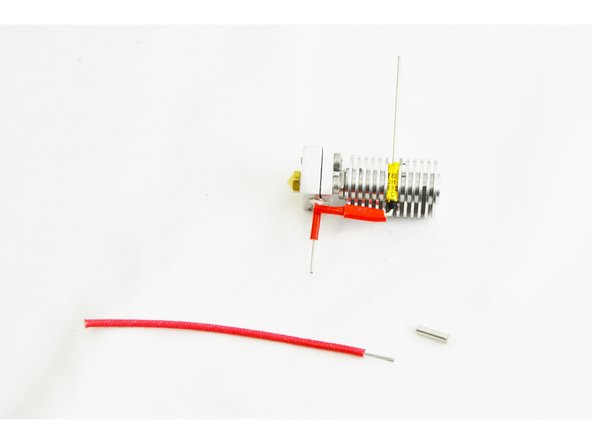
Locate the other Non-Insulated Wire Ferrule (26222) and the High Temp Fiberglass Insulated Wire (26192)
-
Strip 10mm of insulation from one end of the High Temp Fiberglass Insulated Wire and 6mm from the other end.
-
Slide the wire ferrule over the end of the lead on the heater cartridge.
-
-
-
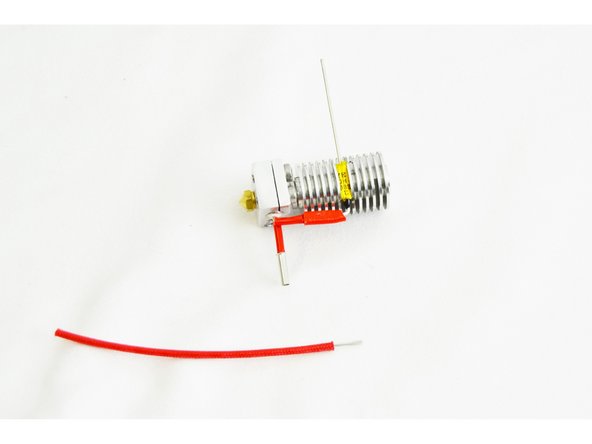
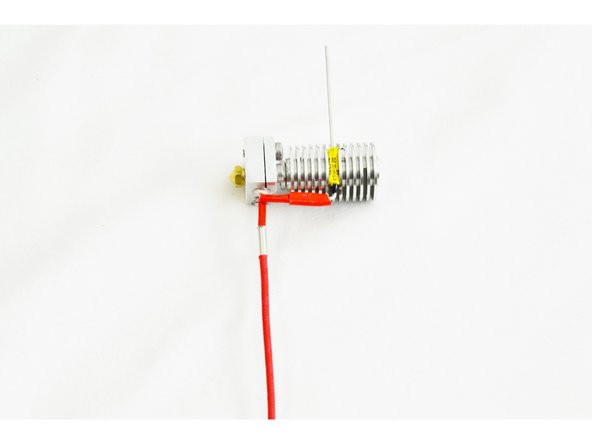
Slide the High Temp Fiberglass Insulated Wire (side with 10mm stripped, into the other end of the wire ferrule (inserted in the last step)
-
You should insert the High Temp Fiberglass Insulated Wire until the insulation is flush with the end of the wire ferrule.
-
Crimp the wire ferrule. Do this in three steps, roughly locate the midpoint of the ferrule and crimp the upper portion (side with the heater cartridge lead), then the lower side (side with the high temp wire), and finally crimp one last time in the center of the ferrule.
-
-
-
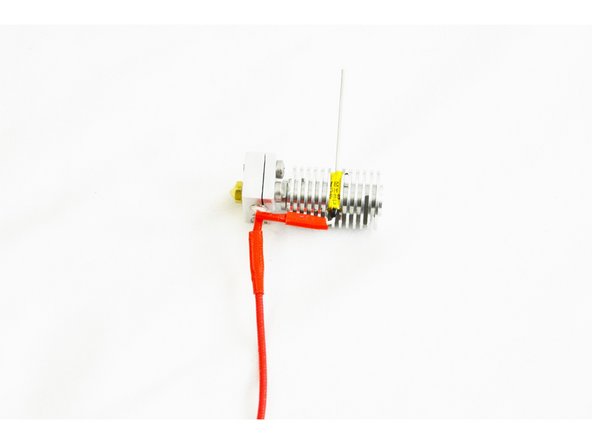
Install one of the reminaing 18mm pieces of Red Silicone High Temp Insulation over the connection that was crimped in the previous step.
-
Ensure that the insulation is fully covering the wire ferrule.
-
-
-
Bend the prepared lead from the heater cartridge, up at a 90 degree angle. This lead should now be parallel with the lead going to the thermal safety fuse.
-
-
-
Be careful with the Thermistor, it is a fragile component, if handled too rough it will break.
-
Due to their fragile nature, for orders shipped after 9/27/16, we have included a spare thermistor in your HE280 Hotend kit.
-
Locate the Thermistor 100K (26141) and 100mm long Small PTFE Tube (26190)
-
Cut the 100mm long small PTFE tube in half. You will now have two pieces that are 50mm long each.
-
Carefully slide one 50mm tube up one leg of the thermistor, then repeat for the other leg. The tubing should reach up to the glass bead on the thermistor. Do not force the tubes as this may split the thermistor head.
-
-
-
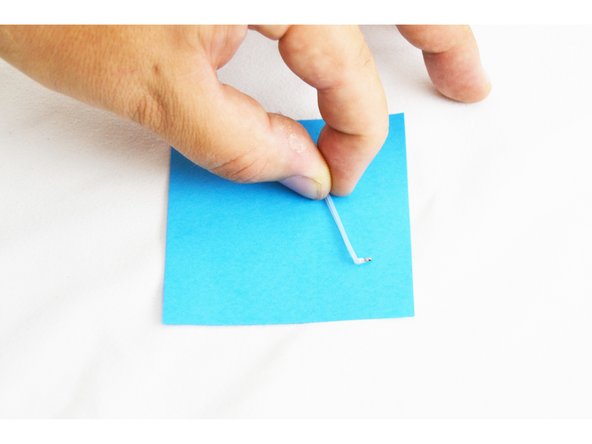
Make a 90 degree bend at the end of the thermistor / PTFE Tube (the end with the glass bead) using a pair of needle-nose pliers.
-
To do this: Pinch the needle-nose pliers onto the edge PTFE that is covering the legs of the thermistor, and rotate the needle-nose pliers, making the 90 degree bend.
-
Compare your result with the picture.
-
-
-
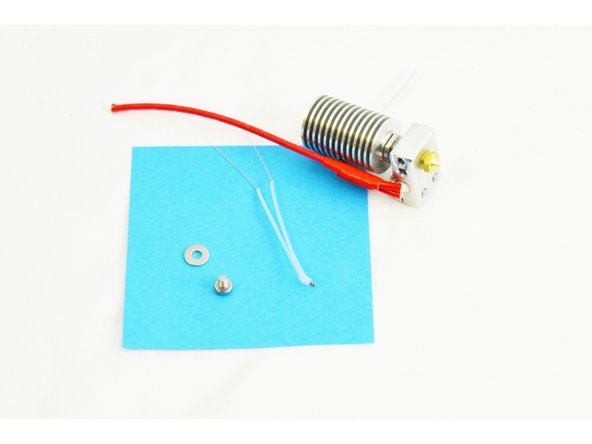
Locate the M3 -.5 x 6mm Phillips Head PH Machine Screw (30317) and the #4 SAE Flat Washer (30449)
-
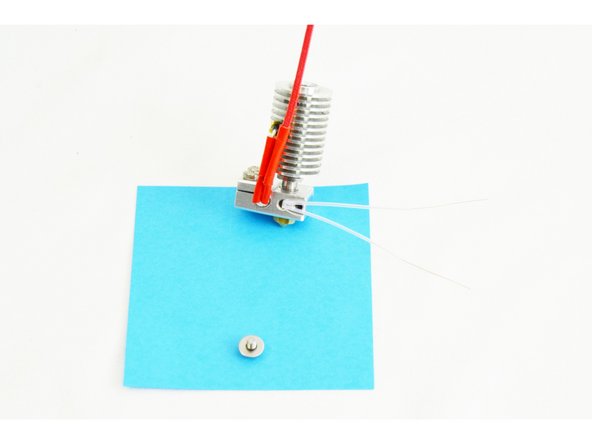
Insert the thermistor (glass bead end first) into the hole (closest to the heater cartridge) in the side of the heater block.
-
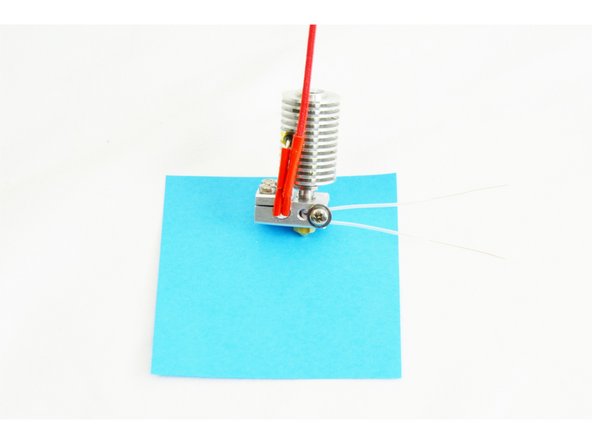
Insert the #4 washer onto the M3 screw (sharp edges facing the head of the screw), and then insert the screw into the hole (furthest from the heater cartridge) in the side of the heater block.
-
Fully Tighten.
-
-
-
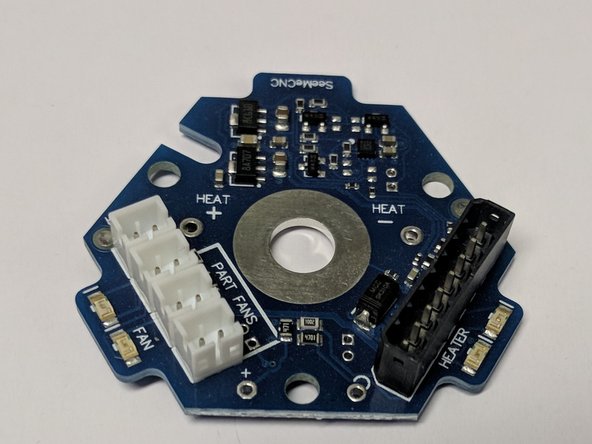
HE280 kits now shipped from SeeMeCNC include a REV6A accelerometer board as picture to the left.
-
The most notable difference is that there are separate connectors for the 3 layer fans. This eliminates wire splicing the fans together.
-
If later steps are affected by the change, the instruction steps will note REV5 or REV 6 steps separately.
-
-
-
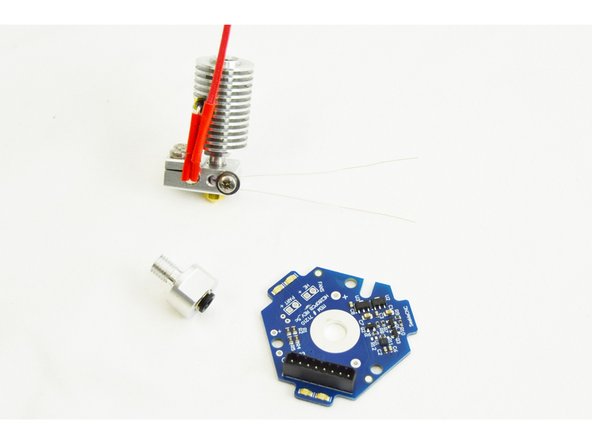
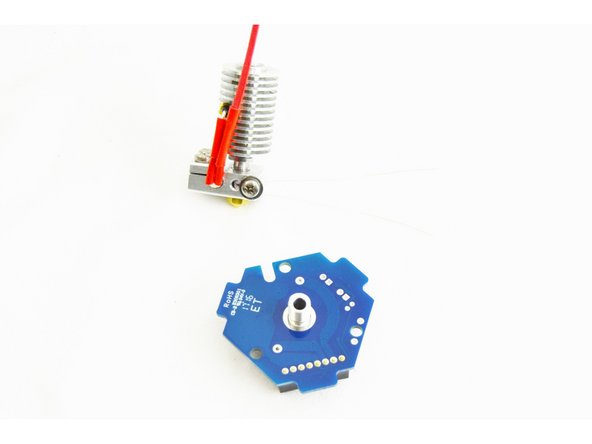
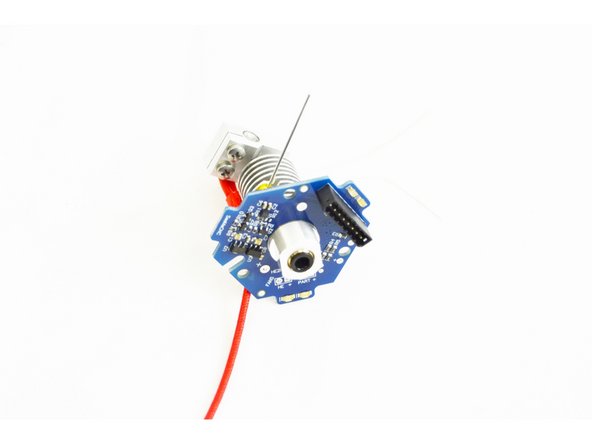
Locate the HE280 Hotend PCB Board (71210) and the EZR Struder / Hot End PTC Adapter (70604)
-
Insert the EZR Struder / Hot End PTC Adapter through the hole in the center of the HE280 Hotend PCB Board
-
The black plastic ring of the EZR Struder / Hot End PTC Adapter should be on the side of the HE280 Hotend PCB Board with the 8 pin connector (See Pic)
-
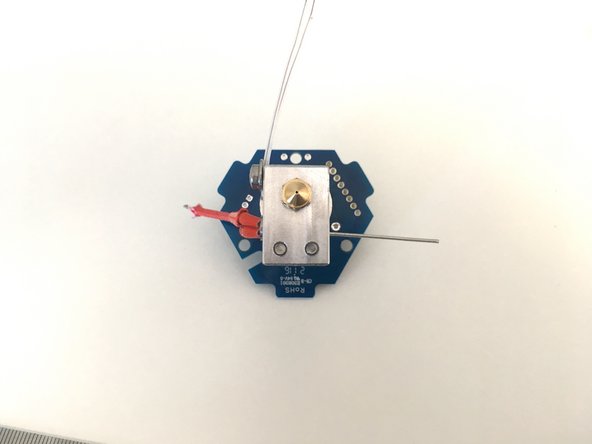
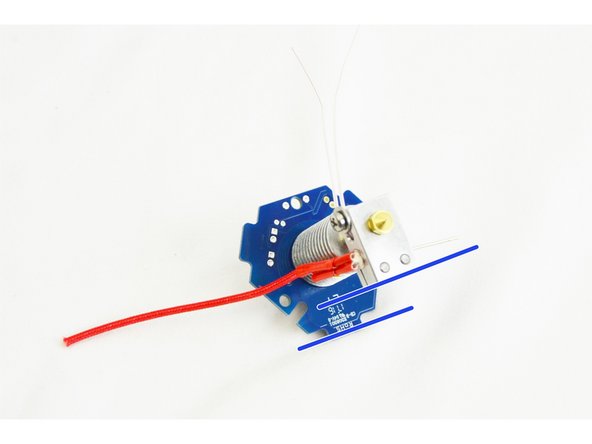
Hand-tighten the EZR Struder and HE280 Hotend PCB onto the heat sink. Align the PCB so that branded "SeeMeCNC" tab is parallel to the fastener end of the heat block (see image for reference).
-
-
-
Confirm the correct alignment of the HE280 Hotend PCB Board with the rest of the hot end assembly.
-
Once confirmed, fully tighten the EZR Struder / Hot End PTC Adapter
-
-
-
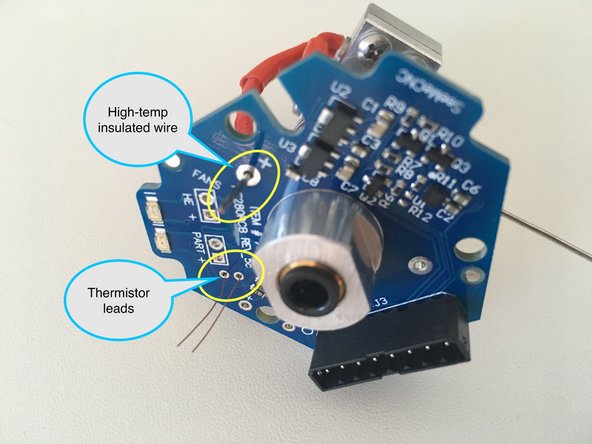
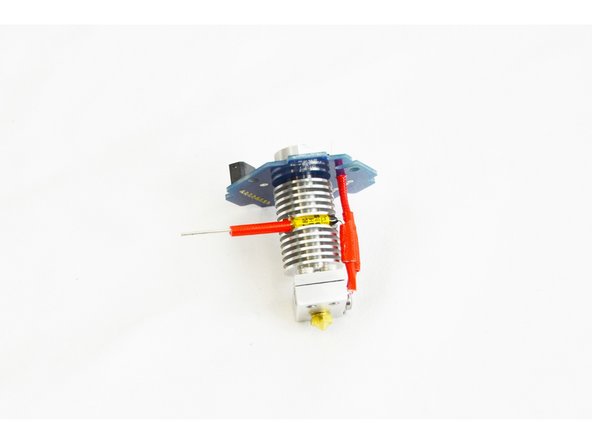
Flex the high temp insulated wire that is crimped onto the heater cartridge and insert it into the through hole on the HE280 Hotend PCB marked with a +
-
The high temp insulated wire should extend through the PCB board with the insulation resting against the bottom of the board.
-
Feed the thermistor wires through the two holes just to the right of "PART +" (or the holes marked "TEMP"). See image for reference.
-
The PTFE tubing on the legs of the themistor should rest against the bottom of the HE280 Hotend PCB board. It is ok if the thermistor leads have a slight bow to them between the heater block and the PCB, this is actually preferred, so do not trim the PTFE/legs down from the stock length.
-
-
-
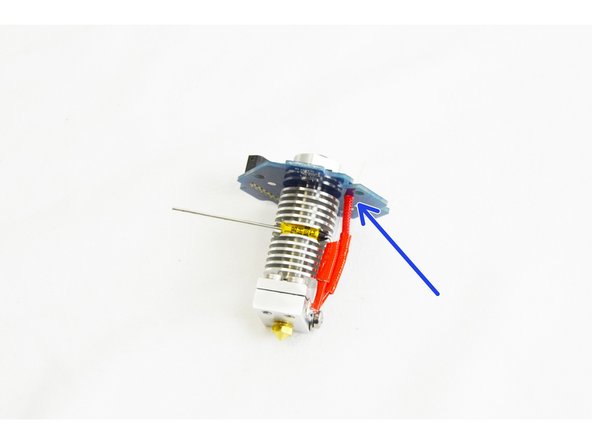
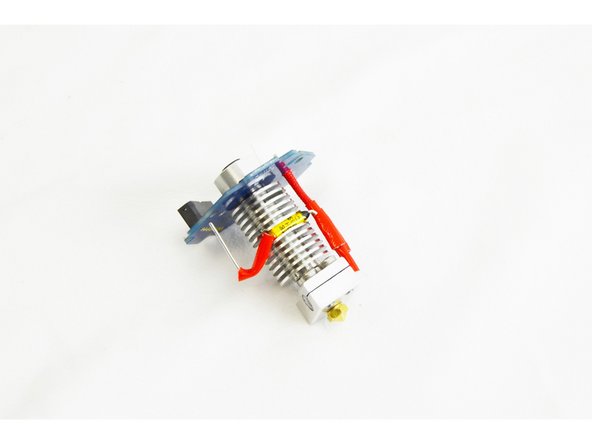
Insert the remaining piece of 18mm red silicone high temp insulation on the leg of the thermal safety fuse.
-
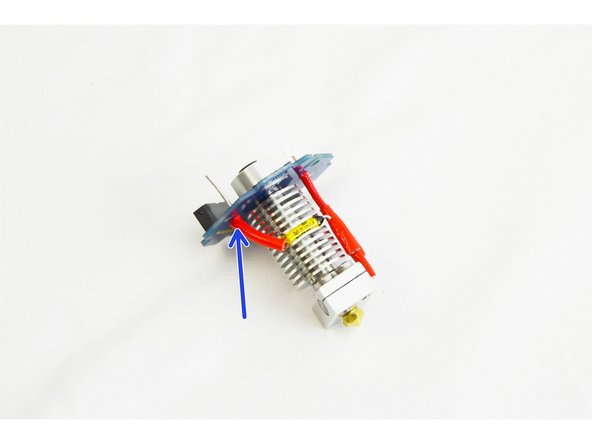
Flex the leg of the thermal safety fuse down enough that it can be inserted into the HE280 Hotend PCB Board through hole opposite of the +
-
Noted indication marker in photo.
-
-
-
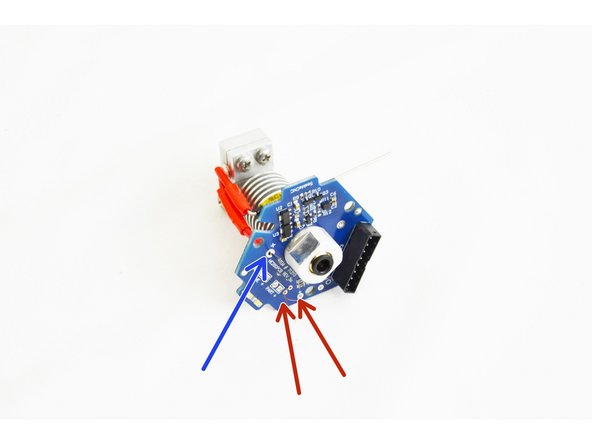
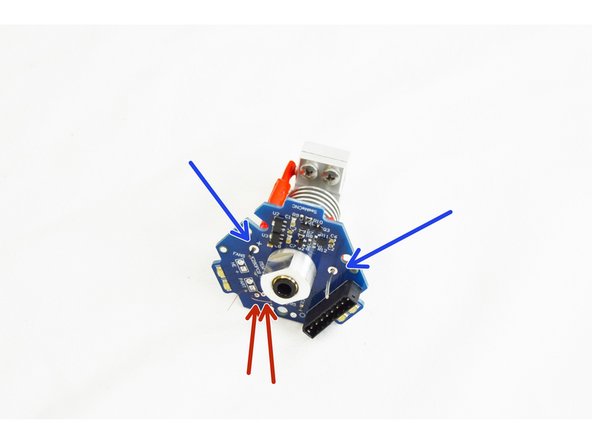
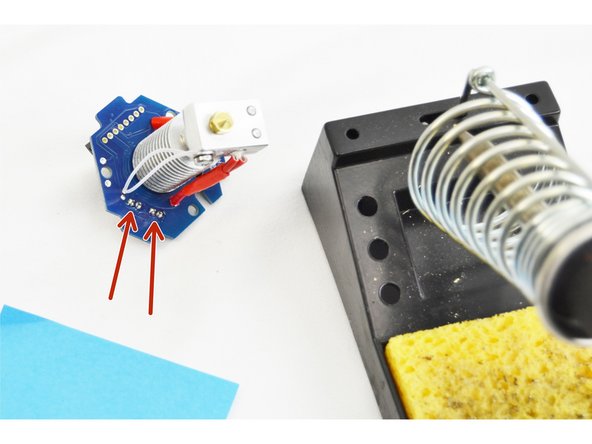
Confirm that you have the heater cartridge lead and the thermal safety fuse leg inserted in the through holes of the HE280 Hotend PCB board.
-
In photo #1 the heater cartridge lead is on the left (indicated by the + on the HE280 Hotend PCB board) and the thermal safety fuse is on the right. (noted with blue arrows)
-
Confirm that the thermistor legs are inserted into the correct through hole location (marked with red arrows in the picture) on the HE280 Hotend PCB board.
-
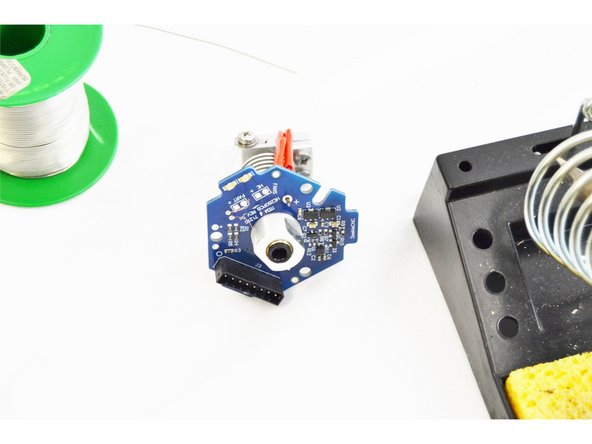
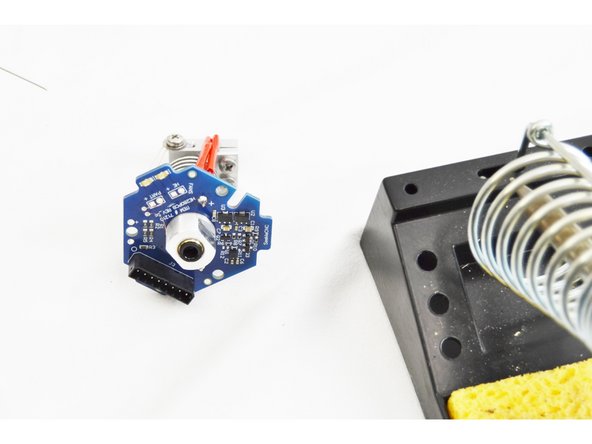
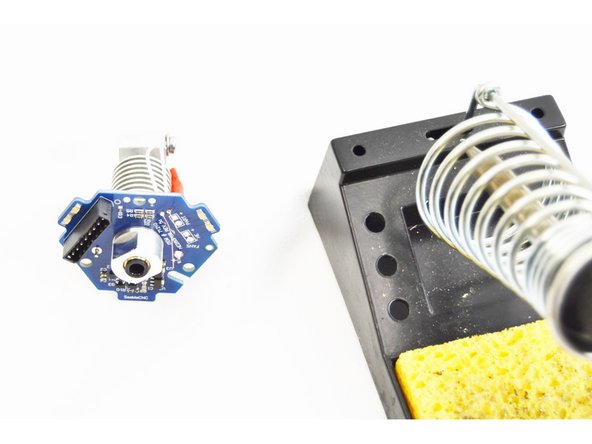
Using your soldering iron, solder all 4 through hole connections.
-
-
-
After the through hole connections have been soldered, trim the excess thermistor leads on the top side of the HE280 Hotend PCB board. These do NOT need to be flush with the board, we just need to ensure that they can not short against each other.
-
-
-
If you have received a REV6 accelerometer board, this step is NOT required.
-
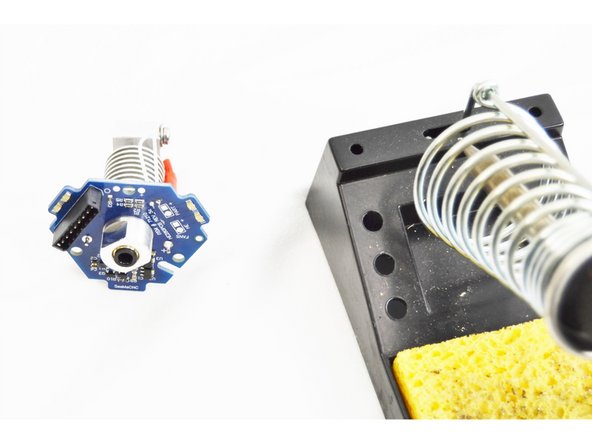
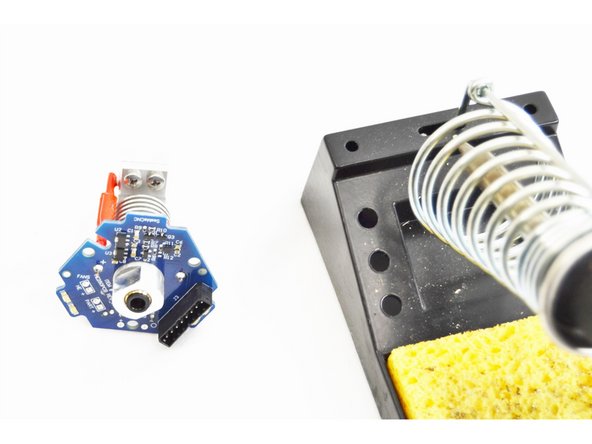
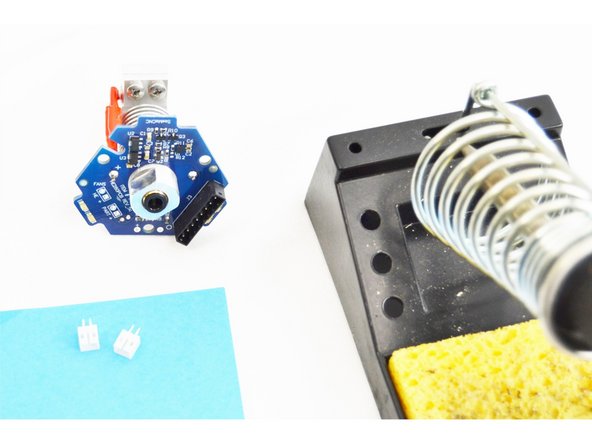
Locate the (2) Header 2 Pin JST PH2.0 (26176)
-
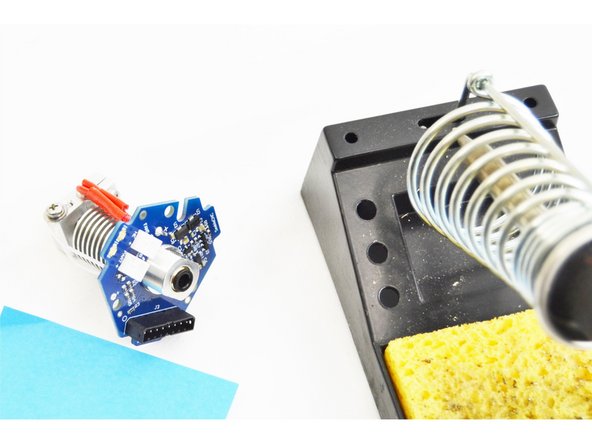
Insert and orient the parts as shown in the picture. The solid face of the plug should be facing towards the center of the hot end.
-
Solder those two plugs (4 total solder points in place from the bottom side of the HE280 Hotend PCB board.
-
If you pinch the leads on the white connectors a tiny bit, they'll "grip" the PCB and make them easier to solder.
-
-
-
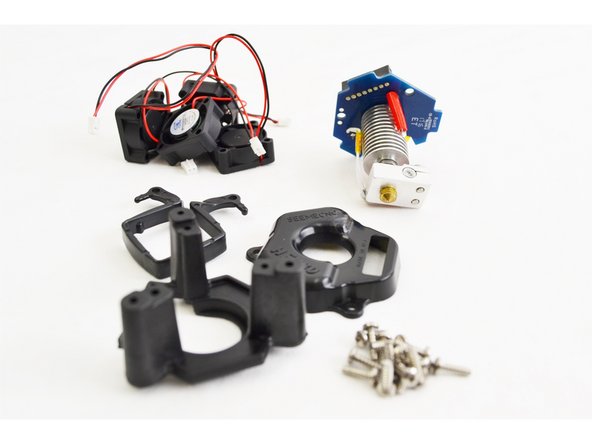
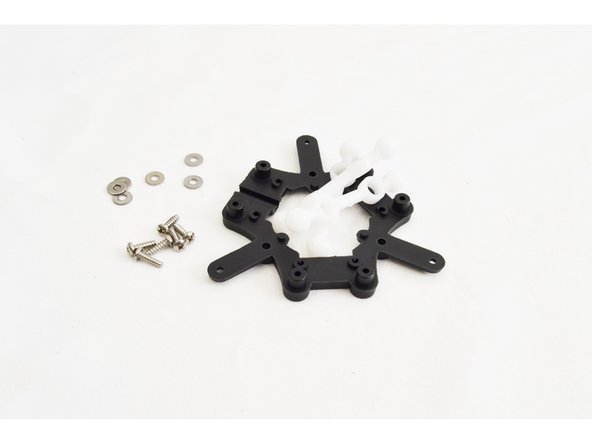
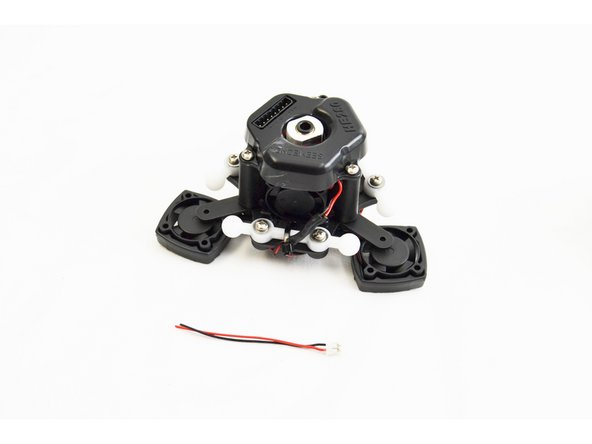
In the picture are the parts that will be required for the final assembly of the HE280 Hot End.
-
Not included in the picture is a 30mm long piece of 1/8" Heatshrink tubing & 2 additional Layer Fan Mounts .
-
-
-
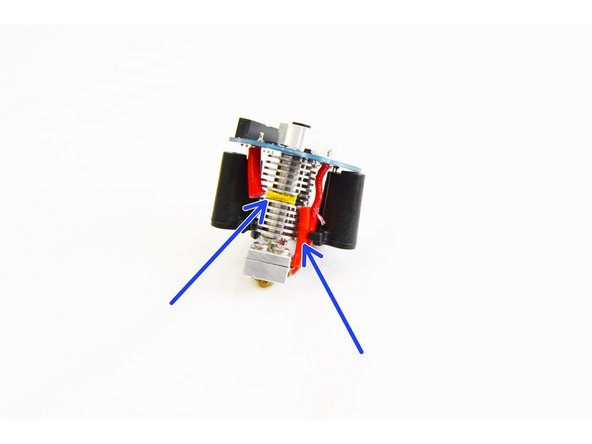
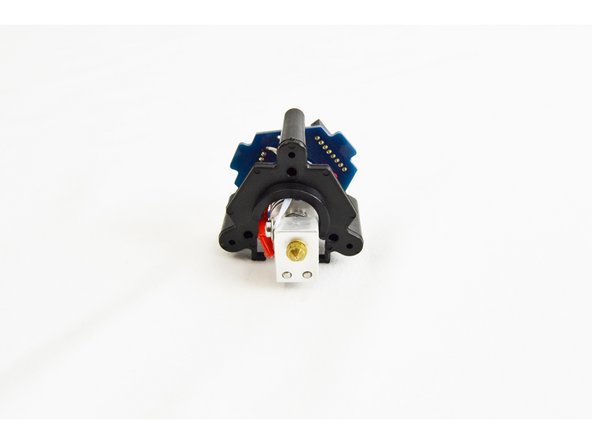
Locate the HE280 PCB Mount (71257)
-
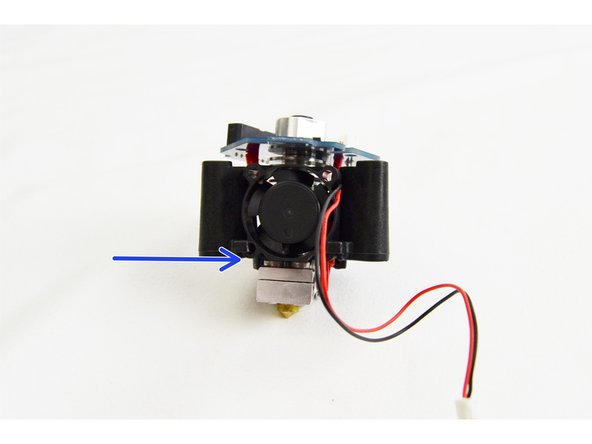
Align the hotend with the PCB mount as shown in the image and gently slide it in place.
-
Notice that the side of the heat sink that contains the thermal safety fuse should be on the side of the PCB mount with the opening. (indicated with blue arrows)
-
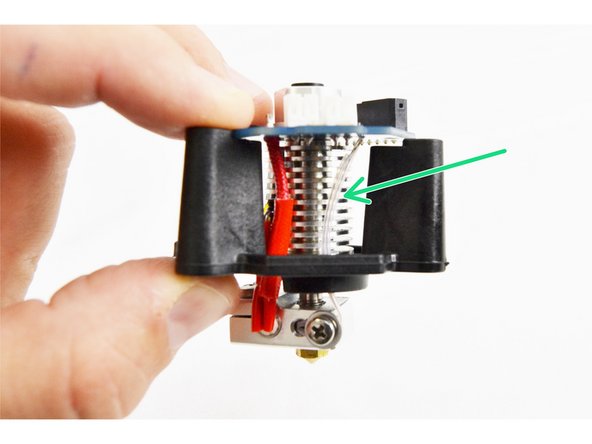
You will want to arc the thermistor leads slightly as shown in the image (indicated by a green arrow) so they are not pinched between the hot end and the PCB Mount when fastening.
-
-
-
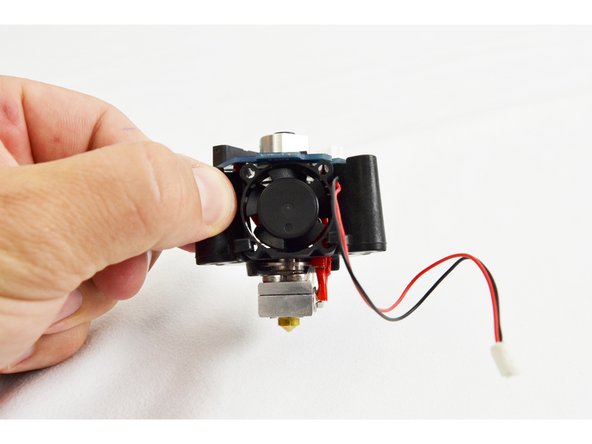
Locate (1) of the 25mm Ball Bearing (26309) Fans.
-
Tilt the fan at a slight angle and slide the it into the fan mount legs of the PCB mount. THE SIDE OF THE FAN WITH THE LABEL SHOULD BE CLOSEST TO THE HOT END HEAT SINK.
-
The final location of the fan is with the bottom edge flush with the bottom of the PCB mount.
-
-
-
Locate (3) of the #4 x 3/8" sheet metal screws (30250).
-
Align the holes in the PCB with the holes in the PCB mount and insert the screws in to each of the three locations. DO NOT TIGHTEN YET
-
Ensure that the thermistor legs still have a slight arc and are not in the direct rear of the hot end where they can be pinched.
-
Tighten each of the three screws two complete turns and then check the thermistor legs.
-
Repeat as necessary until fully tightened.
-
-
-
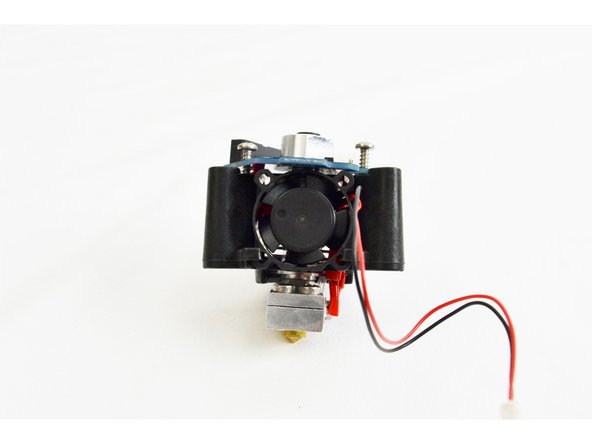
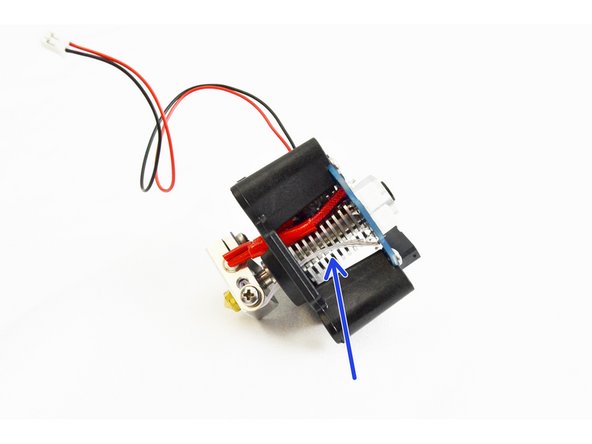
Kits shipped after 2/24/2017 from SeeMeCNC come with a Barrel Fan Blocker (shown in first image). If your kit is from a prior date, you can print your own. Barrel Fan Blocker Install after initial assembly will not be an issue.
-
Locate the barrel fan blocker from your hot end kit.
-
Align the barrel fan blocker with the visible fin on the heat sink between the hot end stand off and the heater block. The blocker is not symmetrical, the side with the skinnier leg will be on the side of the heater cartridge leads.
-
Press the barrel fan blocker in until you feel it "snap" onto the heat sink.
-
This blocker will help to prevent any airflow from the barrel fan from making it down to the heater block.
-
-
-
Run the 25mm fan wire up and through the notch in the PCB, wrap it around the PTC adapter in the center of the hot end and then plug it into the HE header on the PCB.
-
This connection is keyed. This will aid in ensuring polarity is correct.
-
-
-
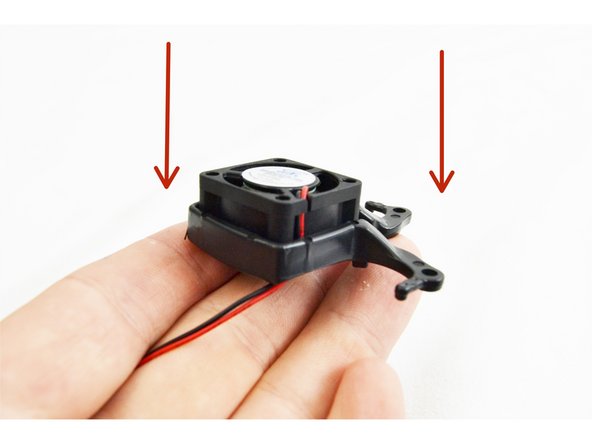
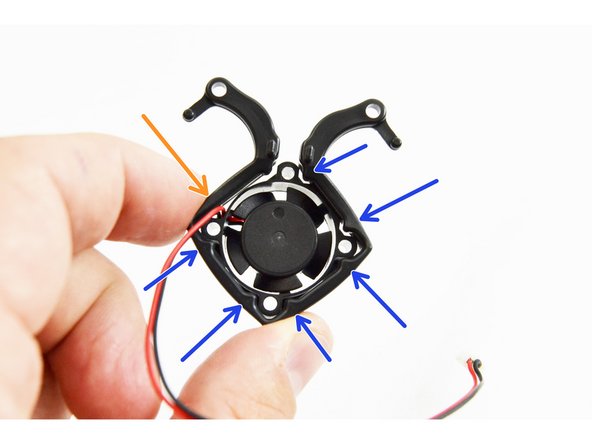
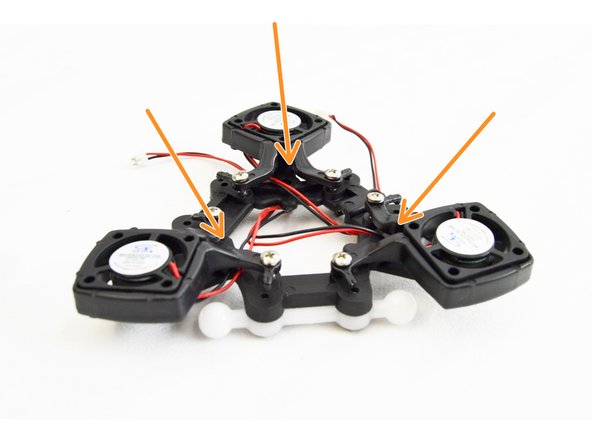
Locate the remaining (3) 25mm Ball Bearing Fans (26309) and HE280 Layer Fan Mounts (71259).
-
Insert (1) fan into each fan mount as show in the image.
-
Pay close attention to the orientation of the fan leads and direction of installation.
-
The fans should be installed into the fan mounts in the direction indicated by red arrows in the image.
-
The fan should be oriented so that the leads that exit the fan are located where there is not an alignment pin. This is indicated in the image by an orange arrow, the alignment pins are indicated with blue arrow.
-
-
-
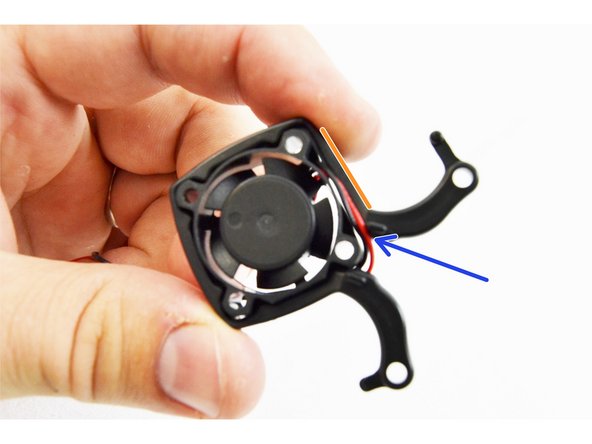
When correctly installed the fan and mount should look like this image.
-
Route the wires along the fan body then in between the boss and the fan body, finally dropping straight down.
-
-
-
From the 290mm IM Arm / Platform Sub-Assembly Pack (70871), locate the Ball Joint Platform (70857), (3) Ball Joints for IM Carriage/Platform (70855), (6) #4 x 3/8" sheet metal screws (30250), and (6) #4 SAE Flat Washers (30449). Set the rest of the parts from that pack aside for later use in Final Assembly.
-
Install the joints onto each of the three sets of posts on the ball joint platform as shown.
-
Install a #4 washer and #4 x 3/8" sheet metal screw into each post to secure the ball joints.
-
Fully Tighten.
-
-
-
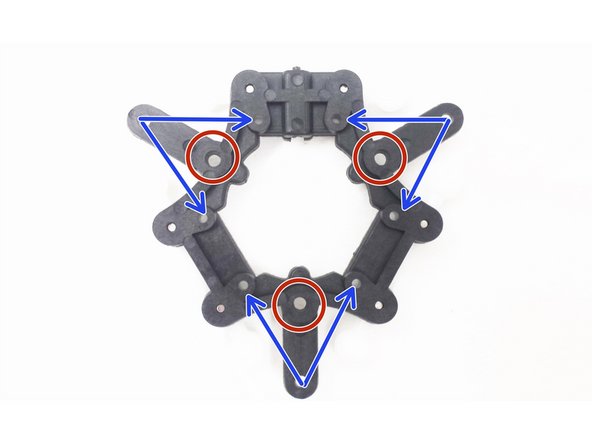
The red circles indicate where you will secure the Hotend with PCB mount to the ball joint platform.
-
The blue arrow sets indicate where you will secure the layer fan mounts to the ball joint platform.
-
Keep these reminders in mind for the following steps. Refer back as needed.
-
-
-
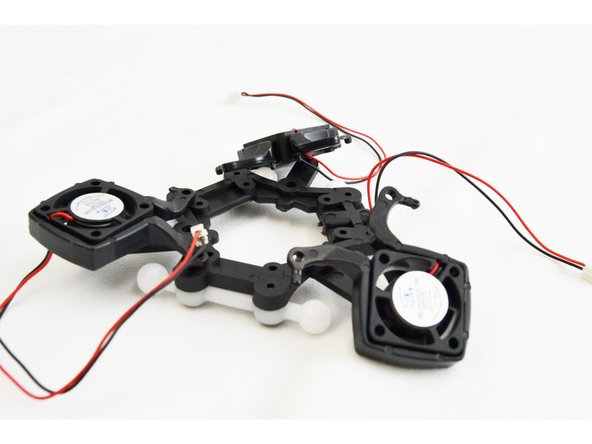
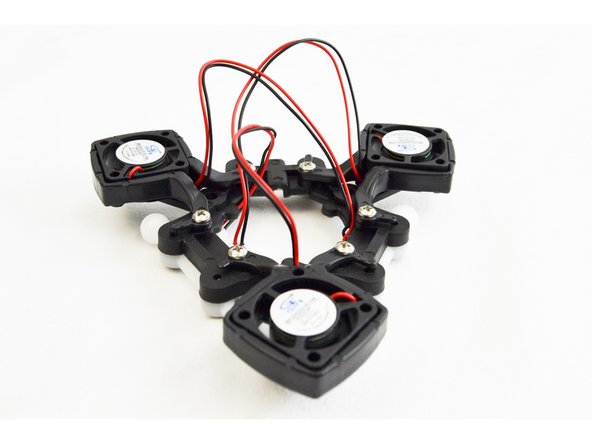
Locate (6) of the #4 x 3/8" sheet metal screws (30250) from the HE280 Complete Hot End Kit.
-
Secure one leg of each fan mount into the hole on the bottom of the ball joint platform.
-
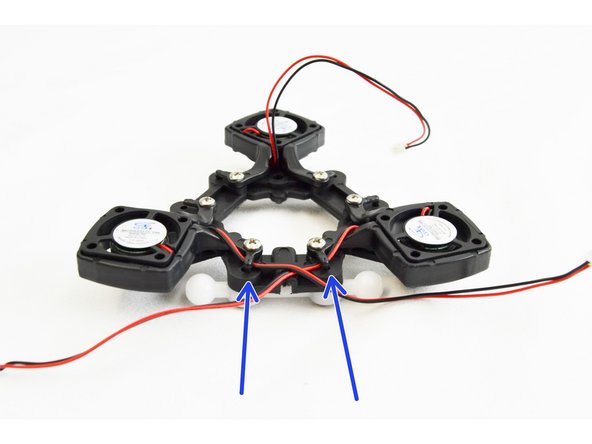
Loosely route the fan wires for each fan up and in between the legs of the layer fan shroud mount. This is indicated with orange arrows.
-
-
-
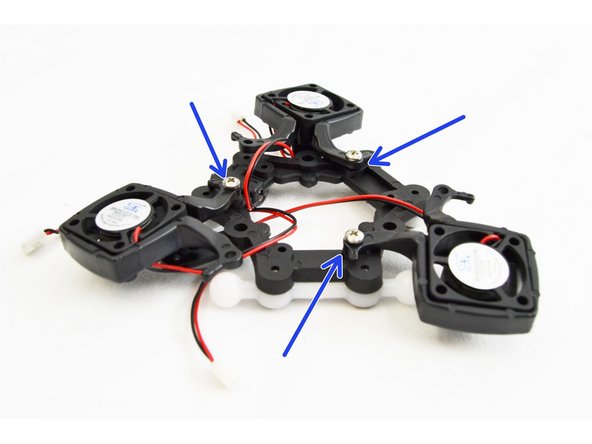
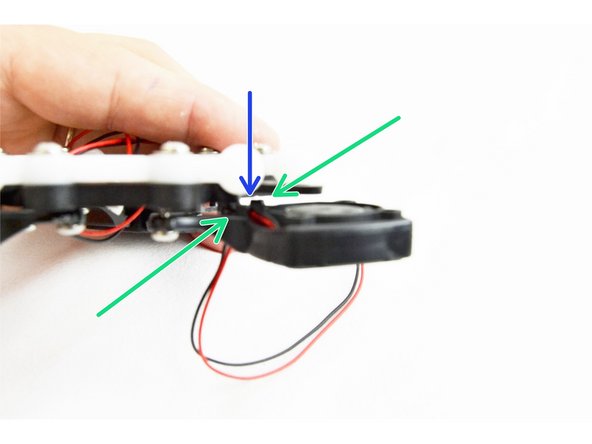
Route the fan leads along the body of the fan and in between the two bosses (indicated with green arrows)
-
DO NOT PULL SO TIGHT AS TO RIP THEM OFF THE FAN, but pull the leads taught on the bottom side
-
Insert the remaining #4 x 3/8" sheet metal screws into the fan mounts.
-
With the screws inserted you will need to flex the legs of the layer fan mount into place and start the screw into the hole. Do not fully tighten yet.
-
Flexing the legs of the layer fan mount helps to pinch on the fan, locking it in place.
-
After you have all the layer fans attached and partially tightened, work on fully tightening one fan mount at a time. As you work toward having these fully tightened, ensure that the wires are routing correctly and have not moved from their expected position.
-
-
-
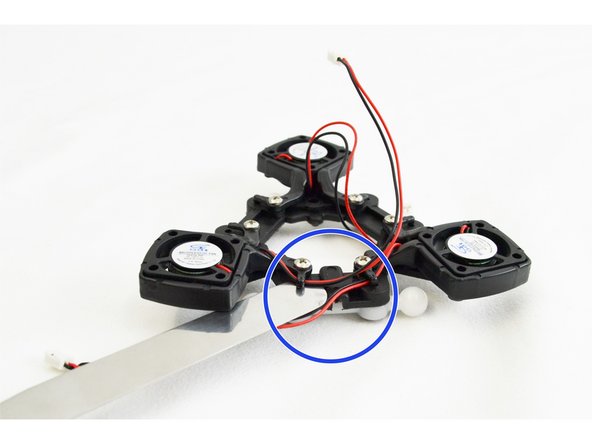
We will now route the fan leads on the bottom of the ball joint platform.
-
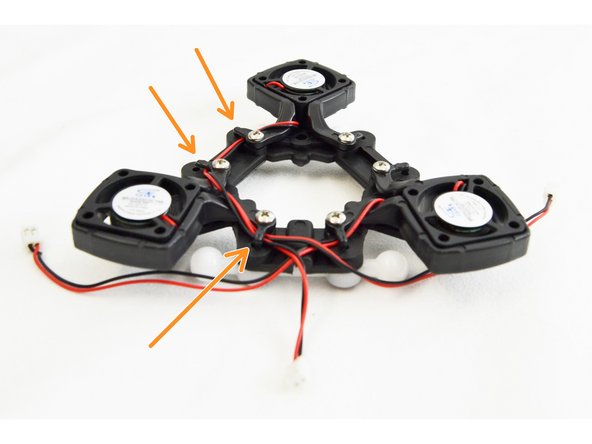
Begin with the (2) layer fans that are closest to the channel in the ball joint platform (indicated by the blue circle). You will want to GENTLY flex up the wire management tab with a flat tool. You will route the leads of the (2) fans closest to the channel towards that channel.
-
Next you will route the leads of the layer fan farthest from the channel. These fan leads will go under 3 wire management tabs as they pass around the perimeter of the ball joint platform.
-
Press down (by hand) any of the wire management tabs that were flexed up for this step.
-
-
-
If you have received a REV6 accelerometer board, this step is NOT required. There is a connector for wach fan on the board.
-
READ ALL STEPS BEFORE PROCEEDING! Wiring the Effector Platform Fans for the Rostock MAX v3
-
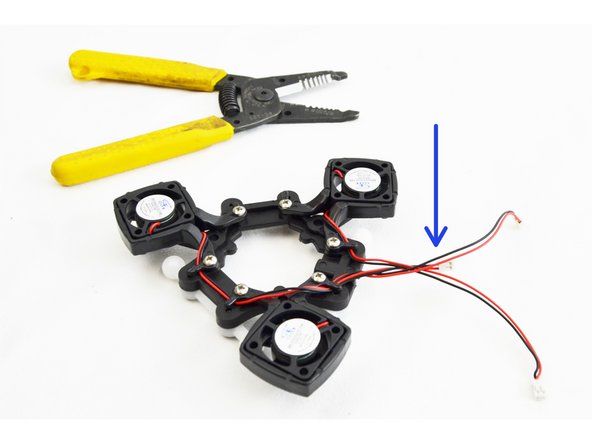
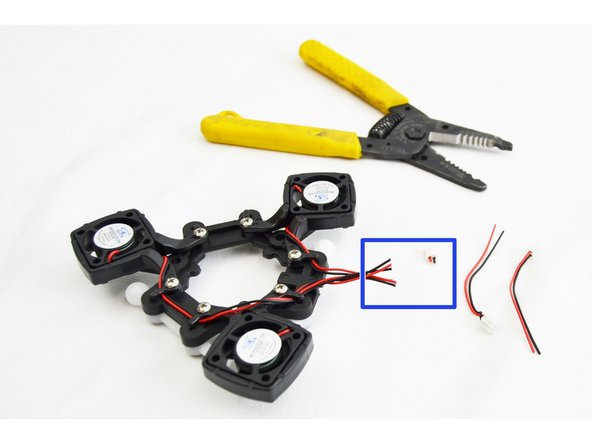
You will be cutting the plug off of the shortest fan lead first. You want to cut the leads as close to the plug as possible.
-
You will now cut the remaining (2) sets of fan leads to the same length as the first.
-
DO NOT DISCARD THE LEAD AND PLUGS THAT YOU CUT OFF. THESE WILL BE USED WHEN INSTALLING THE RAMBO BOARD. THEY WILL BE ATTACHED TO THE 40mm BALL BEARING FAN ALLOWING IT TO PLUG INTO THE RAMBo BOARD.
-
Strip approximately 5mm of insulation from each of the leads that you cut.
-
-
-
If you have received a REV6 accelerometer board, this step is NOT required. There is a connector for each fan on the board.
-
Locate the 1/8" Heat Shrink Tubing 30mm long.
-
Cut the heat shrink tubing in half
-
Insert each piece over the legs of one of the leads/plug that you cut off in recent steps.
-
Twist the three red fan leads together (the ones still connected to the fans)
-
Twist the three black fan leads together (the ones still connected to the fans)
-
-
-
If you have received a REV6 accelerometer board, this step is NOT required. There is a connector for each fan on the board.
-
You will now perform an in-line splice soldered connection of the three bundled leads with the lead that has the plug installed. You will perform this type of splice for the red and black wires (separately) as shown in the images.
-
Be sure before soldering that you have the heat shrink tube installed and slid to the end of the lead with the plug.
-
-
-
If you have received a REV6 accelerometer board, this step is NOT required. There is a connector for wach fan on the board.
-
Slide the heat shrink tubing over the (2) spliced connections and apply heat, shrinking it onto the leads.
-
-
-
If you have received a REV6 accelerometer board, this step is NOT required. There is a connector for each fan on the board. After you get the hot end installed on the platform in step 56, you will find the best routing for the fan wires.
-
Install a wire tie to secure the leads you just worked on to the ball joint. The wire tie will route through the channel in the ball joint platform as shown in the picture.
-
-
-
-
If you have received a REV6 accelerometer board, this step is NOT required. There is a connector for each fan on the board. After you get the hot end installed on the platform in step 56, you will find the best routing for the fan wires.
-
Cut off the excess portion of the wire tie.
-
-
-
Locate the (3) #4 x 1/2" sheet metal screws
-
Orient the hotend assembly with the platform assembly such that the hotend fan is parallel with the ball joint that has the layer fan leads connected to it.
-
The hotend assembly will index onto the ball joint platform via 3 bosses / recesses This will help with aligning the screw holes.
-
Use the (3) #4 x 1/2" sheet metal screws to secure the two together.
-
Fully Tighten.
-
-
-
Route the wires for the heat sink cooling fan in the notch on the PCB and plug it into the HE port.
-
REV5 BOARD ONLY: Route the wires for the layer fans through the same notch in the PCB that you routed the hot end fan.
-
REV6 Boards will have to route each fan lead up to the board separately as shown in the third image. You may have to re-route the wires that you did in step 49 to find the best route to the fan connectors.
-
Plug the layer fan into the HE280 Hotend PCB board port labeled "PART"
-
-
-
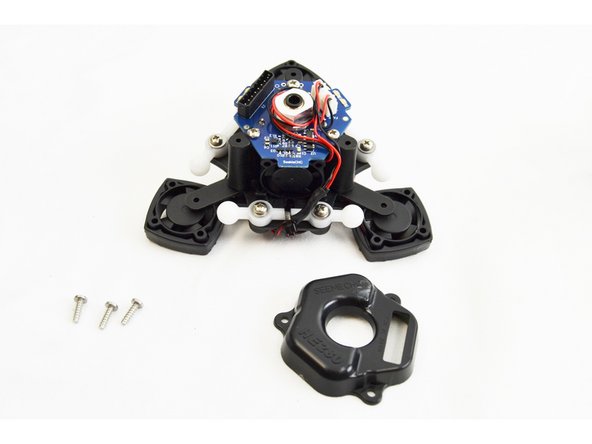
Locate the Top Cover HE280 Mount (71258) and (3) #4 x 3/8" sheet metal screws.
-
Orient the cover onto the top of the hot end assembly. There is only 1 orientation that will work.
-
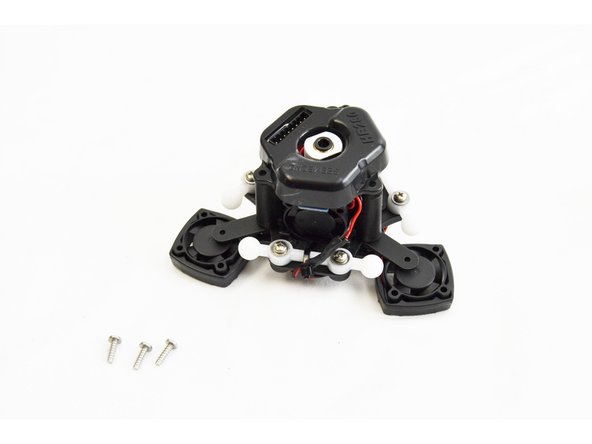
Secure the cover with the #4 x 3/8" sheet metal screws.
-
Fully tighten, but do not over tighten.
-
-
-
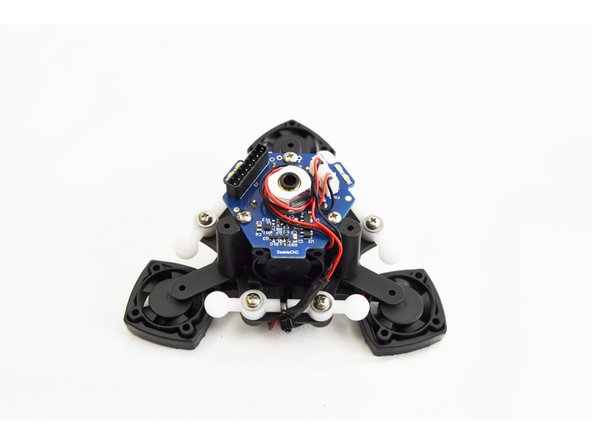
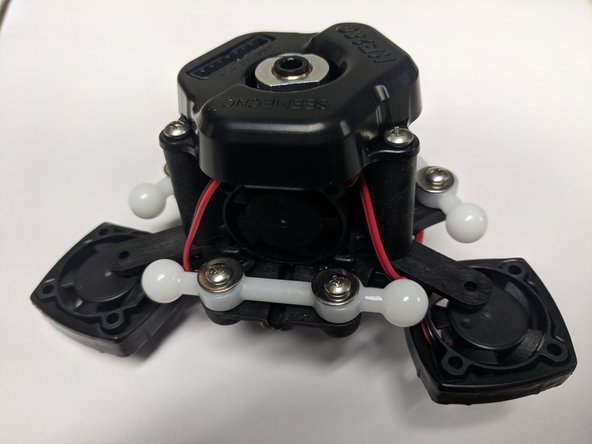
Your HE280 Hotend is assembled and ready to print.
-
Please be sure NOT to lose the remaining plug that you have from the 25mm fan. You will be using this later in the build for the 40mm ball bearing fan that cools the RAMBo boards drivers.
-
If you have a REV6 accelerometer board, you didn't cut the fan lead of in this guide. Don't worry we though ahead and packed a fan lead in your RAMBo kit. You will find that later when you get to that step.
-
-
-
The carriage pack is #70849
-
Its contents are individually bagged as shown.
-
Most of the hardware will be used during this build, pieces that are not, should be placed somewhere safe for installation later, during final assembly of your printer.
-
-
-
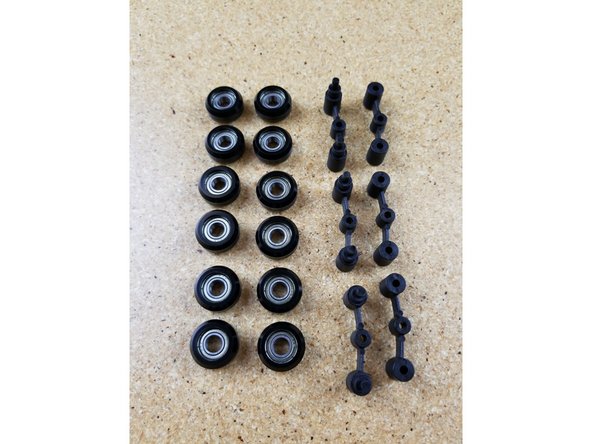
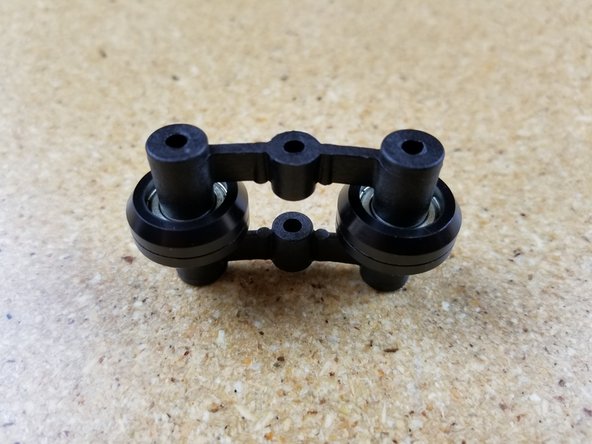
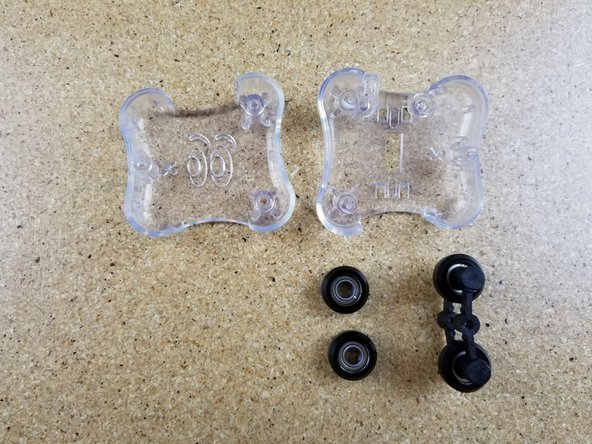
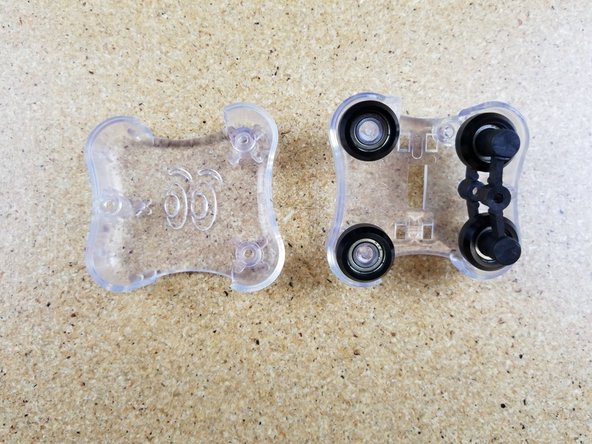
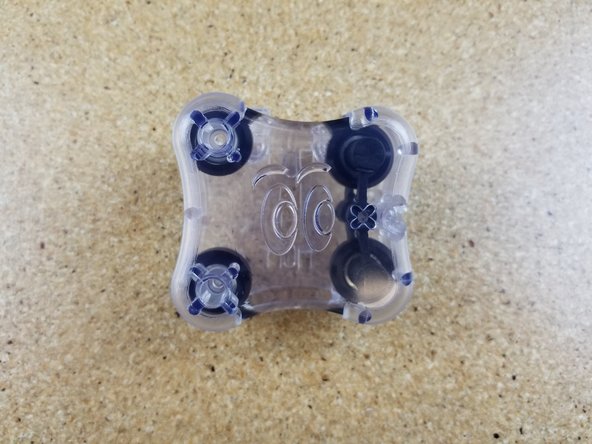
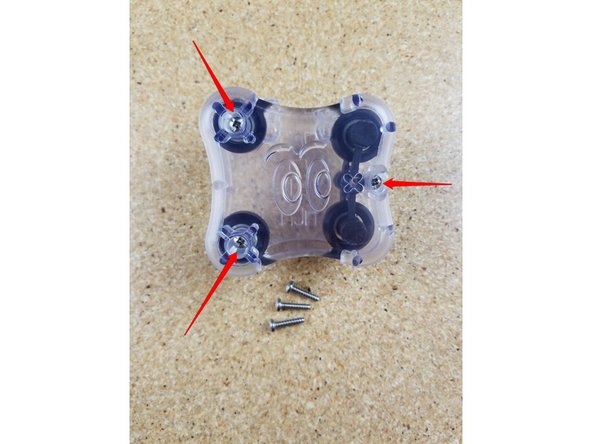
Locate the (12) R4 bearings and (24) black bearing covers.
-
Start by laying a sleeve half on the table, face up. Set an R4 bearing into it and firmly press it into place.
-
Set another sleeve half on the table and press the R4 bearing and sleeve into the new sleeve half to complete the carriage wheel.
-
Note that the sleeves have a sharp edge to them where they were cut free from the bulk stock during manufacture. Take special care not to injure yourself on this edge. It can easily be removed with a razor knife if you so choose.
-
Complete this process for all 12 of the supplied bearings.
-
-
-
If you have the newer style of Spring Arms (implemented summer of 2018) skip to the next step!
-
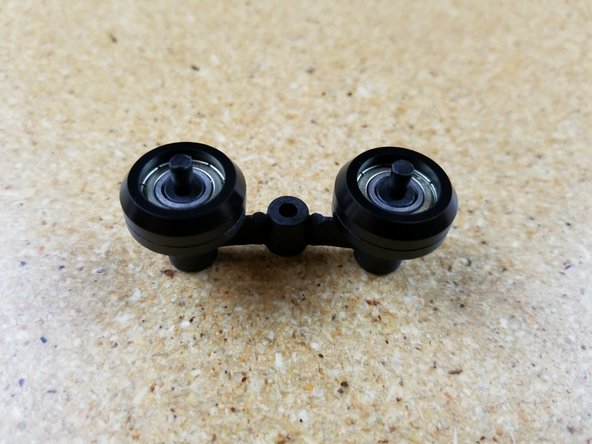
The spring arms consist of an inner and outer halves that retain two of the R4 bearing rollers you assembled in Step #2.
-
Set two R4 bearings on the inner spring arm as shown in photo #2.
-
Press fit the outer spring arm on to the two small posts protruding from the inner spring arm. The fit is very tight, but they will fit!
-
In order to fully seat the pins once they're started in the holes, you can tap them in using the back end of your screwdriver as a hammer.
-
Assemble three complete sets.
-
-
-
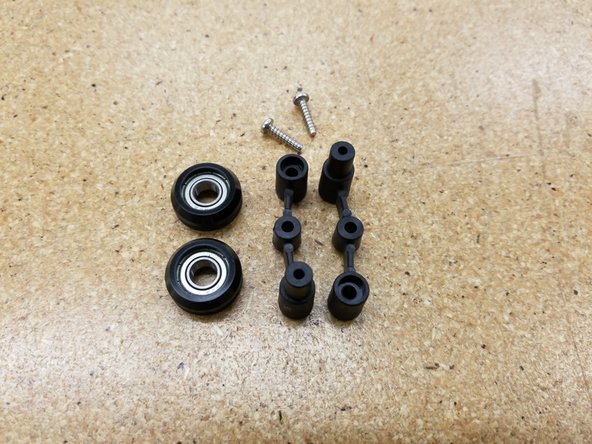
The newer style of spring arms use two identical arms and two screws for assembly.
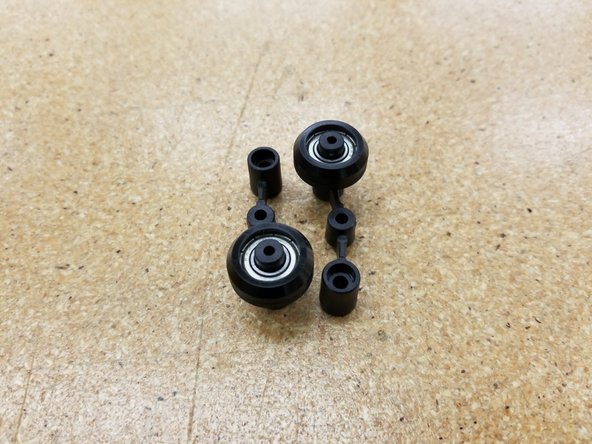
-
Press the bearings on to the post of either spring arm, as shown in the second photo.
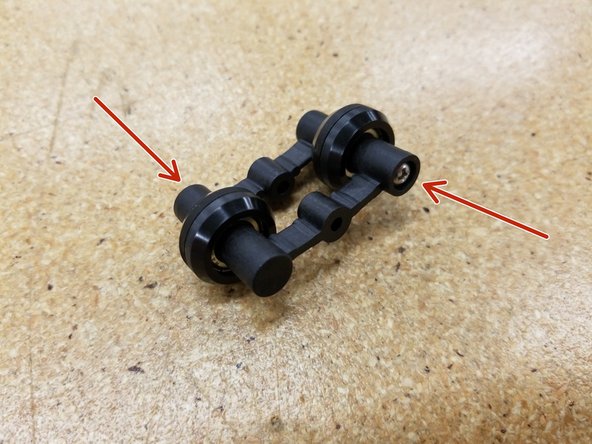
-
Use the supplied 30249 #4 x 1/2" Philips Pan Head sheet metal screws in both sides of the spring arms to secure the bearings in place. Make sure there's no gap and the two halves are fully seated and screwed together.
-
Repeat for all three spring arm assemblies.
-
The remaining steps in this guide show photos of the older style of spring arm, but the orientation and installation is identical between the two styles. You can follow the rest of this guide normally.
-
-
-
Install two R4 bearing and a spring arm assembly on to an inner carriage half. Make sure you match the spring arm orientation as shown - installing it backwards can damage the spring arms!
-
Install the outer carriage half. Ensure that the alignment pin in that carriage half inserts into the hole in the center of the spring arm.
-
Assemble three complete sets.
-
-
-
Fix the outer carriage half with the inner carriage half using three #4 x 1/2" sheet metal screws in the locations indicated.
-
Tighten these screws. Do not over-tighten! There is a deliberate 1mm reveal (gap) between the two carriage halves.
-
Assemble three complete sets.
-
-
-
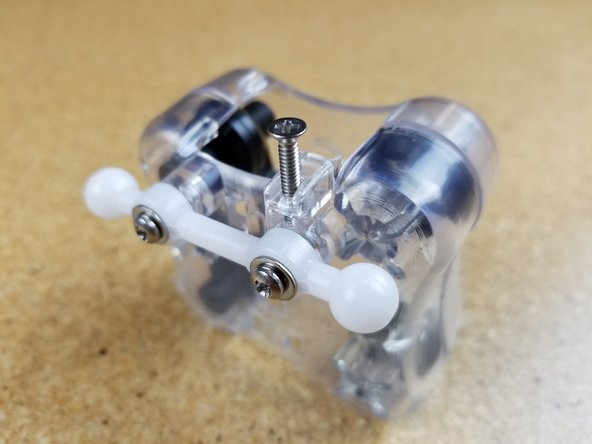
Install the ball joint bars on the mounting pegs as shown.
-
Use two #4 x 1/2" sheet metal screws and two #4 washers to secure the ball joint bar in place.
-
Assemble three complete sets.
-
-
-
Install the 4/40 3/4" flat head machine screw
-
Stop turning the screw when you feel it has bottomed out! Don't crank it down or you'll strip the plastic!
-
Assemble three complete sets.
-
-
-
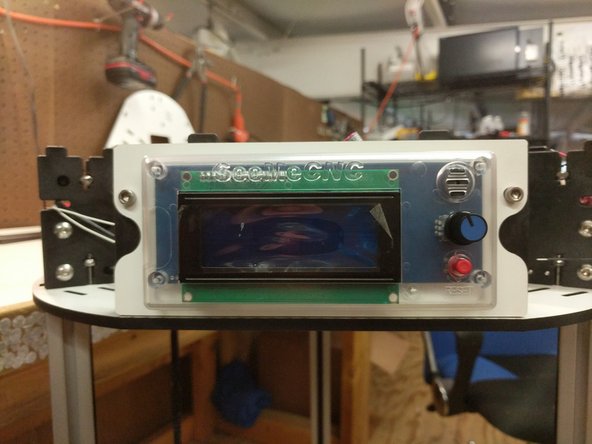
Locate the LCD pack of parts from your kit or order.
-
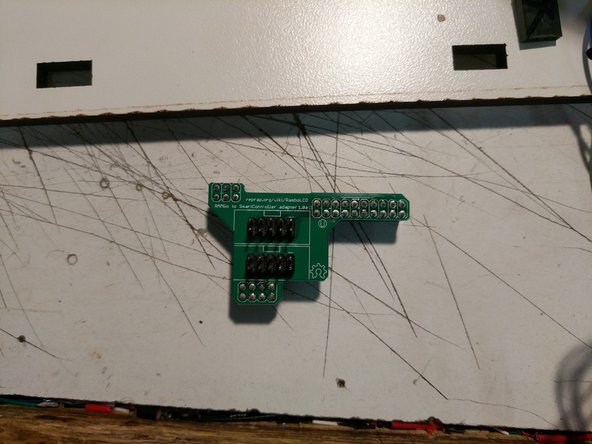
If your kit / printer is equipped with a RAMBo board you will have a RAMBo / LCD Adapter Board in your kit this is identified in the 3rd picture. This adapteer board is not required when using the LCD with Mini-RAMBo boards.
-
-
-
Remove the protective label from the Piezo buzzer
-
Remove the knob from the Rotary Encoder. This is a compression fit and removes by simply pulling it off.
-
-
-
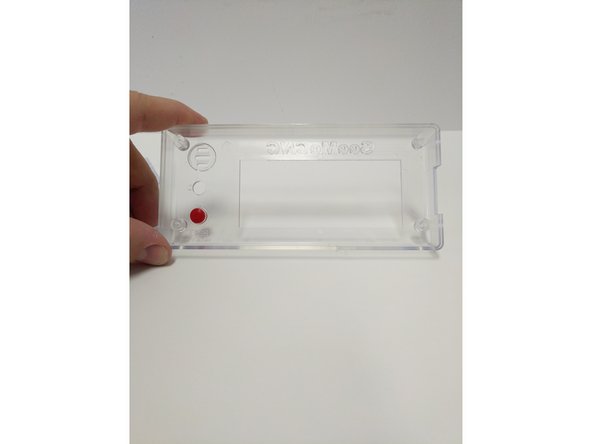
Insert the red button in the enclosure front (from the inside). The flange on the button will prevent it from falling all the way through.
-
Insert the LCD controller into the enclosure front case. The SD card reader on the right side will line up with the recess in the enclosure.
-
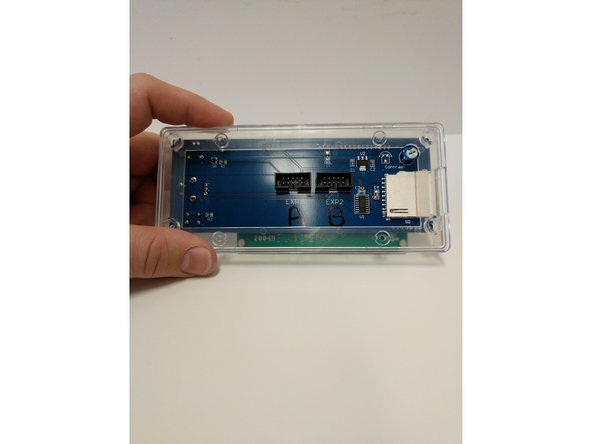
Insert the LCD enclosure back over the controller. This component has a boss that will line up with the SD card reader.
-
-
-
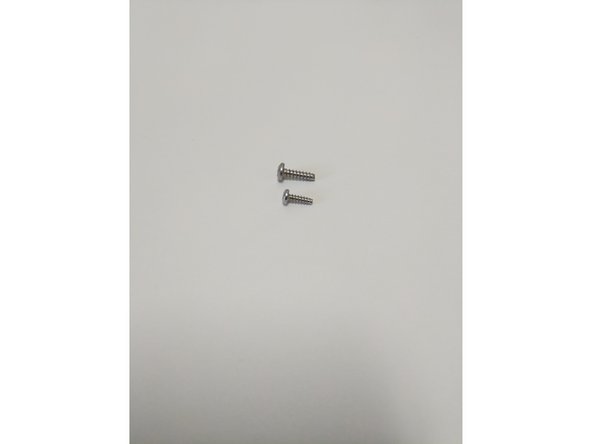
There are two sizes of sheet metal screws (#4 x 3/8" & #6 x 1/2") in your LCD enclosure pack (shown in image 1)
-
The smaller (#4 Sheet Metal Screw) will be used on the four outtermost corners of the enclosure. These screws will go through the Back Cover Piece, Controller and then self tap into the Front Cover Piece.
-
Tighten the (4) screws.
-
Do not Over-Tighten causing the plastic enclosure to be damaged.
-
Insert the (4) larger sheet metal screws (#6 x 1/2") into the inner holes in the back of the enclosure. Screw these in 2 rotations. They will be fastened to other components later, this is being done now to prevent losing them.
-
-
-
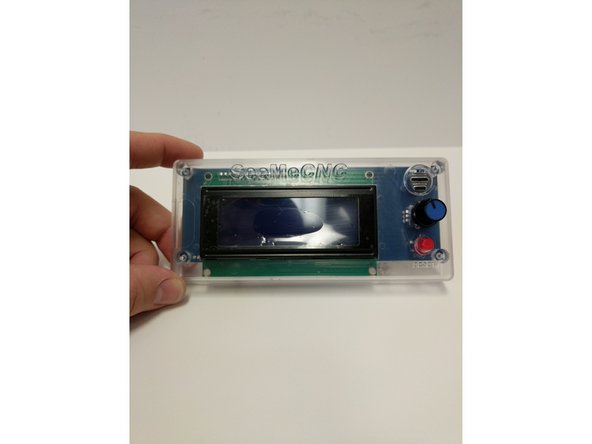
Insert the knob back onto the Rotary Encoder.
-
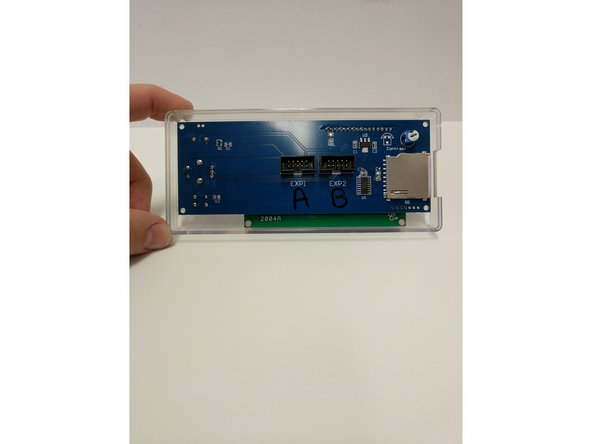
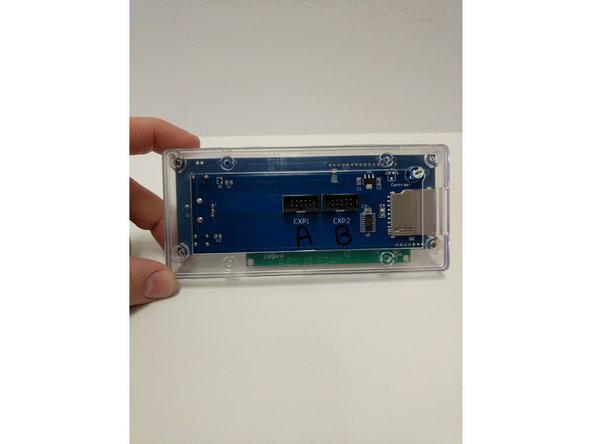
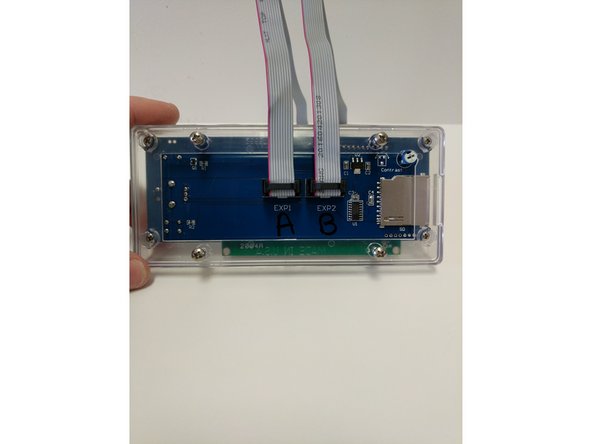
Install the Ribbon cables in the connectors on the back of the LCD Controller. These connections are Keyed.
-
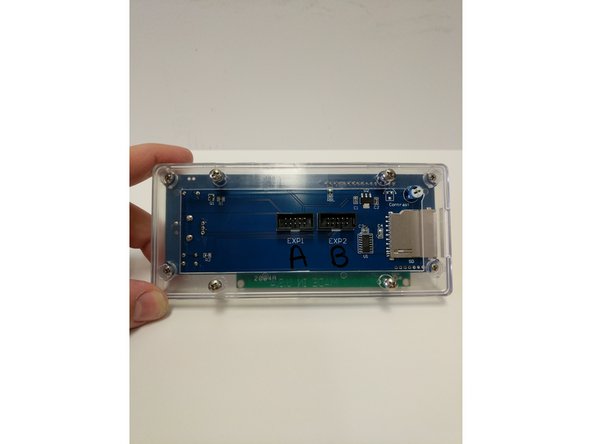
The connectors on the back of the LCD Controller are labeled EXP 1 & EXP 2. Label EXP 1 with an A and label EXP 2 with a B. Then label both the ends of the Ribbon Cables with A & B.
-
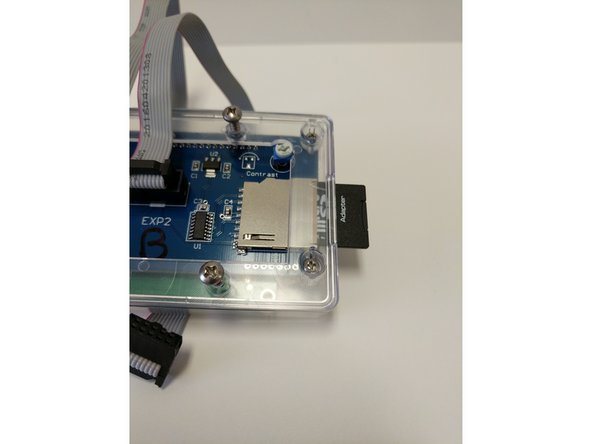
Remove the SD Card from the packaging. Insert the Micro SD card into the SD Card Adapter. Insert the SD card into the SD Card Reader in the LCD Controller.
-
The text on the SD card will face the back of the LCD Controller
-
-
-
This animation highlight the assembly / installation of the EZR Struder.
-
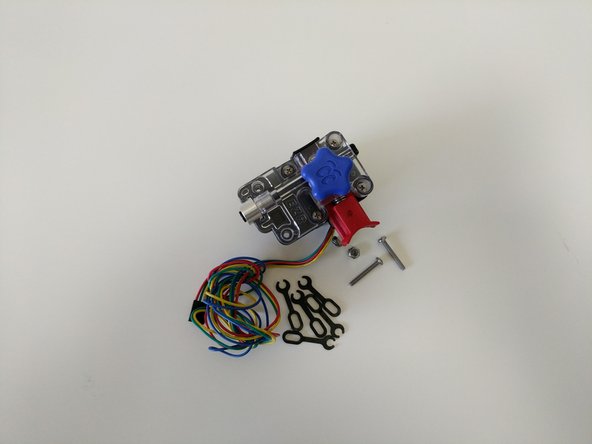
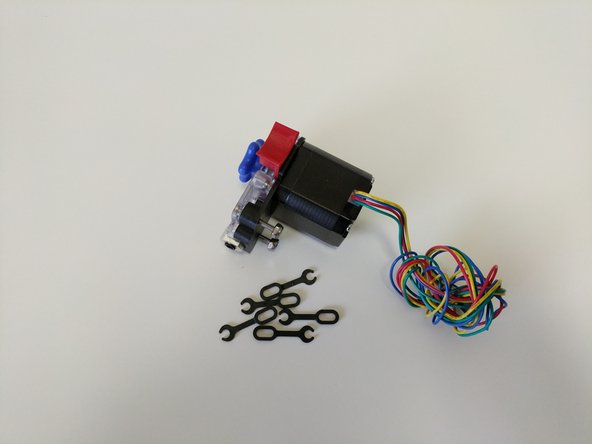
Your EZR Struder will come nearly fully assembled from SeeMeCNC.
-
-
-
-
Locate the EZR Struder pack from your kit or order.
-
If you are assembling a printer kit, you will also need to locate the bank of stepper motors packaged in bubble wrap. You will need (1) stepper motor for the EZR Struder assembly.
-
If you are upgrading your extruder on a machine you will need to remove the old extruder from the stepper motor.
-
-
-
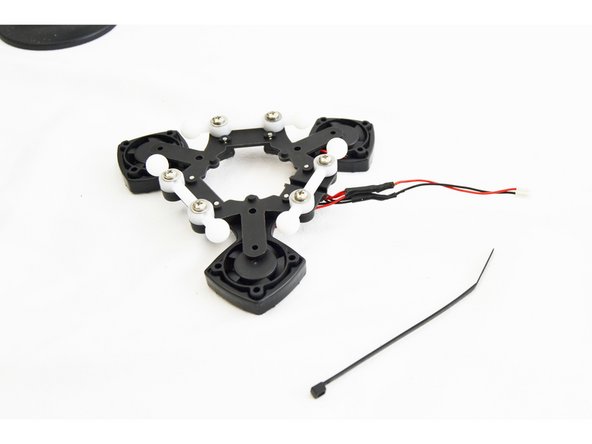
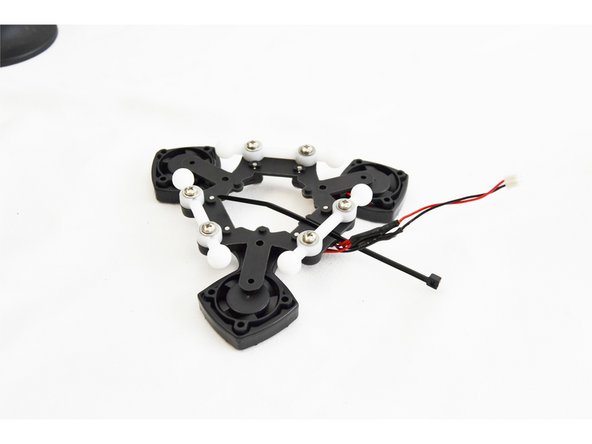
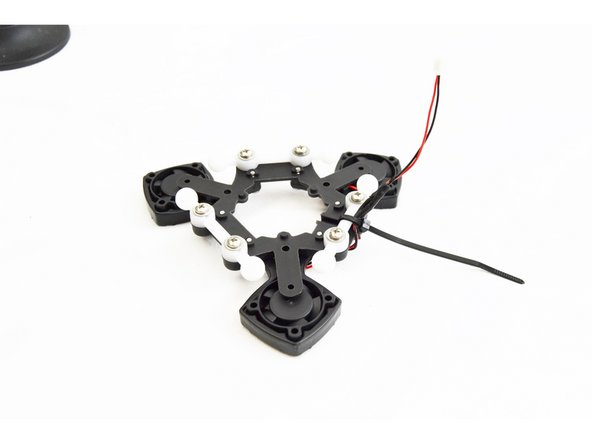
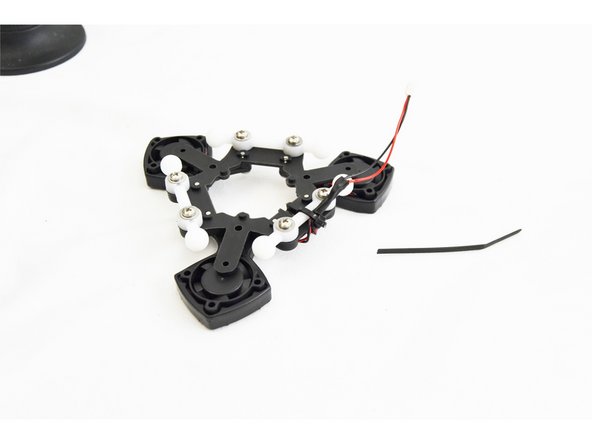
The main bodies of the EZR Struder have been zip tied together so they stay together during shipping. You will need to cut that zip tie and remove it.
-
Keep the EZR Struder assembled
-
-
-
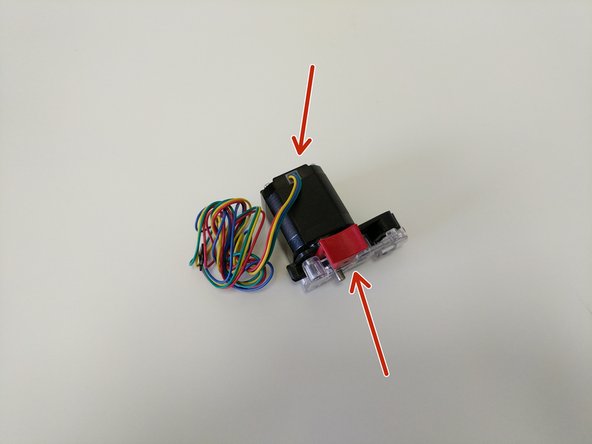
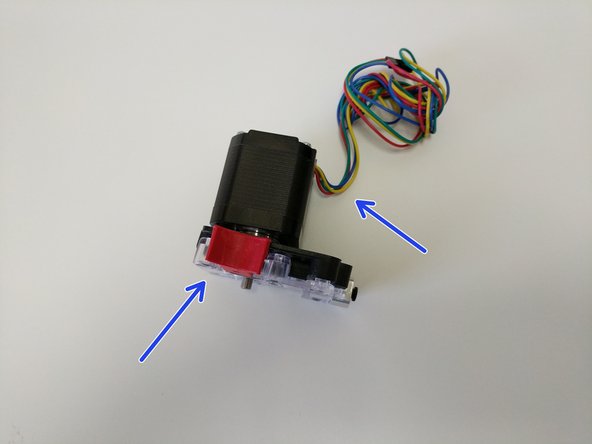
The orientation of the EZR Struder with the stepper motor is different for different machines.
-
The image with the red arrows shows the correct oriantaiton when installing the EZR Struder on the H2.
-
The image with the blue arrows shows the correct oriantaiton when installing the EZR Struder on the Rostock Max v3.
-
-
-
You will be attaching the EZR Struder to the stepper motor using (4) M3 x 10mm screws in the locations indictaed by blue arrows.
-
Fully tighten the screws
-
-
-
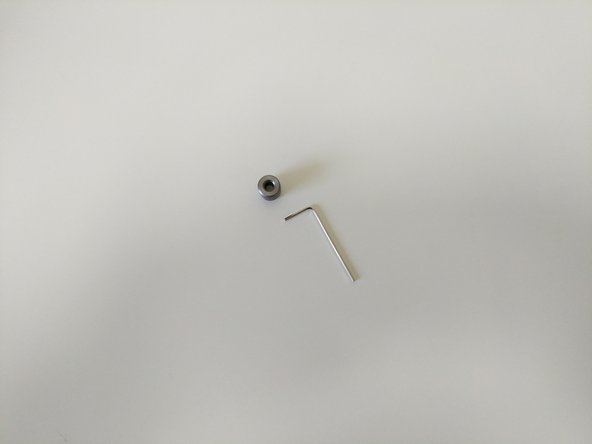
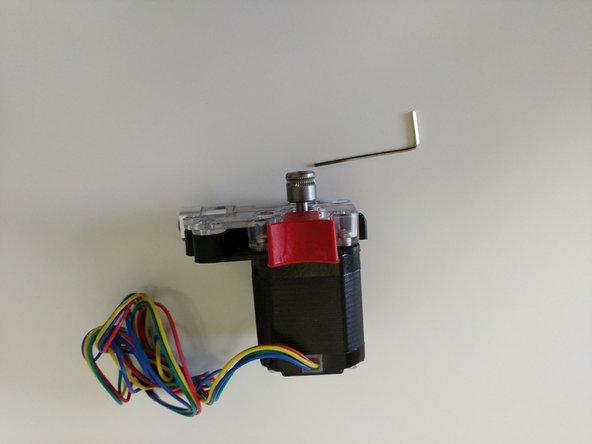
Locate the Hobbed Drive Roller.
-
Slide the hobbed drive roller onto the stepper motor shaft. Note the orientation of the hobbed drive roller shown in the second image.
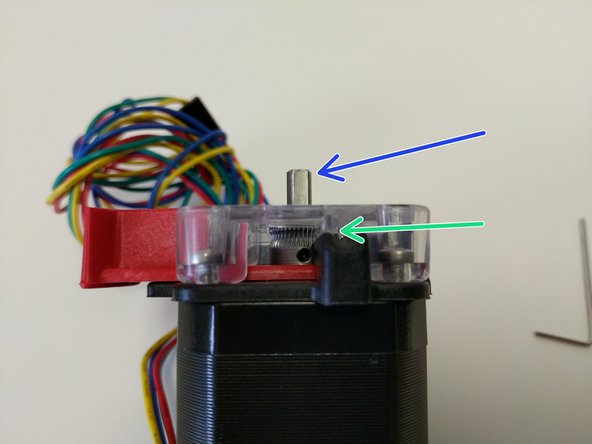
-
Press the red release lever and slide the hobbed drive roller down into the EZR Struder assembly until the midpoint of the hobbed portion is aligned with the split between the base and cover pieces (indicated by a green arrow)
-
Rotate the stepper motor shaft so the flat is in the orientation indicated by the blue arrow.
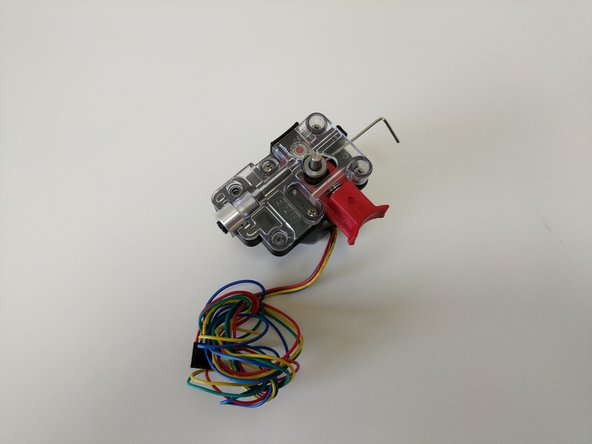
-
Align the hobbed drive roller so that the set screw will be set against the flat in the stepper motor shaft.
-
-
-
Tighten the set screw fully.
-
-
-
Install the stepper motor handwheel by aligning the flat of the molded handwheel with the flat of the stepper motor shaft and pressing down until it bottoms out.
-
The stepper motor handwheel is used for manually advancing / retracting filament.
-
If this is going to be installed in a new build install the (2) 6-32 x 1" machine screws and lock-nuts in the remaining 2 holes in the EZR Struder plates and hand tighten only
-
HAND-TIGHTEN ONLY. These are being placed here for safekeeping only.
-
If you are upgrading a printer and ready to install, you will now install the EZR Struder using the (2) 6-32 x 1" machine screws and Nylon lock-nuts to mount your EZR Struder into you extruder mount.
-
The black lanyard clips are installed once the bowden tube is installed in the EZR Struder. We send plenty of extra in case you ever lose one.
-
-
-
The HE280 assembly and whip are the first thing that we are going to tackle. Not technically part of the base assembly, it will be good to get it completed and ready for installation later in the build.
-
-
-
-
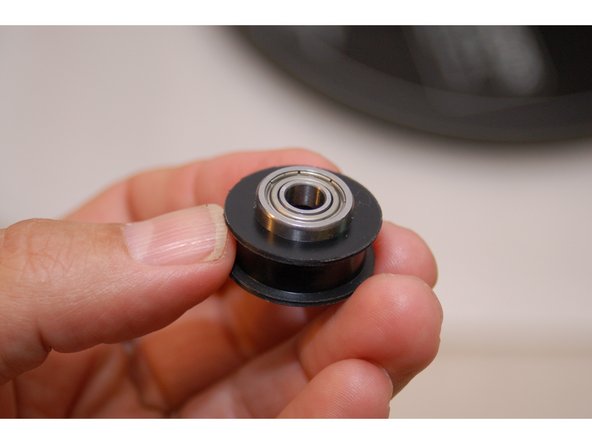
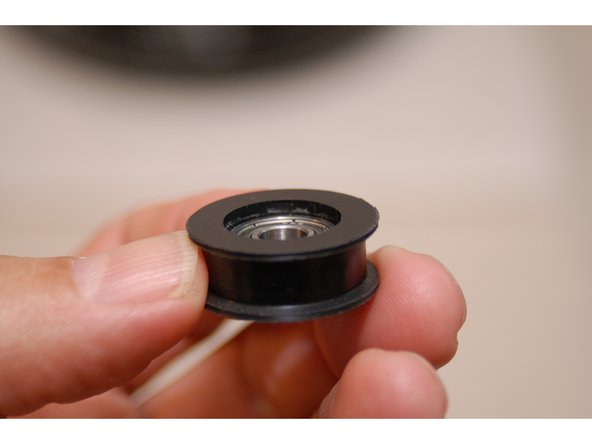
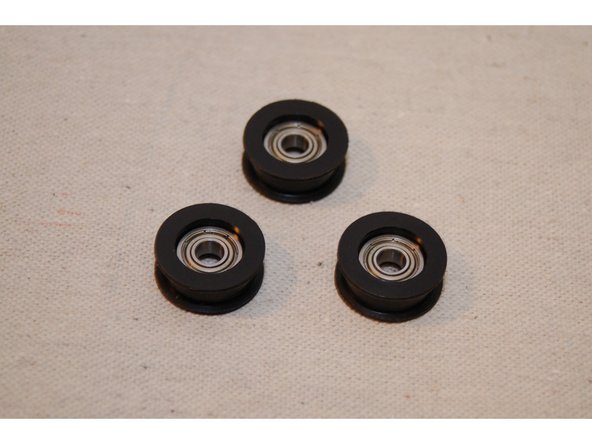
Starting with kits shipping on 11/14/2016 the bearings (35008) will come pre-pressed into the bearing covers (39758)).
-
You'll be making three of these bearing assemblies.
-
When pressing the bearing into the cover, don't apply pressure to the center of the bearing. You can damage it if you press on the inner ring.
-
Once you've got the bearing mostly inserted into the cover, you can use the back end of a 10mm or 3/8" socket to press the bearing into place the rest of the way.
-
The bearing assembly is complete once the bearing is fully seated into the cover as shown by the animation.
-
-
-
Starting with kits shipping on 11/14/2016 the bearings will come pre-pressed into the bearing covers.
-
-
-
You'll be making three of these assemblies using 1 each injection molded p/ns 84407 & 84408 (per assembly).
-
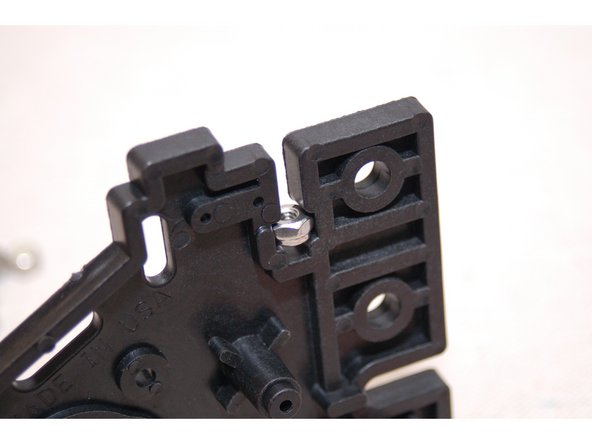
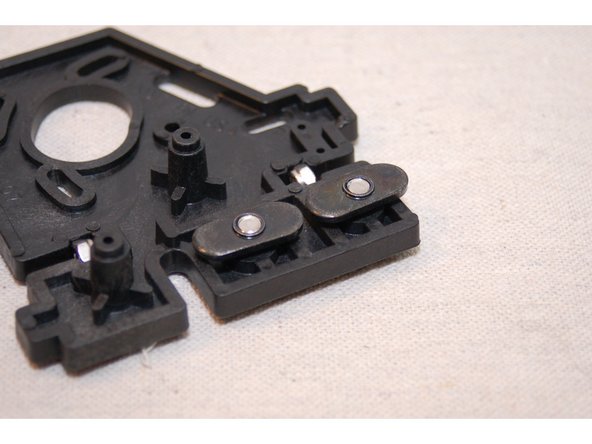
When inserting the nylon lock nuts, do so from the "inside" of the injection molded part. This will allow the nut to fit more easily into the nut pocket. Needle nose pliers make this a breeze.
-
Only thread the t-slot nuts on a few threads - you need to leave room for the tower channel to slide between the t-slot nut and the face of the injection molded mount.
-
The threads on the blind nuts have a flange on one side. The flanged side should be away from the head of the screw.
-
-
-
When assembling the halves using the #4 screws, tighten and then back off a full turn. This will give you a bit of wiggle room when installing them into the bottom base plate.
-
In the next section, the top supports are identical, except they use two rollers. For these, make sure that the roller is placed inline with the T-nuts.
-
-
-
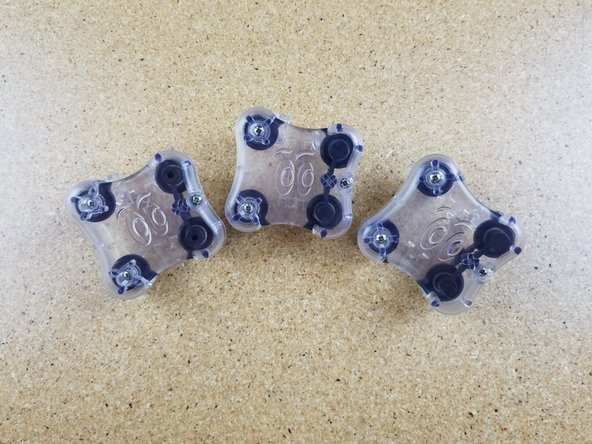
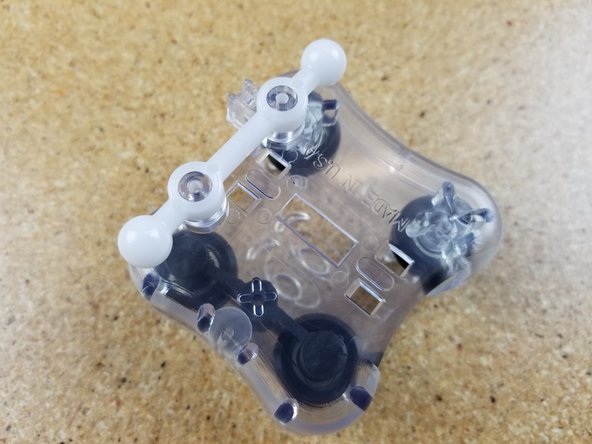
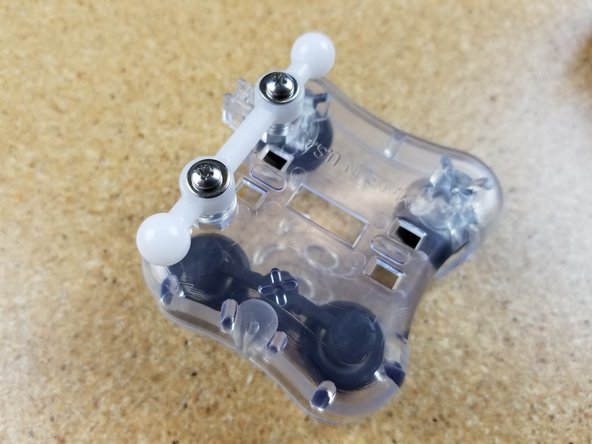
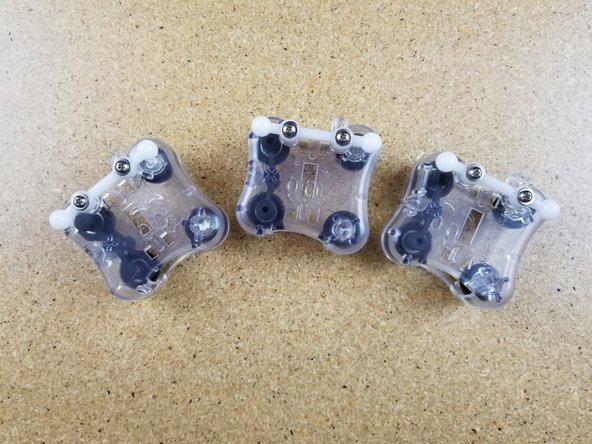
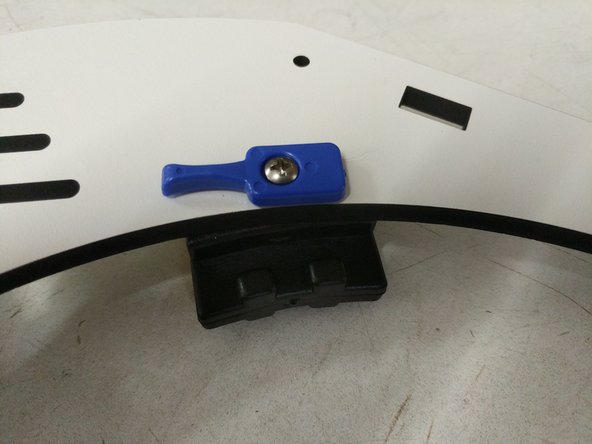
The Bed Support Clips have small, circular marks on one side of the part. This is the bottom of the part and should be installed with these circles facing down.
-
-
-
Insert stainless steel nylon lock-nuts into the side with circular marks.
-
Using 6-32 x 1" phillips pan head machine screws, gently tighten as shown. Blue bed clamps should rotate very easily, but not be loose.
-
-
-
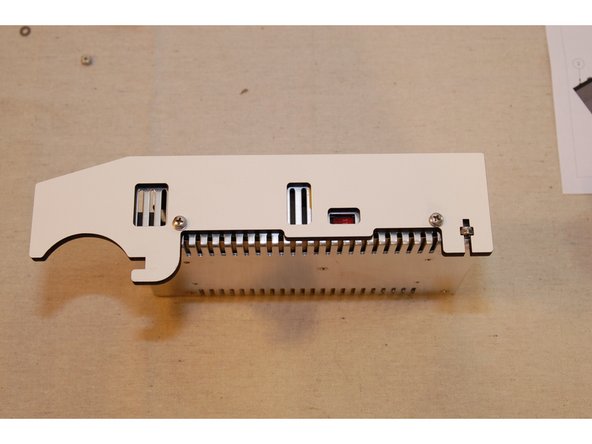
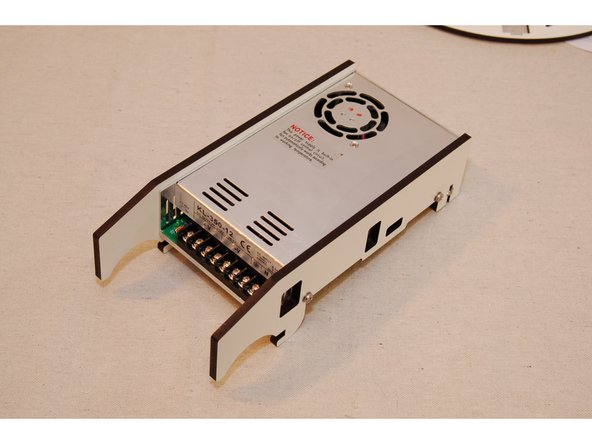
You may notice that the nylon lock nuts won't be perfectly centered in the PSU Blocker parts once they're attached to the power supply. This is normal.
-
-
-
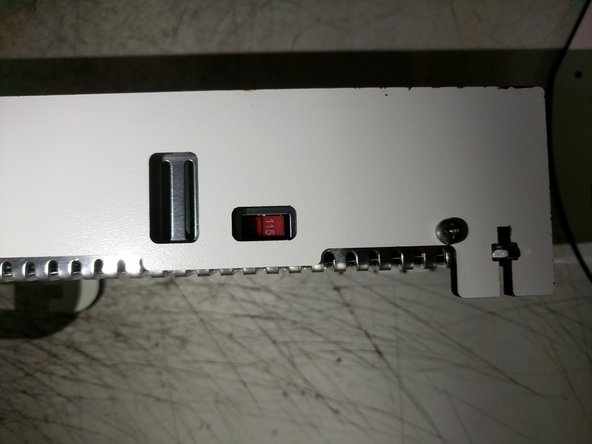
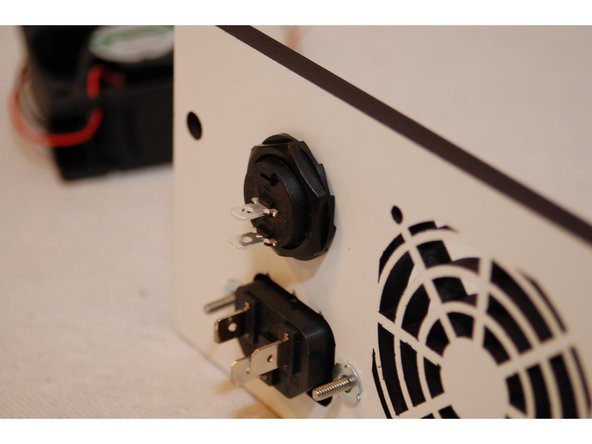
Make sure the 220/110 switch is in the 110 (115) position, as indicated by the arrow. This defines the input voltage the power supply expects. If you're in a country where 220v is the standard, make sure the switch is on the 220 setting. Assemble with four M4 x 16 screws and M4 washers (In base electronics hardware pack - 84493).
-
-
-
You may wish to leave the soft rubber feet off until you've completed the assembly of your Rostock MAX v3. The soft feet have a strong grip to them and can make turning the printer difficult.
-
-
-
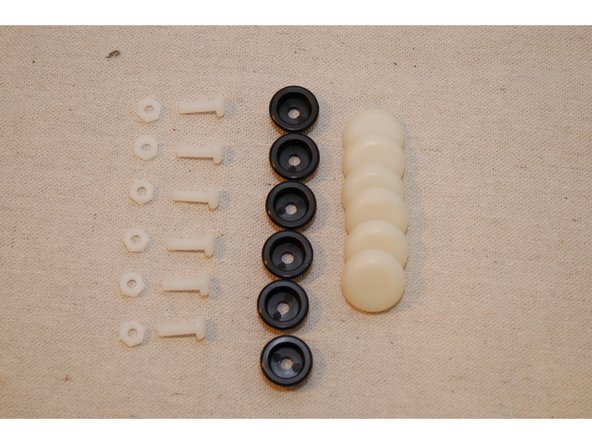
Make sure you don't over-tighten the nylon fasteners. They can be easily damaged if you really crank down on them.
-
-
-
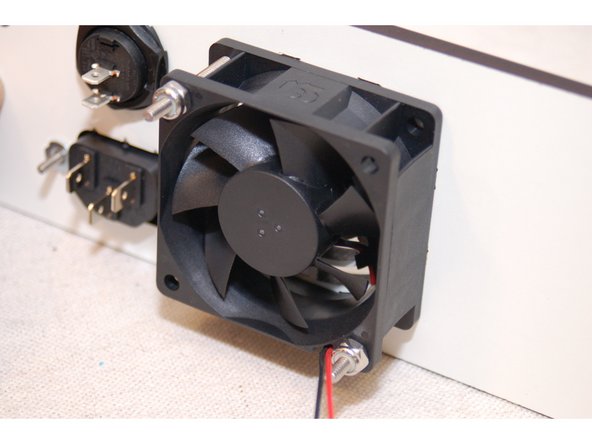
When installing the power switch, ensure it's in the "off" position by setting the switch so that the "low" point of the rocker is closest to the terminal near the edge of the switch.
-
The power supply cooling fan has both rotation and airflow direction marks on the side of the fan. Make sure that the airflow direction arrow points towards the panel.
-
-
-
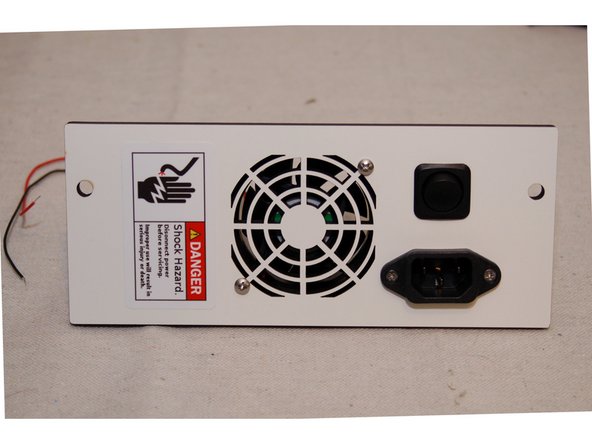
Don't forget to apply the safety warning sticker!
-
-
-
Fix power supply in place using two #6-32, 1" pan head screws as shown in the animation.
-
-
-
When installing the tower supports, loosen the #4 screws by a turn or two before inserting them into the base plates. This will help the installation go more smoothly. Re-tighten after they've been installed.
-
-
-
-
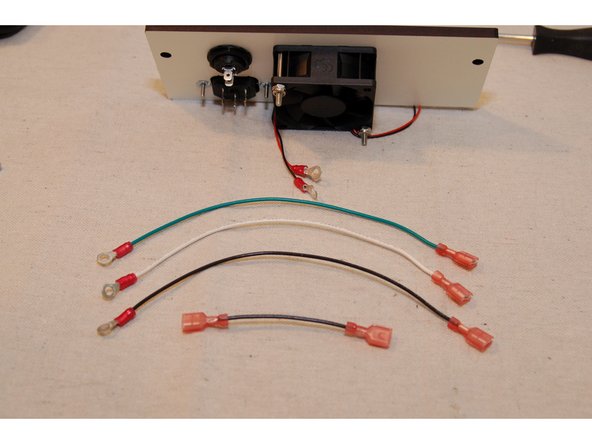
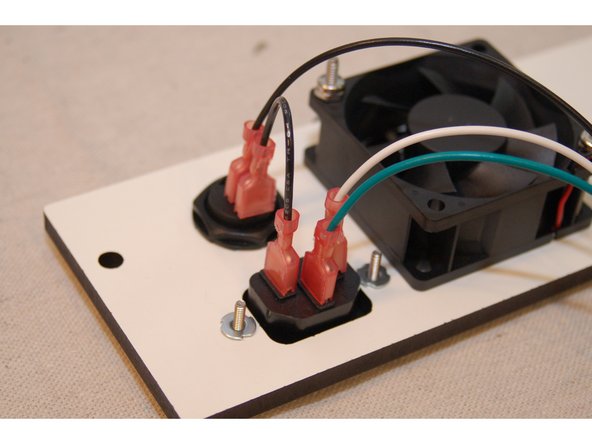
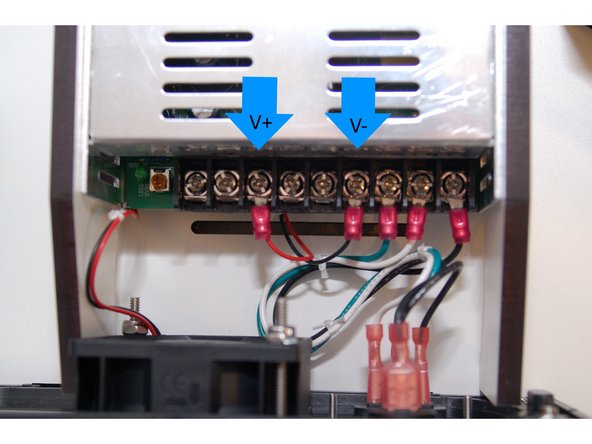
Add connectors to the 200mm and 75mm wires as shown.
-
The red & black wires for the cooling fan are connected to the first terminal in the V- and V+ sections as indicated by the blue arrows.
-
-
-
-
Make sure you put some pressure on the screws and keep them straight. They will be a little difficult to get started, but will go in perfectly with a little pressure. Once you get them on, do not be surprised later when you need to take them off again to finish assembly. The screws will go in much easier the second time.
-
-
-
The timing pulleys feature two grub-screws for locking the gear on to the stepper motor shaft. Ensure that one of the two screws is aligned with the flat section of the stepper motor shaft as shown.
-
When installing the grub screw, some users recommended that you use a thread locking compound (typically Locktite Blue or similar) on the threads. This is completely optional but could prevent the screws from loosening over time and causing print problems.
-
Align the top face of the pulley with the top face of the stepper motor shaft as shown in the second photo. It will be offset approximately .5mm from the end of the shaft. This is required for proper belt alignment once the stepper is installed in the next step.
-
-
-
The end-stop switches used in this step can be found inside the Rambo controller packaging.
-
YOUR END STOP SWITCHES COME WITH A SMALL ACTUATING LEVER, CAREFULLY REMOVE IT. IF YOU DON'T, YOU WON'T FIND OUT WHY UNTIL YOU DISCOVER THAT ALL THREE END-STOP SWITCHES ARE HELD CLOSED AGAINST THE TOP BASE PLATE. DON'T ASK HOW I KNOW.
-
-
-
You'll need a #1 Phillips screwdriver in order to install the 2-56 screws used to fix the end-stop switches in place. Take care to not over-tighten the screws! The switch body is delicate and is easy to crush.
-
Do not Fully Pre-Assemble the motor mounts. Use this animation as a reference only.
-
-
-
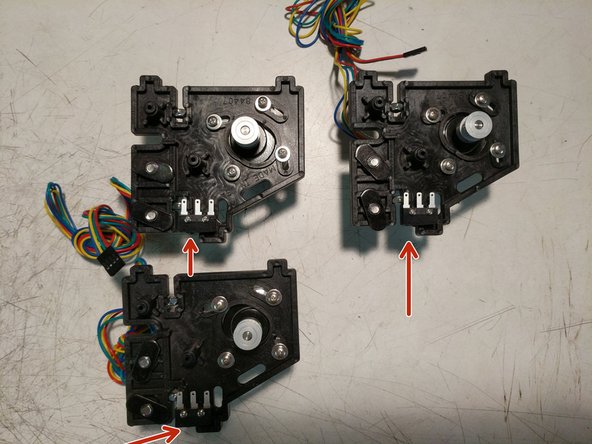
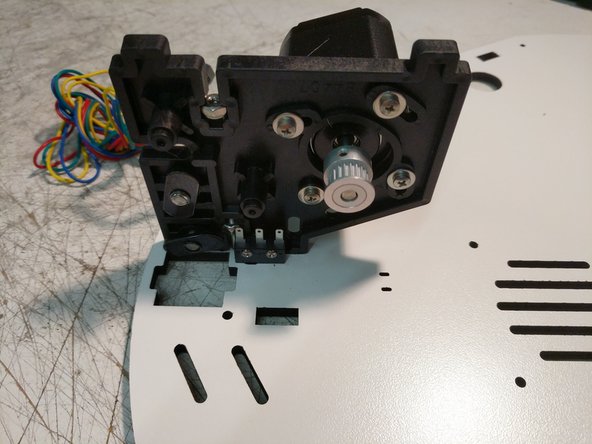
When installing the end stop switches, please make sure that they're oriented as shown in the photos. (The red arrow is indicating the "button" on the switch. It should be closest to the TSLOT hardware.
-
First install the end stop switches. You'll need a #1 Phillips screwdriver in order to install the 2-56 screws used to fix the end-stop switches in place. Take care to not over-tighten the screws! The switch body is delicate and is easy to crush. The holes are not tapped/thread.
-
Insert the 6-32 nylon lock nuts into their pockets. (2 per injection molded piece).
-
Next install the stepper motors using (4) M3 x 10mm screws and washers. Do not tighten these screws. The stepper motor pivots to allow for tensioning the belts (completed later)
-
Install the TSLOT hardware. Remember to only start the 1/4-20 button head screws into the TSLOT nuts.
-
Install two bearing / cover assemblies per injection molded plate. (this is different than the base assembly which only used 1 bearing / cover assembly per plate)
-
If you've reached this point and the little metal lever arms are still on your end stop switches, REMOVE THEM RIGHT NOW. Carefully mind you, but REMOVE THEM.
-
-
-
Insert the 6-32 nylon lock nuts into their pockets. (2 per injection molded piece).
-
Install the TSLOT hardware. Remember to only start the 1/4-20 button head screws into the TSLOT nuts.
-
-
-
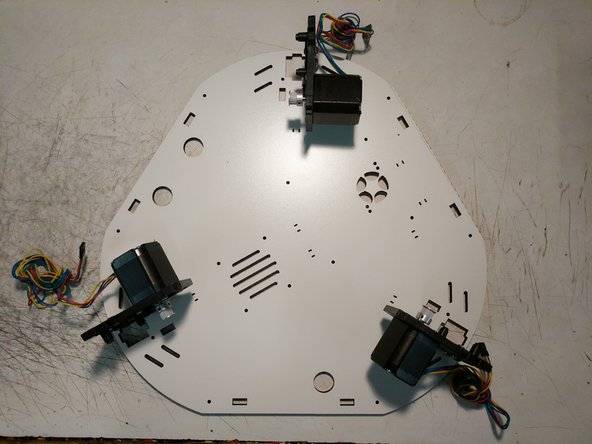
Install the (3) motor mounts on the Top Base Plate using (1) 6-32 x 1" screw per motor mount. Do not fully tighten these screws. Note the orientation of the Top Base Plate. There is laser engraved text on this plate noting which side should be DOWN)
-
-
-
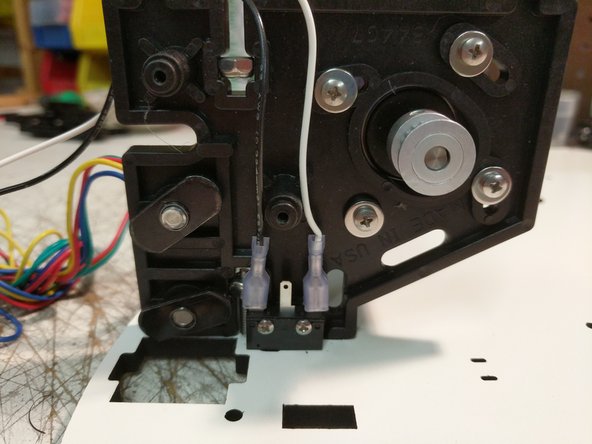
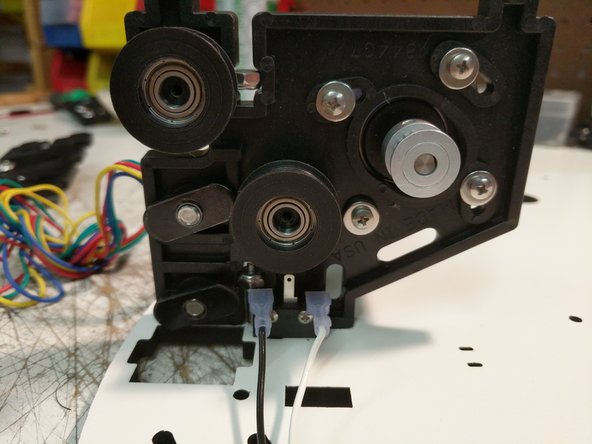
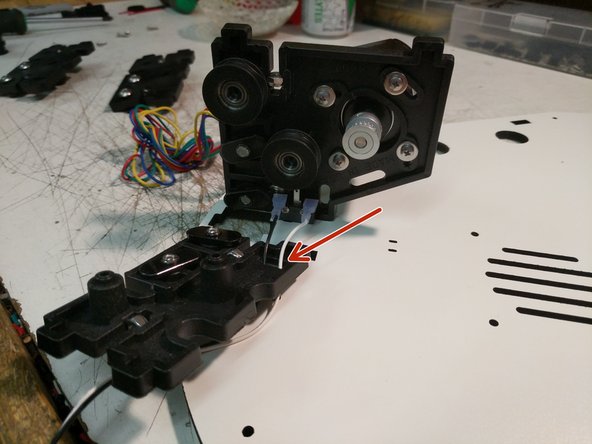
The end stop wires are located in the RAMBo box. They are the black and white wires pre terminated with a blade connector one end and a metal latching connector on the other end. There should be 6 total end stop wires.
-
Begin with the Z tower location and install a pair of end stop wires on the end stop as shown.
-
After installing the wires, bend the end stop over as shown.
-
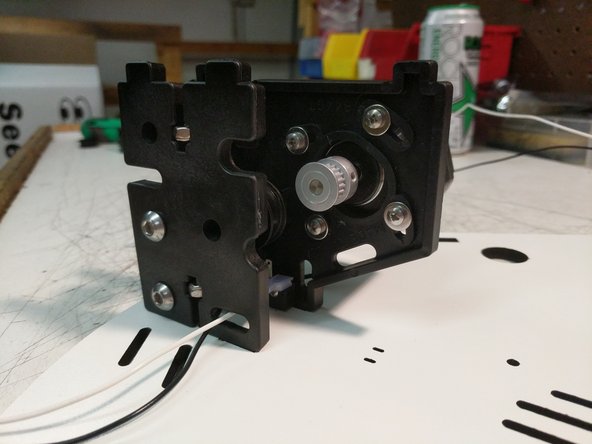
Route the two wires through the Idler Plate as shown.
-
Perform this operation for the X & Y tower assemblies.
-
-
-
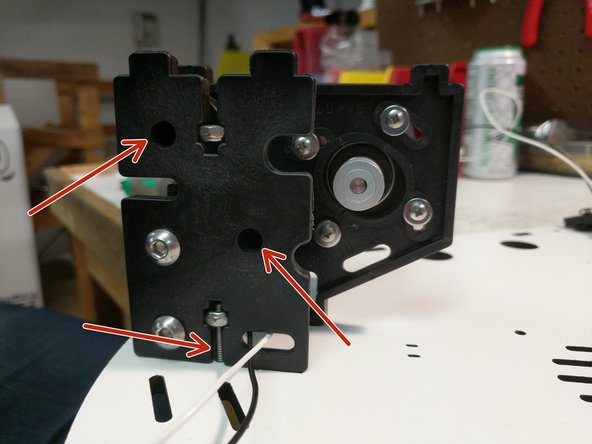
You can now attach the idler motor plate to the motor mount plate using (2) #4 x 1/2" screws. The plate can be tilted into position. You will then need to align the bosses of the plate with the bearings and press the plates together.
-
Secure the assemblies to the laser cut Top Base Plate with the 6-32 x 1" screws. You CAN fully tighten these screws at this time.
-
Perform this operation for each of the three assemblies.
-
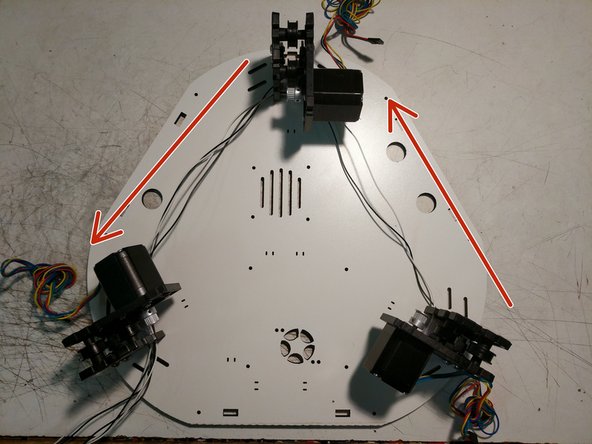
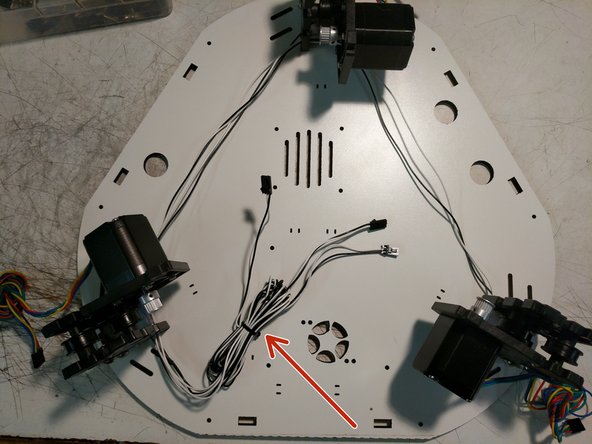
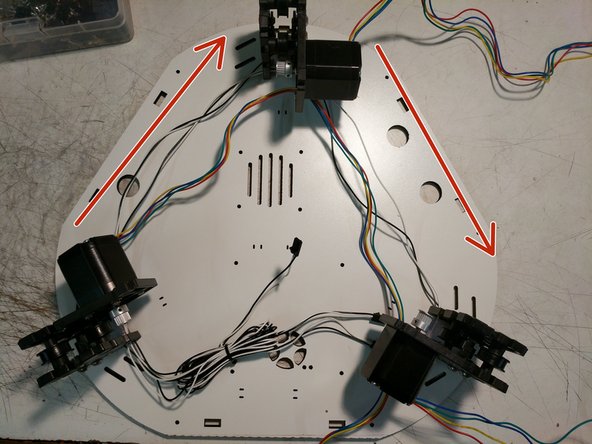
Route the wires around the top assembly as shown. All wire will pass the hole in the idler plate for containment. The image has arrows indicating the direction that the wiring is traveling.
-
-
-
There are (3) 3 pin connectors in the RAMBo kit required for this step.
-
Label one each of the connectors with X Y & Z
-
Determine and separate the pairs of wires and note their tower positions (XYZ). This is easy to do by length, since the wires are routed around the printer. X wires will the longest, Z the next longest, and Y the shortest.
-
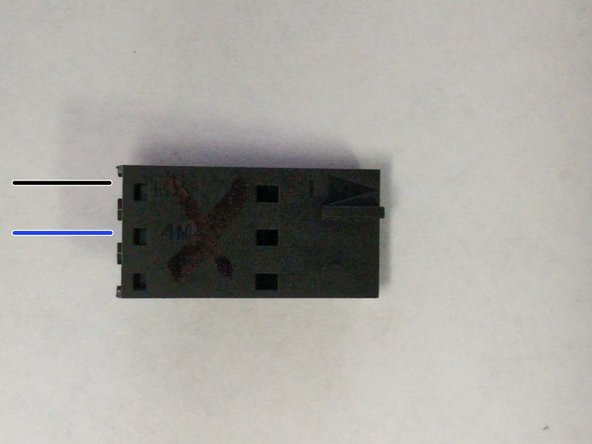
In the first image the wiring positions are noted with colored lines. Black will be for the black wire. Blue will be for the white wire. The plastic connector has an arrow molded into the part. This arrow is the indicator for pin 1.
-
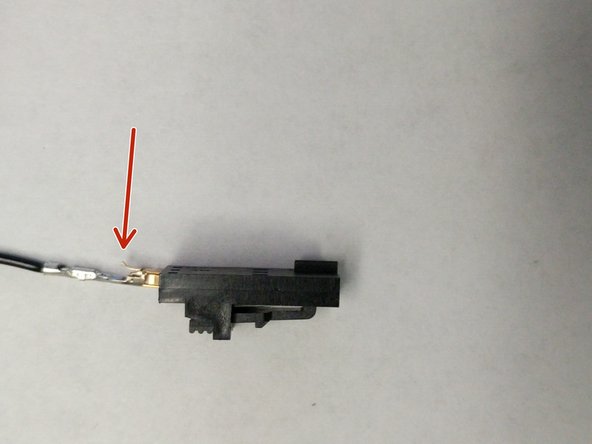
Insert the black end stop wire into 3 pin connector into pin 1 (reference the image for correct installation. The red arrow in the image is indicating the latching mechanism, that should be facing up).
-
Insert the white end stop wire into 3 pin connector into pin 2 (middle position. This will insert the same as the black wire).
-
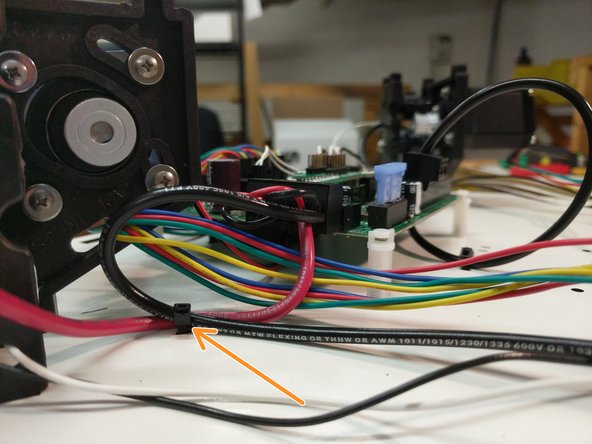
Bundle the wires together and attach them to the Top Base Plate with a Zip Tie. as shown.
-
-
-
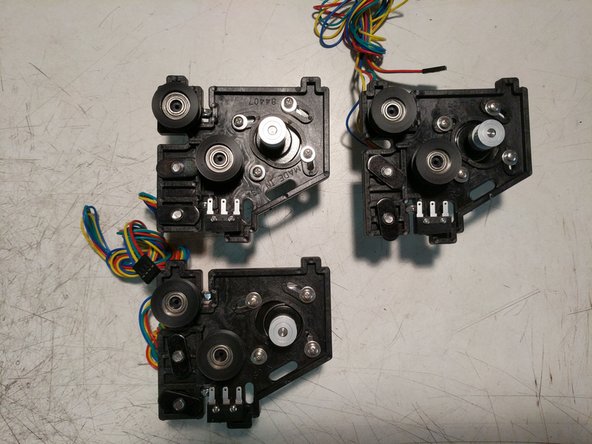
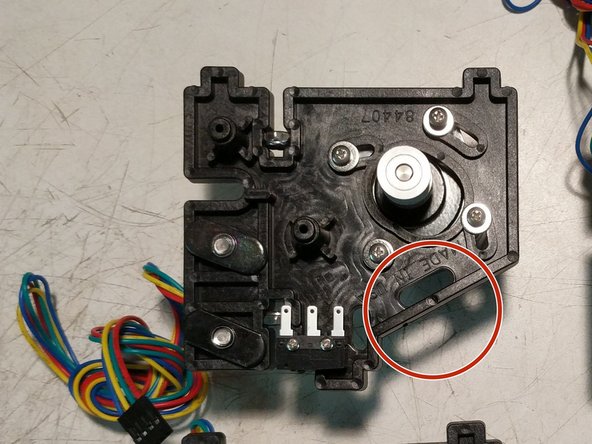
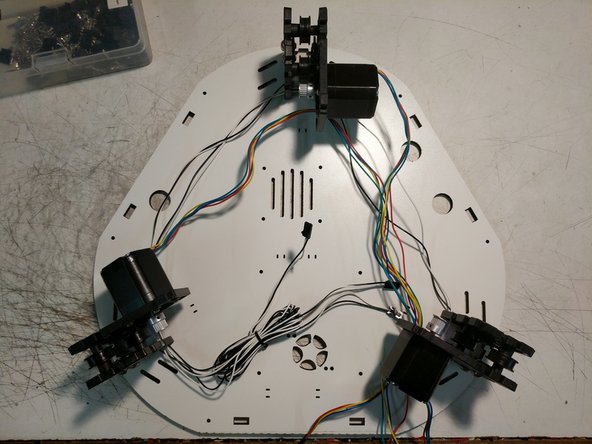
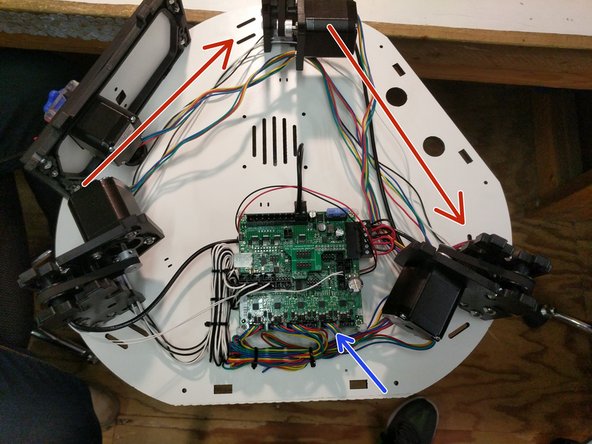
You will now route the stepper motor wires in the opposite direction that you routed the end stop wires. Note the arrows on the image for direction. The wires will route through the motor mount plate in the location indicated by a red arrow in the first image.
-
-
-
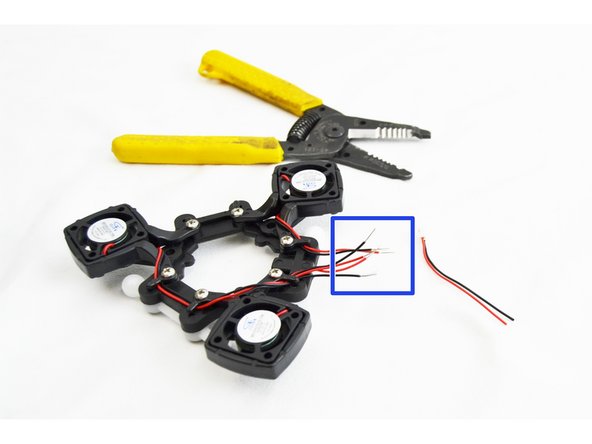
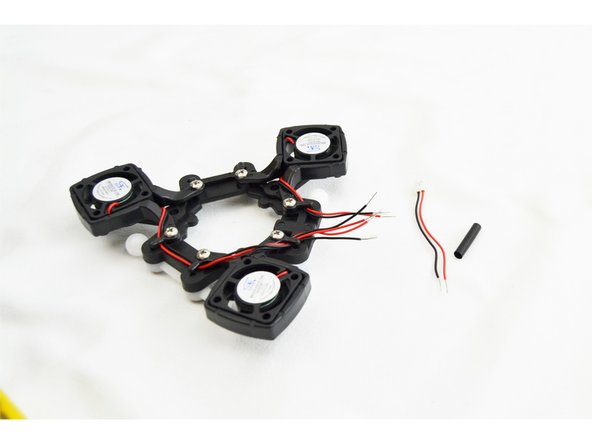
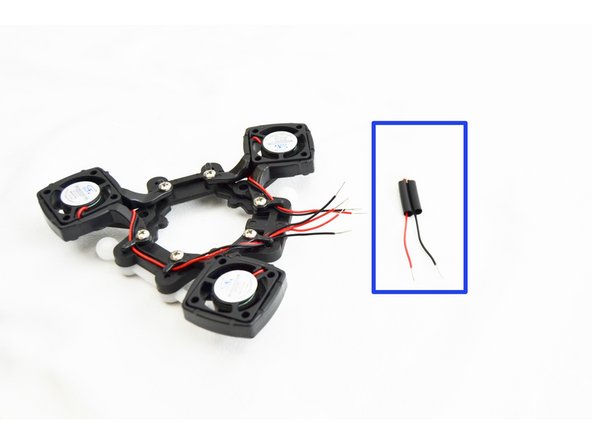
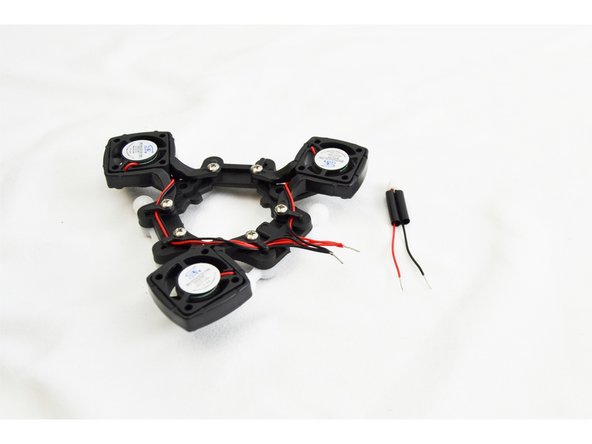
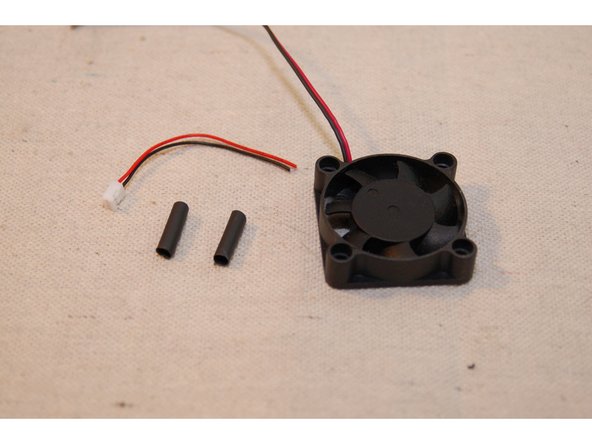
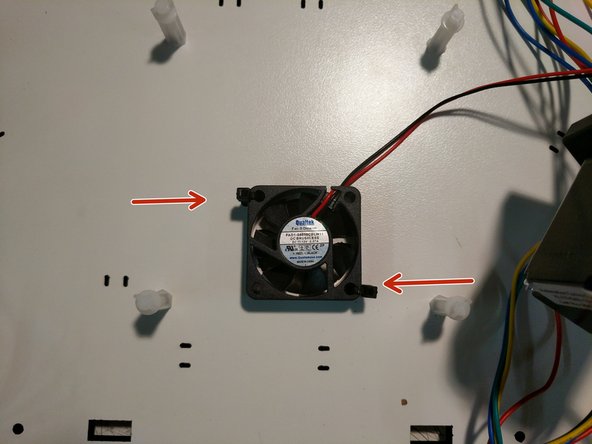
For this task, you'll need the 30mm length of heat shrink tubing, the connector you clipped from one of your 25mm cooling fans and the 40mm Rambo cooling fan, as shown.
-
Cut the 30mm heat shrink in half and set it aside. Strip about 6mm from each of the fan and connector wires.
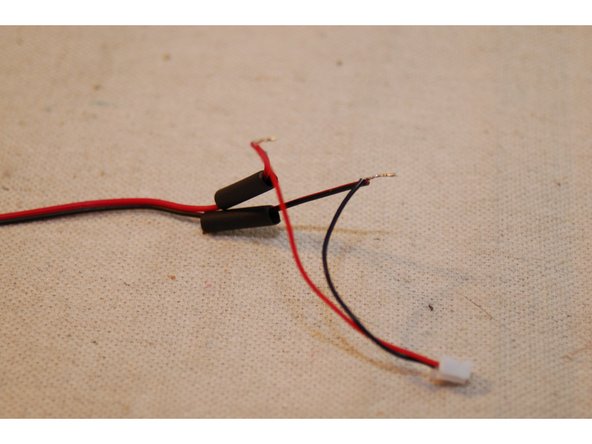
-
Slip the heat shrink on to the fan leads and then solder the connector to the fan leads.
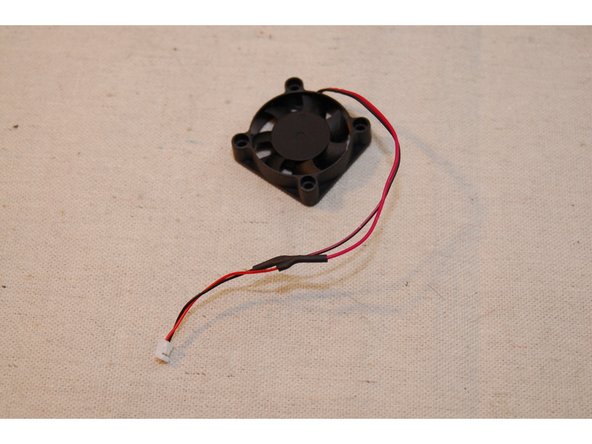
-
Cover the solder joint with the heat shrink tubing and shrink it!
-
-
-
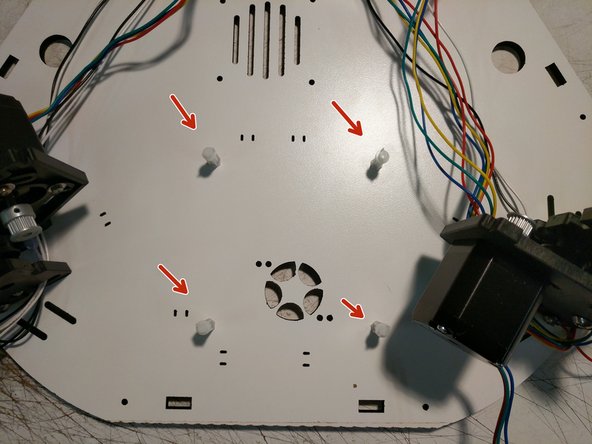
Locate the (4) Board Supports and (4) #6 x 1/2" screws indicated in the image. These are located in hardware pack #84489
-
Attach the board supports to the top base plate in the locations shown.
-
Attach the fan that you prepared in the previous step to the top base plate using (2) zip ties as shown. Note the correct orientation of the fan. The label will be facing up.
-
The fan has a directional arrow on the side, showing the flow of air. It should be installed so it will blow up at the RAMBo (when installed)
-
-
-
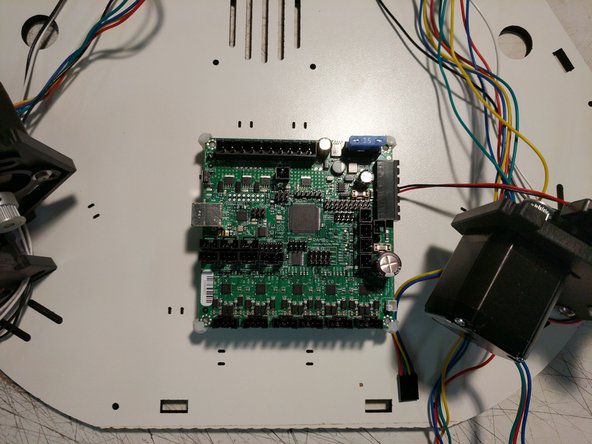
The RAMBo board should be installed in the machine. The board supports will capture the corners of the RAMBo board. You will need to flex the board supports to get them over the corners of the board.
-
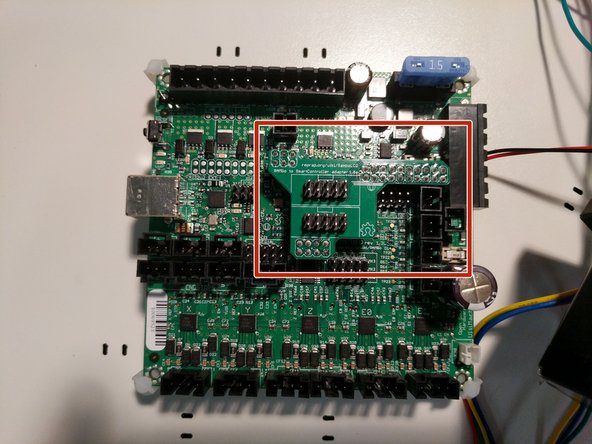
Locate and install the LCD adapter onto the RAMBo board in the position indicated. Ensure that you properly align the pins and headers of both components.
-
-
-
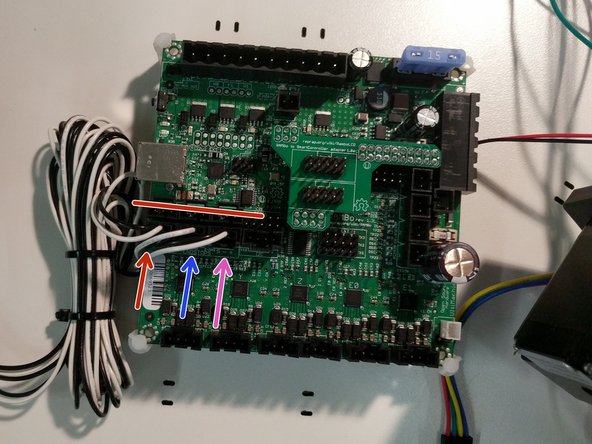
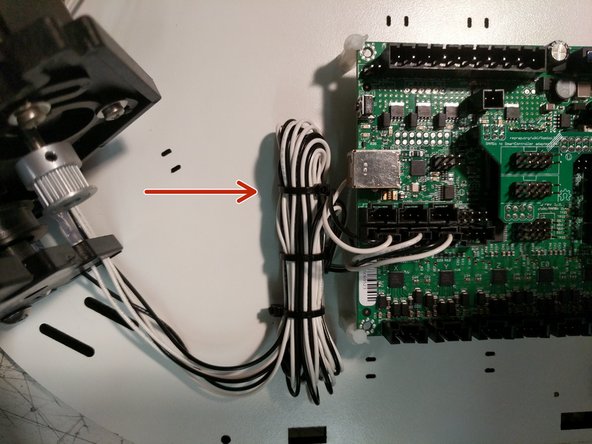
Plug the end stop wires in the correct locations on the RAMBo board in the MAX locations. Ensure that you get the correct X Y Z locations.
-
In the image, X = Red Y = Blue Z = Magenta. The red line is covering the MIN end stop location that are not used.
-
Secure the end stop wires with an additional zip tie if desired.
-
-
-
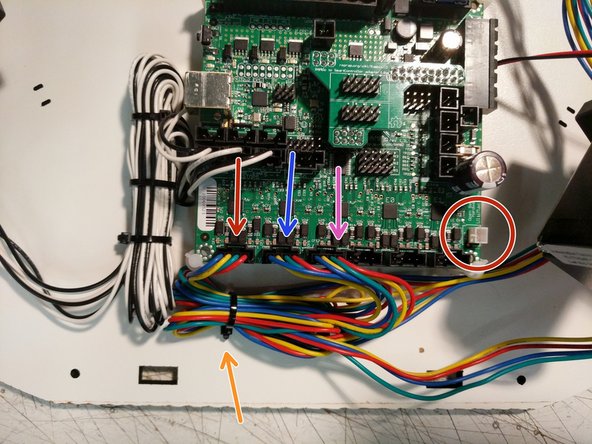
Plug the stepper motor wires in the correct locations on the RAMBo board. Ensure that you get the correct X Y Z locations.
-
In the image, X = Red Y = Blue Z = Magenta.
-
Secure the stepper motor wires to the top base plate with a zip tie in the location indicated.
-
Finally, you can plug the RAMBo's 40mm cooling fan in at the connector marked by the red circle.
-
This completes the top assembly preparation. Next, we will focus on the final assembly of the build.
-
-
-
You have now completed the base and top assemblies. We will join the two together in the next section.
-
Proceed to: Step 4. REV2 Rostock Max v3 Final Assembly
-
-
-
For this step you will need the (3) pieces of TSLOT that came with your kit, and the remaining long lengths of wiring that are in the electronics pack ((2) pieces of 12awg black, (1) 12awg red, and (2) 26awg white wires). You will have one additional 12awg red that is 700mm long, that we will also prepare during this step.
-
Run the wires through the towers as shown. One tower will get both a 12awg black wire and (2) 26awg white wires. If you have difficulty getting the wires through the extrusion, you can thinly tape the white wires to the black wire to assist. Remove the tape when finished.
-
Crimp a yellow ring terminal onto the 700 long red 12awg wire.
-
-
-
The X tower is the extrusion that has the white and black wires run through it.
-
Route the wires through the base top plate as shown.
-
Insert the extrusion into the base top plate, and then through each set of the TSLOT hardware. You will need to have the TSLOT nuts in a vertical orientation to be accepted by the extrusion. You also may need to loosen the TSLOT nuts if you have them too tight.
-
You should not force the extrusion into the assembly.
-
Upon seating the extrusion, you should route the wires around the idler plate as shown and tighten the (4)1/4-20 button head screws.
-
-
-
Route the wires as shown.
-
-
-
The Y tower is the extrusion that has one red wire run through it.
-
Route the wire through the base top plate as shown.
-
Insert the extrusion into the base top plate, and then through each set of the TSLOT hardware. You will need to have the TSLOT nuts in a vertical orientation to be accepted by the extrusion. You also may need to loosen the TSLOT nuts if you have them too tight.
-
You should not force the extrusion into the assembly.
-
Upon seating the extrusion, you should route the wires around the idler plate as shown and tighten the (4)1/4-20 button head screws.
-
Route the wire as shown.
-
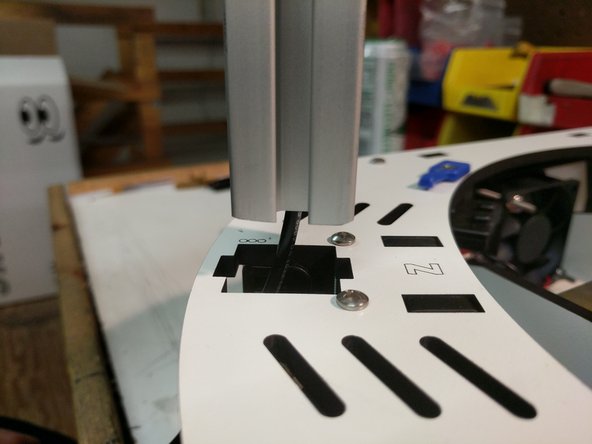
-
-
The Z tower is the extrusion that has one black wire run through it.
-
Route the wire through the base top plate as shown.
-
Insert the extrusion into the base top plate, and then through each set of the TSLOT hardware. You will need to have the TSLOT nuts in a vertical orientation to be accepted by the extrusion. You also may need to loosen the TSLOT nuts if you have them too tight.
-
You should not force the extrusion into the assembly.
-
Upon seating the extrusion, you should route the wires around the idler plate as shown and tighten the (4)1/4-20 button head screws.
-
Route the wire as shown.
-
-
-
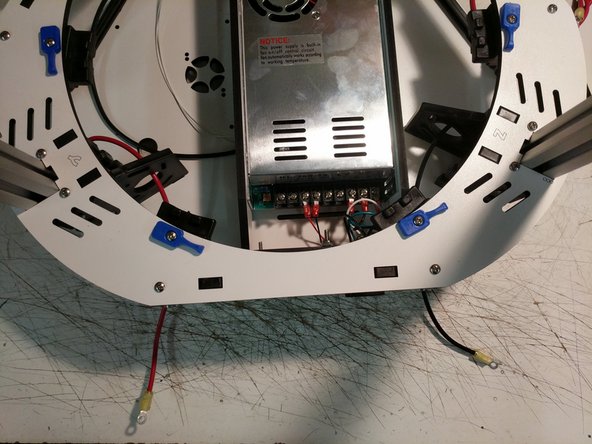
Crimp a yellow ring terminal onto the 12 awg wires from the Y and Z towers.
-
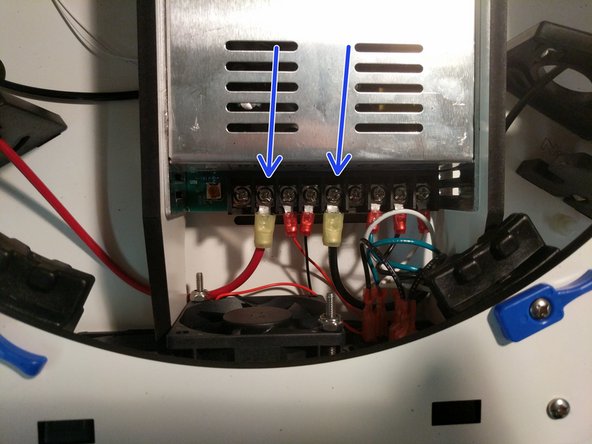
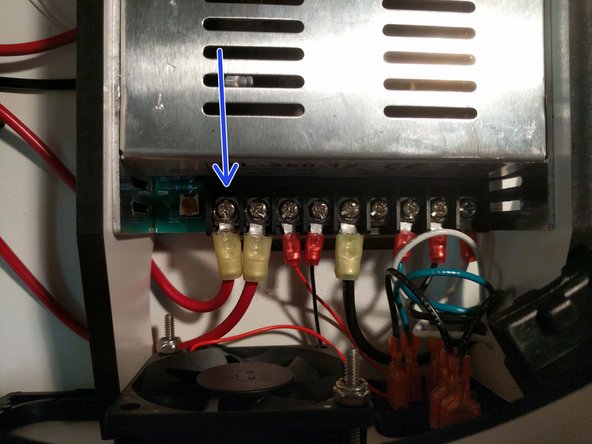
Route them under the large arc of the PSU blocker and attach them to the power supply. The locations are indicated by arrows in the image.
-
-
-
The 700mm long 12awg red wire that you previously crimped the ring terminal on should now be connected to the power supply in the location indicated by an arrow. Route the wire under the PSU blocker with other red 12awg wire.
-
-
-
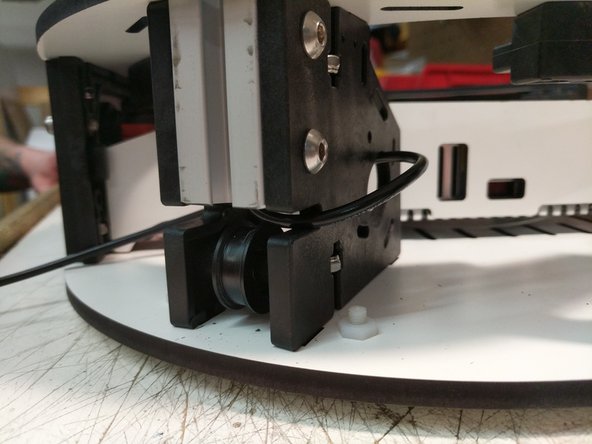
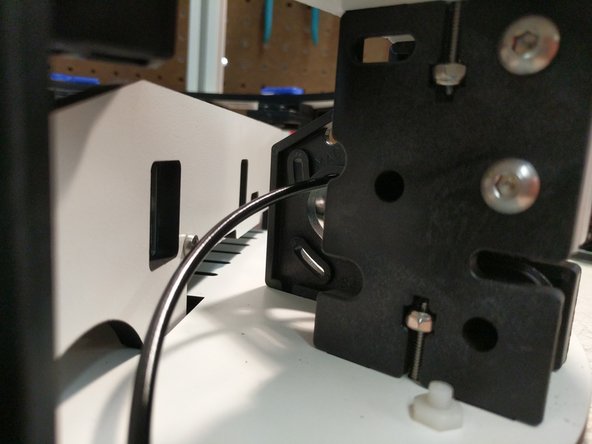
Since you have installed the carriages already you can now simply install them on the printer.
-
Align one of the carriages with the top of the TSLOT (ball joints facing inside the print area) and gently move it down until all four bearing are engaged by the TSLOT. Roll the carriage to the bottom of the extrusion and let it sit against the base top plate.
-
Repeat for the other two carriages.
-
-
-
Next we will be installing the top assembly on the printer. It is most helpful if you can get assistance from someone, but this can be completed by yourself.
-
Orient the top assembly correctly with the base assembly (XYZ)
-
Route the towers from X Y Z up through the laser cut base of the top assembly.
-
Align the cutouts for the extrusion in the laser cut platewith the actual extrusions. You should not push the top assembly down any farther yet.
-
-
-
You will now need to work around the machine, one tower at a time aligning the TSLOT nut in a vertical orientation and slowly working down the top assembly. You will ultimately go around doing this process several time to work the top assembly down.
-
Do not force the top assembly down or you risk damaging the components.
-
Continue this operation until the top assembly is resting on the extrusion stops (molded into the injection molded pieces).
-
-
-
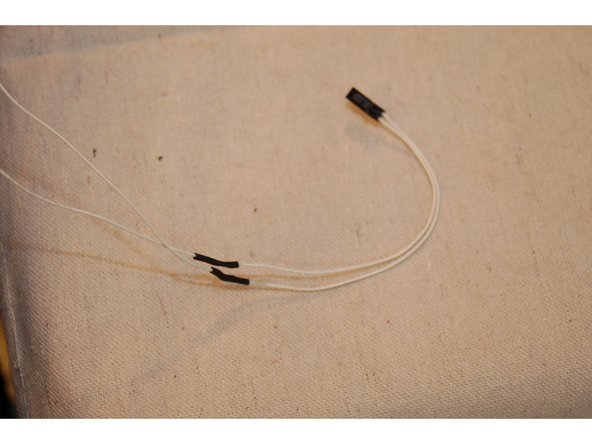
Locate the thermistor leads that are included in the Rambo accessories bag. It's two white wires with a small 2 pin keyed connector on it.
-
Cut about 3" off the thermistor leads from the connector end. You'll be soldering this end to the thermistor leads that are coming out of the X tower.
-
Cut the remaining length of 1/8" diameter heat shrink in half.
-
Strip about 1/2" of insulation from each wire.
-
Slip one section of heat shrink over each wire and then solder them together.
-
Slide the heat shrink tubing over the exposed splice and shrink it using a lighter or heat gun. BE CAREFUL!
-
-
-
Connect the thermistor wires that you prepped in the last step to the T2 location on the RAMBo board.
-
Locate a 2 position terminal block from the RAMBo kit. You will install the 12awg wire into that connector in the position indicated in the image. This is the negative position on the RAMBo board.
-
Connect the terminal to the RAMBo in the Heat 2 Bed position.
-
Secure the wire to the top assembly base plate.
-
-
-
Two pairs of 50mm long, 18ga red & black wires are required for this task.
-
Remove the insulation from the pre-stripped 50mm, 18ga red & black wires and insert them into the compression terminal at the locations shown. Fully tighten each connection!
-
Positions 5 and 6 also hold the 12ga red & black wires coming from the power supply. up the Y & Z towers
-
-
-
Plug the RAMBo Power Connector into the RAMBo board in the location indicated.
-
Secure the wiring with a zip tie
-
-
-
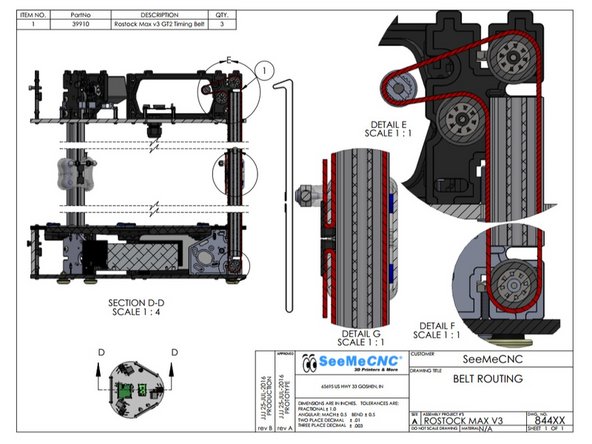
The image shows an overview of the belt route for each tower assembly.
-
-
-
Routing the belts is best completed by laying the machine down on its side.
-
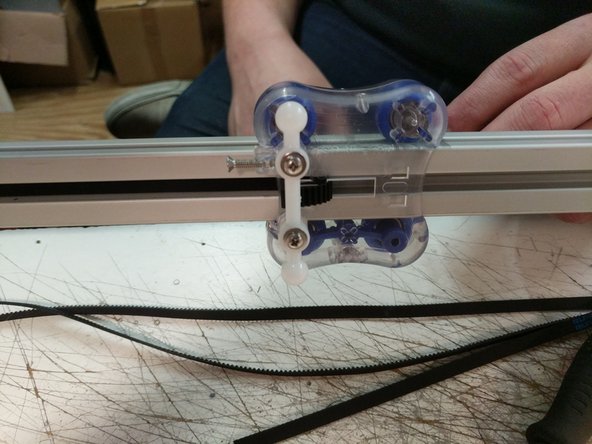
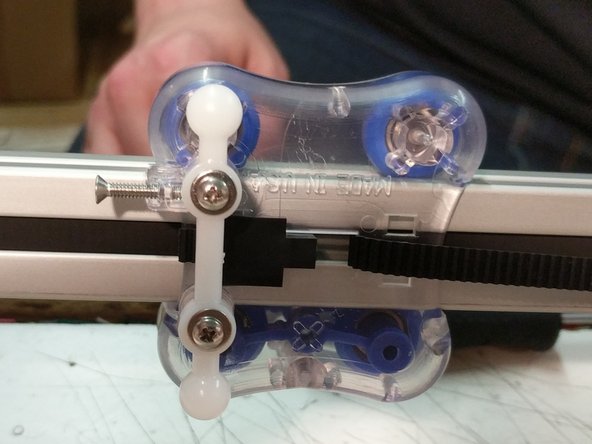
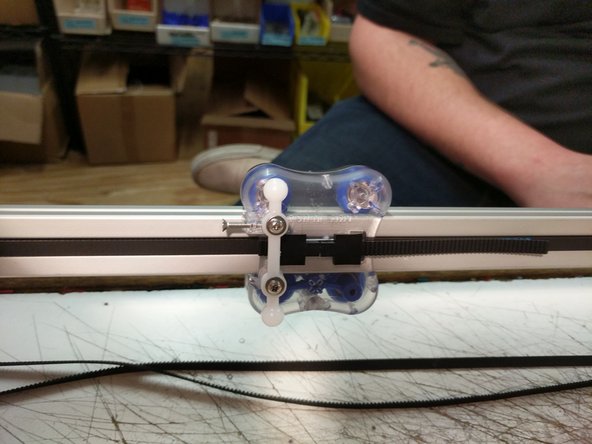
Begin by routing the belt through the top side of the carriage as shown in the first image.
-
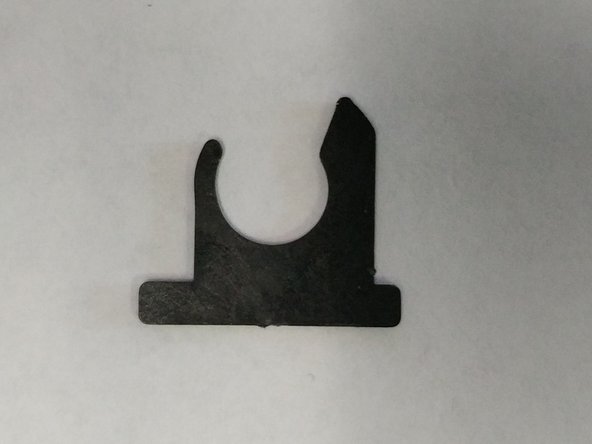
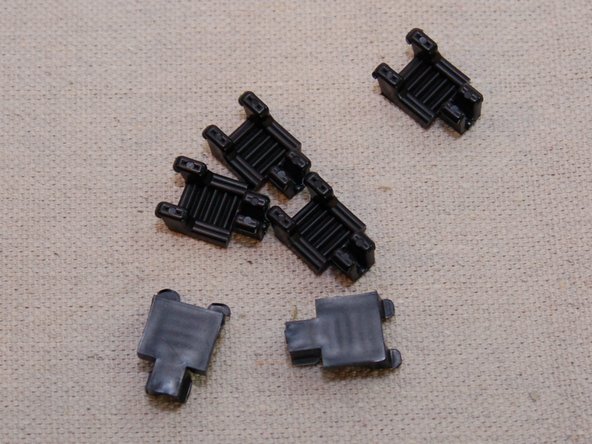
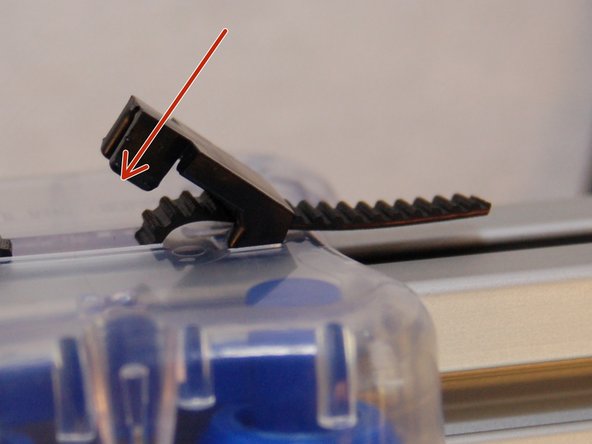
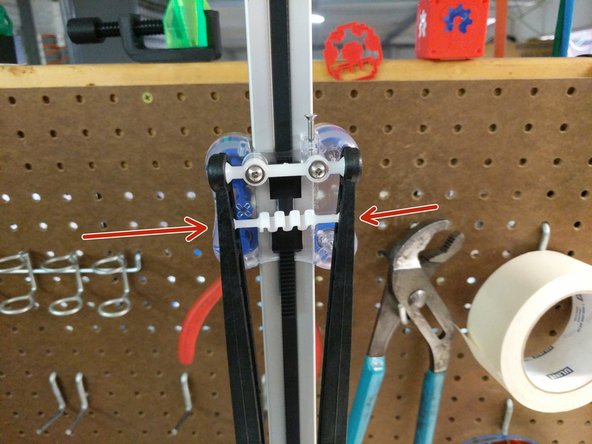
Install a belt clip. The two wider stanced legs will insert into the carriage first and then the belt clip can be pressed down to lock into place. If it is not wanting to lock, you may need to apply inward pressure on the closer stanced legs while pushing down to lock it in place.
-
-
-
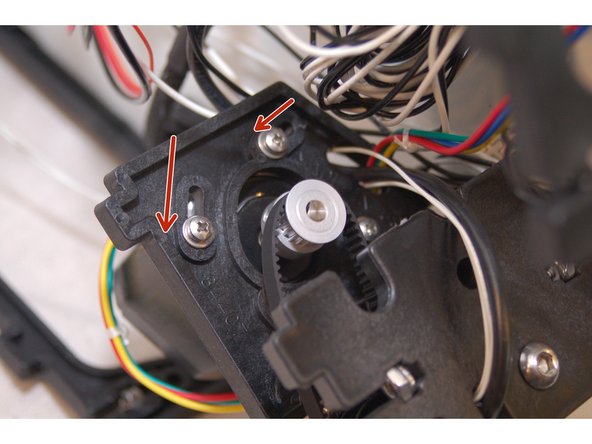
Rotate the stepper motor to the position shown in the photo. This location will give you the most available range of motion for tightening the belts after they are installed.
-
Route the belt as shown in the diagram on step 15
-
Be sure that the belt is not routed on the outside of the frame or carriage pieces! This will prevent motion.
-
To thread the belt ends into the carriage, use a wire tie or the cut-off from a wire tie to guide the belt up into the belt slot.
-
After you have threaded the belt into the carriage pull the belt end tight - you want to pull all the slack out of the belt.
-
Install the second belt clamp
-
You can trim excess belt, but leave approximately 1" past the belt clip.
-
Complete the routing process for the remaining two towers.
-
-
-
Install the Cable Nut / Whip Assembly in the hole between the X and Z towers. NOTE: In the images provided the whip is not present.
-
Tighten
-
-
-
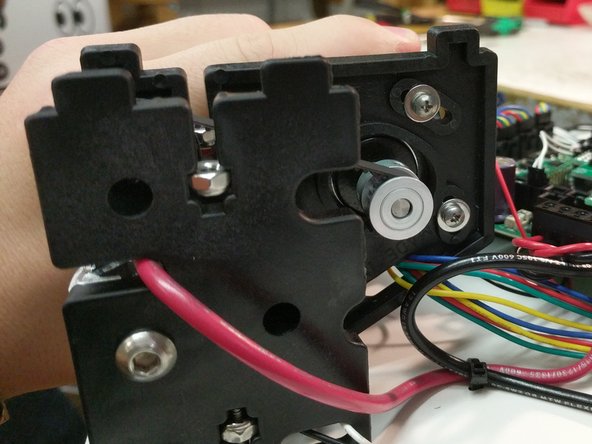
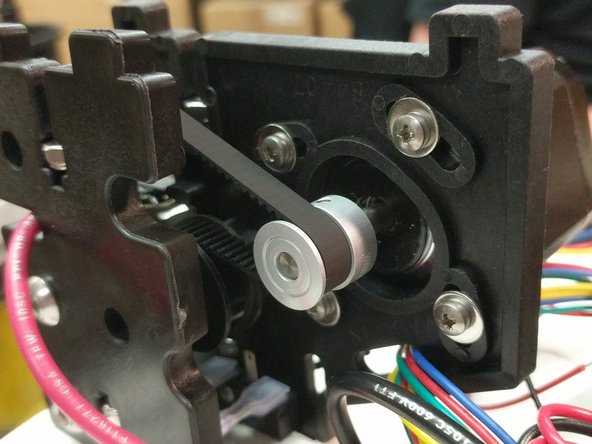
The belts in the Rostock MAX v3 are tensioned by rotating the stepper motor towards the center of the printer.
-
If you've pulled the belt tight when installing the last belt retaining clip, you only need to add a little more tension to the belt. Rotate the stepper motor so it's about 1/4 the way across the screw slot and tighten all four screws. Do this for each stepper motor.
-
Note that you don't want the belts to be so tight you can pluck them like a guitar string. The more you tighten the belt, the harder the motor has to work in order to move the carriage.
-
-
-
Please note that the USB cable shown in the illustration is optional and is not included in the kit!
-
-
-
Insert 6-32 nylon lock nuts into the nut traps on the injection molded base sides.
-
Install the first base side between the X & Z towers.
-
Secure the base side with (2) 6-32 x 1" screws.
-
Fasten the EZR Struder side plate to the base side plate using (2) 10-32 socket head cap screws. The holes in the injection molded side panels are not tapped / threaded. Make sure you put some pressure on the screws and keep them straight.
-
Route the wires around the top assembly clockwise as before. You will route through the same locations as the other stepper motor wires.
-
Plug the extruder stepper motor into the E0 location on the RAMBo board.
-
-
-
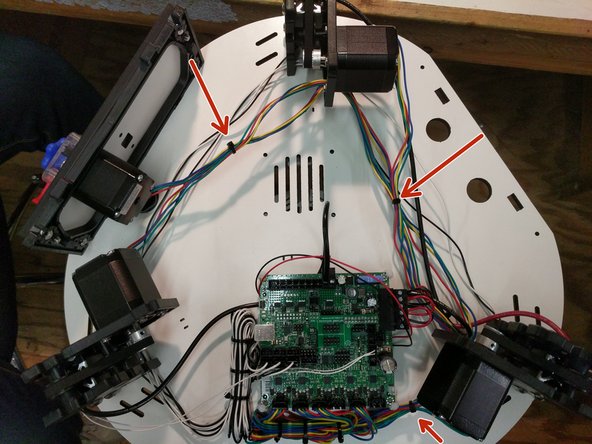
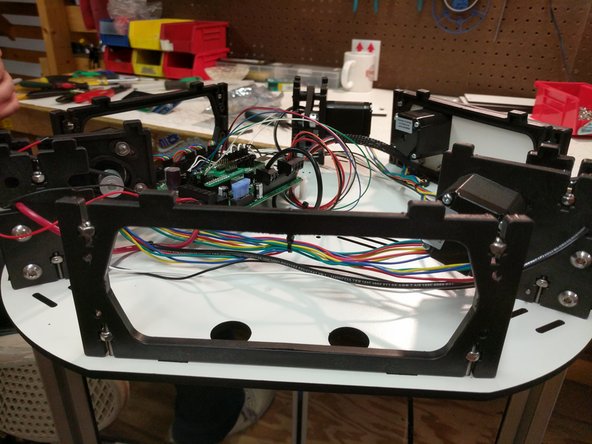
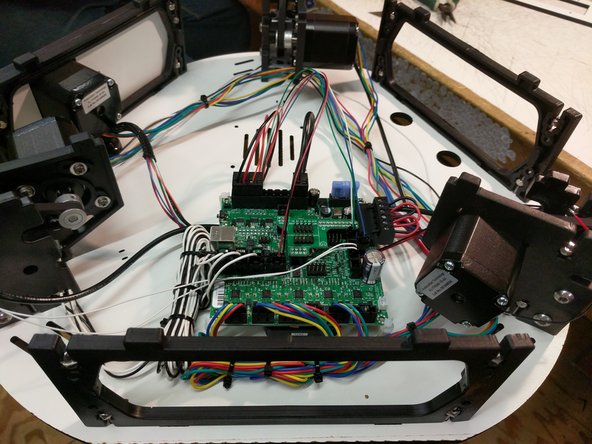
You can clean up the wiring with zip ties to get everything a little more organized. Do not tie your motor and end stop wires together.
-
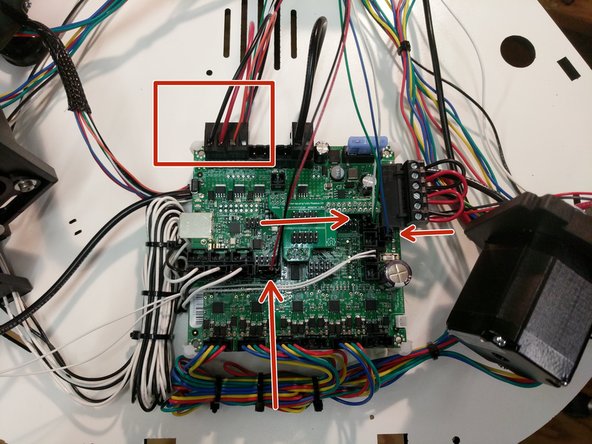
The locations used by SeeMeCNC are noted by arrows in the image.
-
-
-
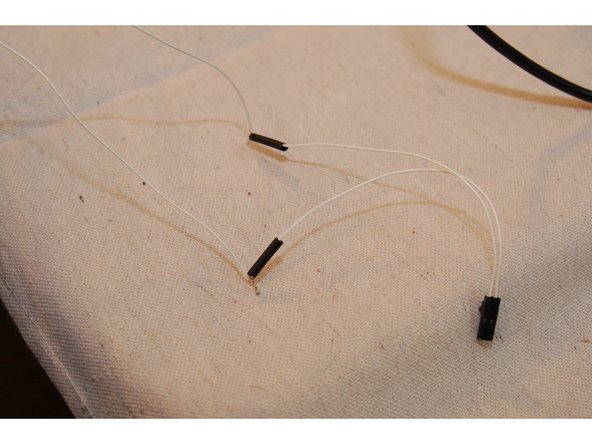
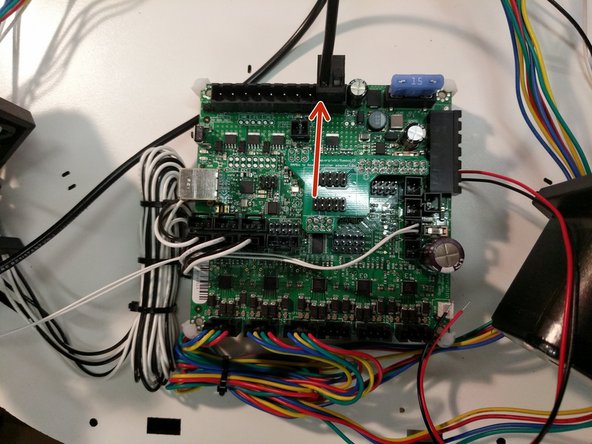
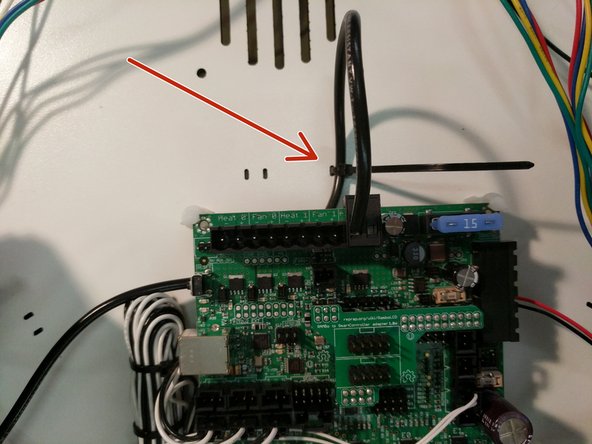
The whip connections specifically are noted below.
-
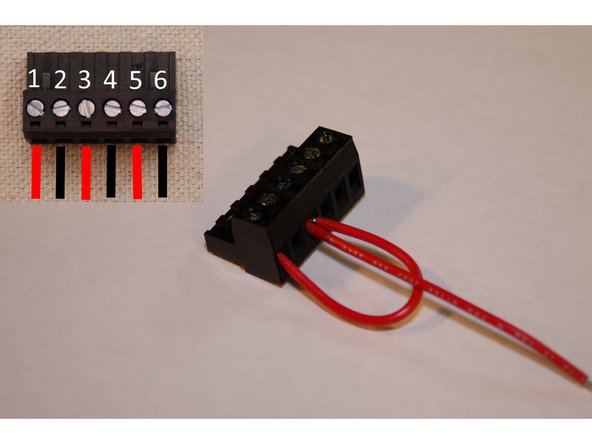
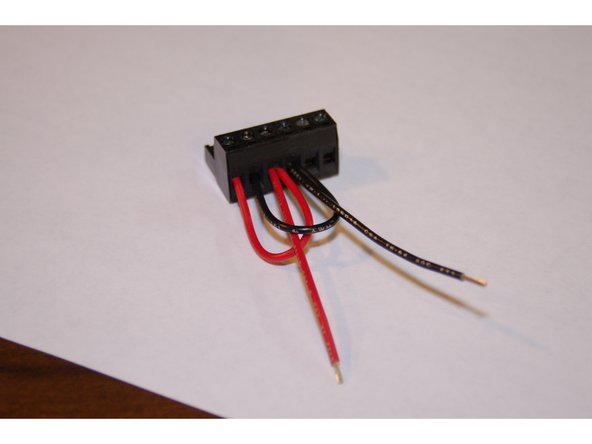
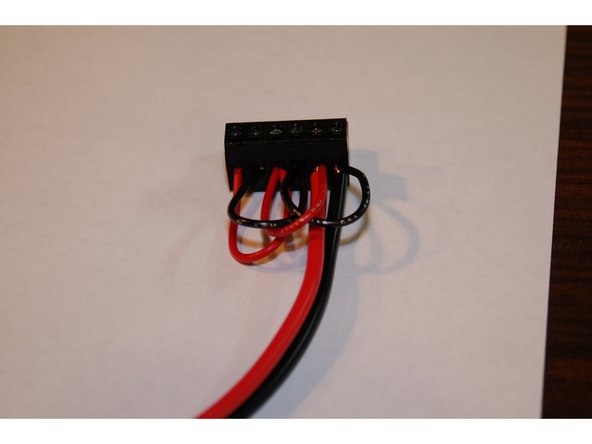
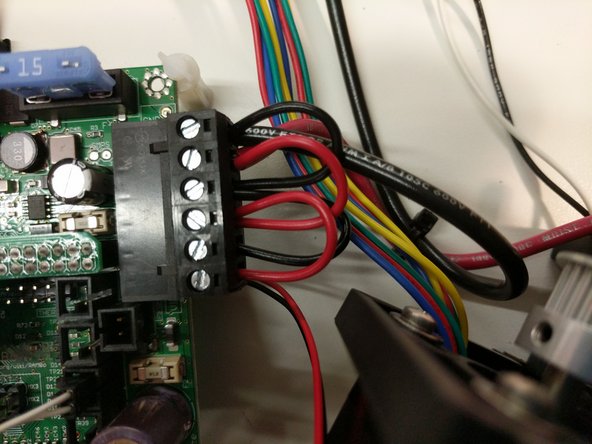
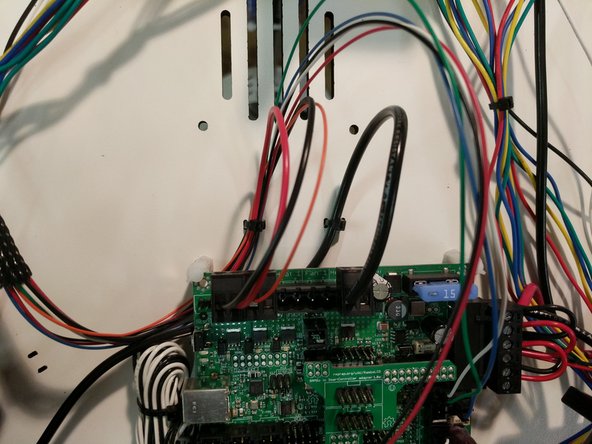
You should begin by connecting the red and black 18awg wires to a 2 position terminal block (found in RAMBo kit). Note the polarity in the photo.
-
Next, connect the orange wire to a 2 position terminal block (found in RAMBo kit). Note the polarity in the photo.
-
Next, connect the remaining wire to the board. These connection are pre-terminated and connect to the position noted in the pic.
-
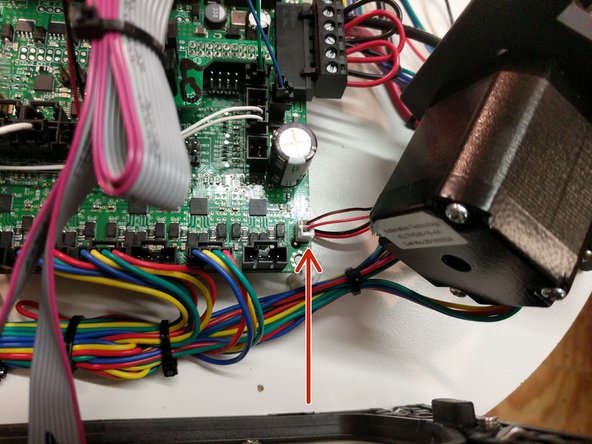
Plug in the RAMBo cooling fan. The connection will be made in the bottom right hand corner of the board. This location is indicated in the third image.
-
-
-
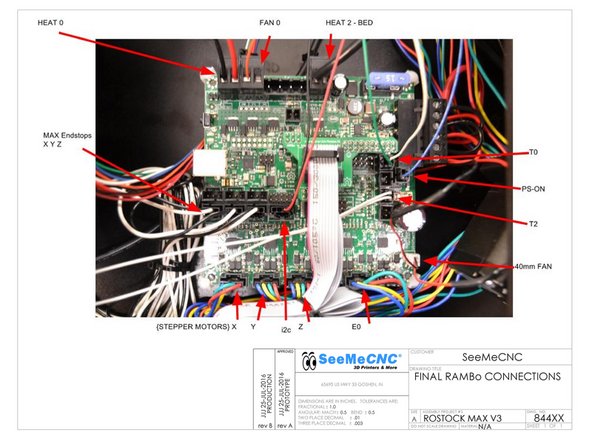
The following is a complete overview of the wiring for the RAMBo board. You should review all of your wiring connections and ensure that everything is connected in the correct locations.
-
HE280 power (2 position terminal block with 1 red 18awg & 1 black 18awg wire) goes to Heat 0 terminal ------------- HE280 thermistor (2 position latching connector with 1 white 26awg & 1 green 26awg wire) goes to the T0 position on the RAMBo board
-
Layer Fan power (2 position terminal block with 1 orange 26awg wire (-)) goes to Fan 0
-
Heated bed power (2 Position terminal block with 1 black wire) goes to the Heat2-Bed (-) terminal ---------- Heated bed thermistor (2 position latching connector with 2 white wires) goes to the T2 position on the RAMBo board
-
PS-ON (2 position latching connector with 1 blue 26awg wire) goes to the PS-ON position on the RAMBo board
-
i2c (4 position latching connector with 1 red & 1 black 26awg wire) goes to the i2c position on the RAMBo board
-
Stepper motors connect to stepper motor drivers, labelled X Y Z & E0 ---------- Endstops connect to X Y Z max endstop inputs ---------- 40mm fan connects to 12v AUX output ---------- 12v (6 position terminal block with red and black wires) connects to VIN input on the RAMBo Board
-
-
-
Install the first base side between the X & Y towers.
-
Secure the base side with (2) 6-32 x 1" screws.
-
Repeat for the base side between the Y and Z towers.
-
-
-
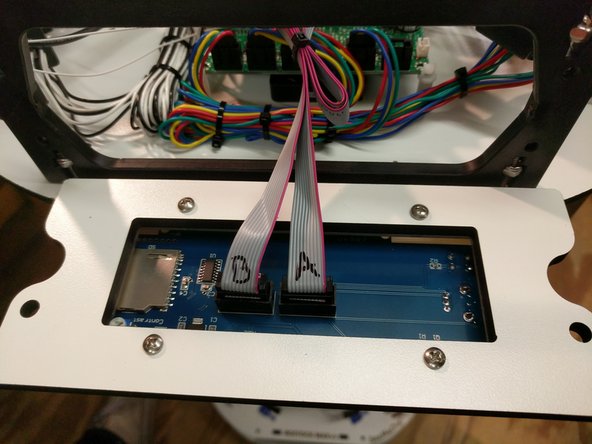
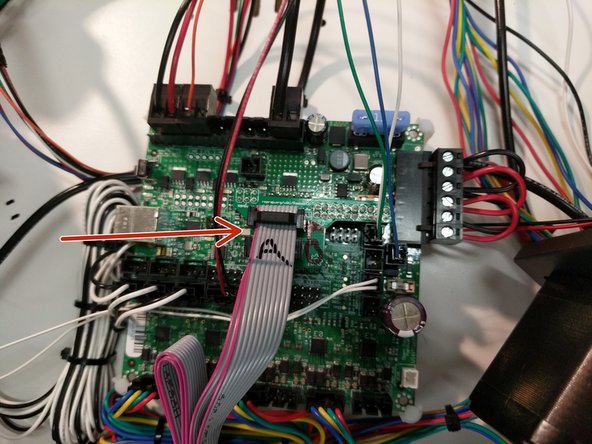
Locate and install the ribbon cables on the LCD. If they are not already labeled do so now (to match the image)
-
Connect the ribbon cables to the RAMBo Board in the orientation and location specified.
-
The LCD is labeled on the back EXP1 & EXP2. EXP1 = A & EXP2 = B On the LCD adapter board, the top of the adapter should be labeled by you as A and the bottom should be labeled as B
-
Note the pink stripe on the ribbon cable... this should be on the left hand side when plugged into the LCD adapter board. The connection is keyed on the LCD itself so the orientation will be correct.
-
-
-
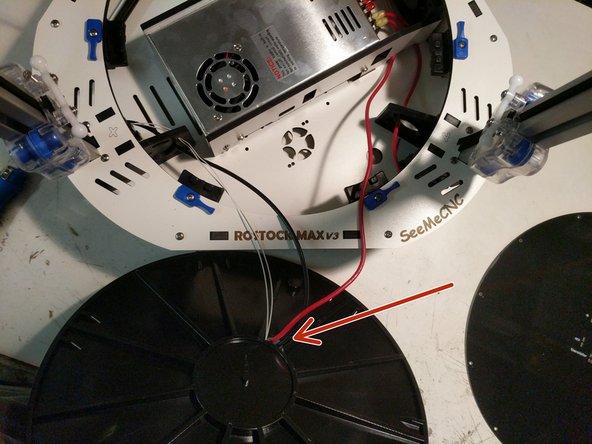
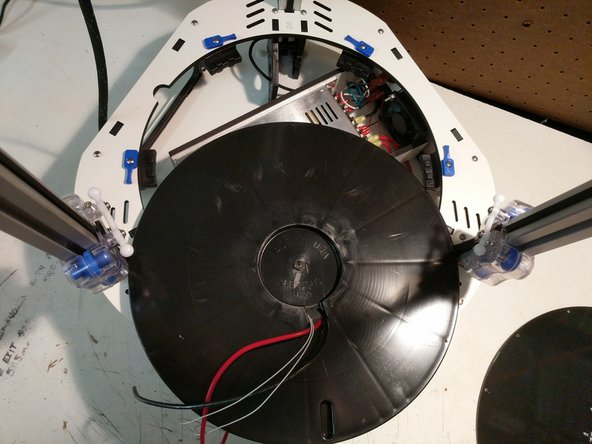
To prepare the heated bed, you must first run the 12awg black and red & (2) 26awg white wires through the bottom side (ribbed side) of the insulator. The hole for wiring is near the center of the bed.
-
Flip the bed insulator over and pull the wires through.
-
-
-
To prepare the heated bed you should "tin" the 10 pads on the bottom of the heated bed. For the smaller pads on the bed, you should be careful not to heat the pads too hot for too long as this can cause the pad/trace to lift from the board.
-
-
-
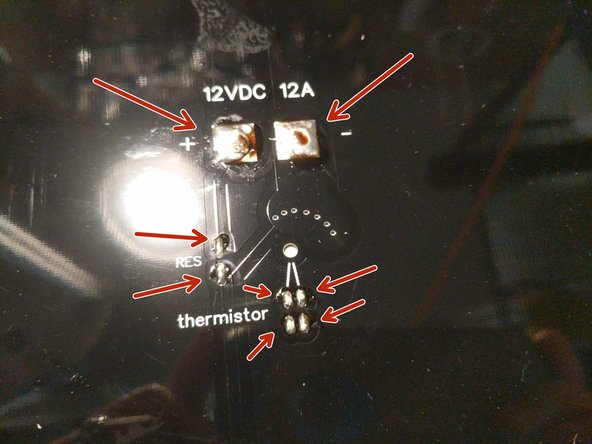
Solder the resistor to the heated bed.
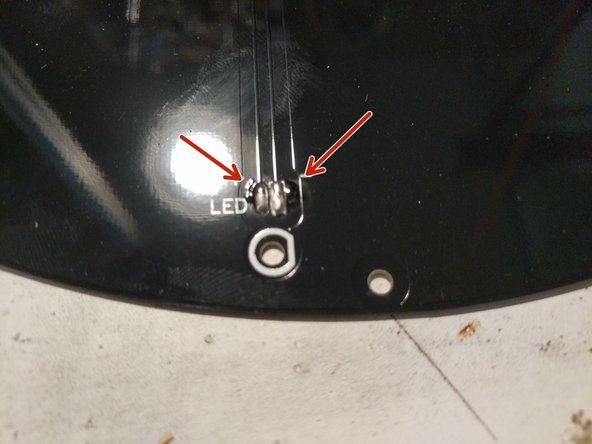
-
Solder the LED to the heated bed. NOTE the polarity of the LED in the picture. The short leg is the - and the long is the +
-
You can cut the excess resistor and LED leads after you have soldered it to the bed.
-
-
-
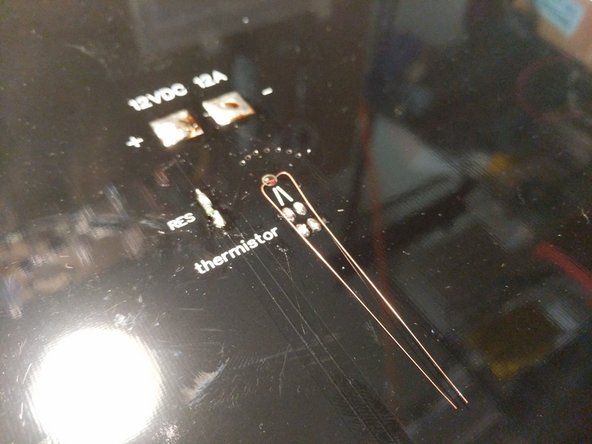
Separate the legs of the thermistor as shown and insert the glass bead of the thermistor into the hole in the center of the heated bed. Solder them to the top two pads on the heated bed.
-
You can cut the excess leads after you have soldered it to the bed.
-
-
-
Move the heated bed close enough to the printer that the wires will reach the pads that you have tinned.
-
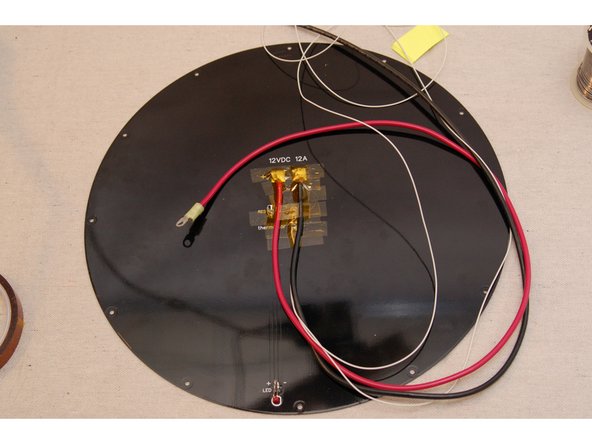
Fan out the exposed strands of wire for the 12awg red and black wires. Solder them to the heated bed in the location indicated. NOTE: These are large wires and pads. You will need to ensure that the pads and wire strands get hot enough to wick the solder throughout resulting a good solder joint. Apply additional solder as needed.
-
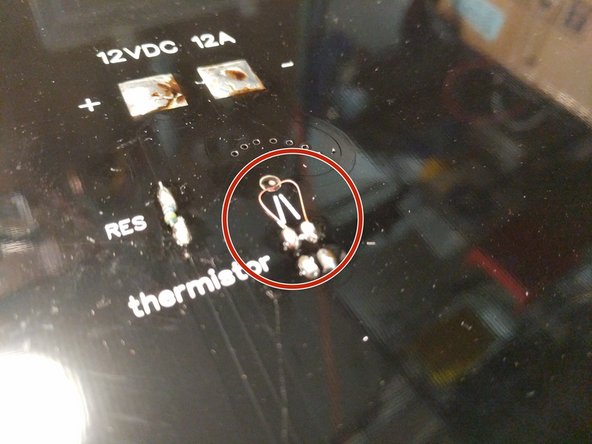
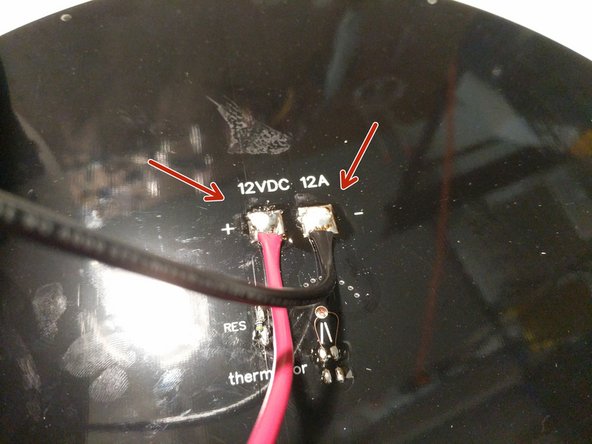
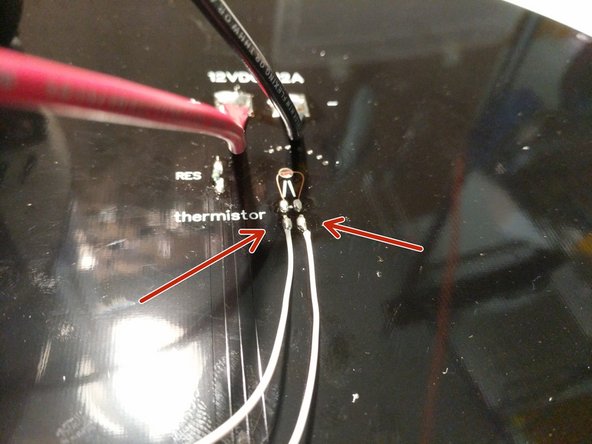
Solder the thermistor leads to the pads where indicated. There is not polarity so either wire on either pad will work. Since these pads are smaller, you want to be sure not to heat them too hot for too long or the pad can detach from the board.
-
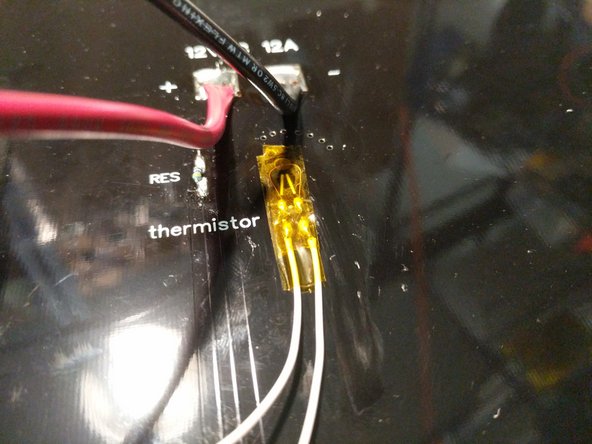
Cover the soldered thermistor locations and thermistor hole with Kapton Tape (or equivalent)
-
-
-
Align the heated bed with the with the bed insulator. There is a pocket for the thermistor on the insulator and there are 3 dimples (align with holes in the periphery of the heated bed) that will help you align the bed with the insulator.
-
Carefully set the insulator and bed into the base assembly of the printer.
-
The rib features on the insulator will straddle the boss features of the bed clamps (attached to the base top plate.
-
Ensure the bed can set down against the insulator. Gently pull any wires into the base if they are interfering with the bed sitting flush.
-
-
-
When handling the glass plate please do so carefully. Take extra care not to touch the top surface of the glass. Oils from your hands can prevent filament from sticking to the glass.
-
Install the glass plate on top of the heated bed.
-
Rotate the blue bed clamps so they are clamping the glass against the heated bed. Loosen/Tighten the screws as needed if required. You do not want the clamps to be so tight that they are impossible to rotate. You also don't want them so loose that the glass has the ability to move around.
-
-
-
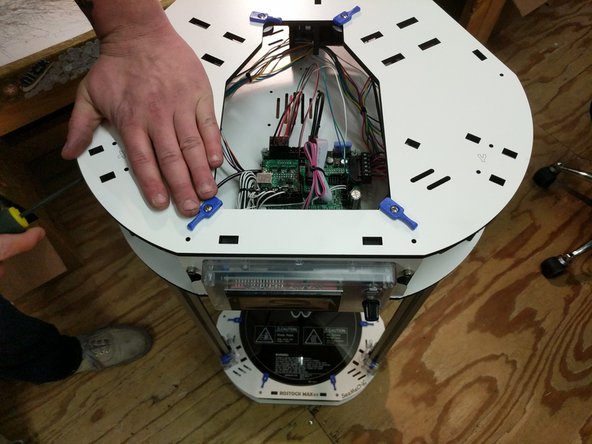
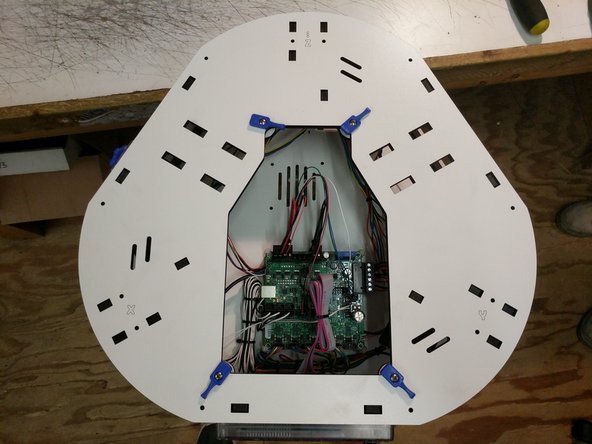
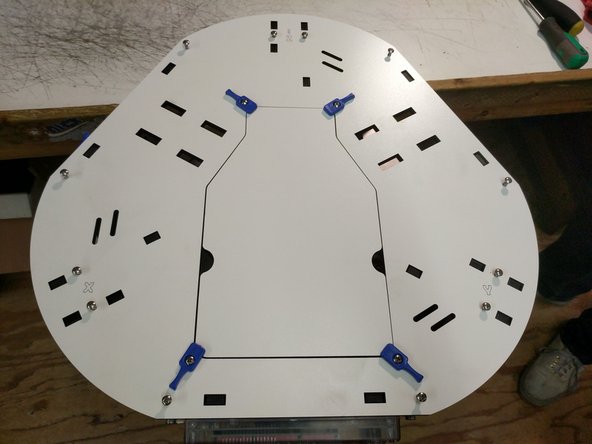
Align the top assembly top plate with the top of the printer. You will want to work your way around the pressing the top plate down onto the tabs of the injection molded components. The is a process of finesse, nut brute strength. Work your way around the top of the machine one set of tabs at a time getting them pressed into the top plate.
-
When the plate is set on all tabs you will install 6-32 x 1" screws in all 12 locations. You can fully tighten these screws.
-
Install the top electronics cover when you have completed.
-
-
-
You can now install the remaining side covers with 10-32 socket head cap screws.
-
-
-
To install the arms, snap (2) ball cup arms onto a set of carriage ball joints.
-
Insert the tensioning spring between the arms in the slot.
-
Do this for all three sets of arms.
-
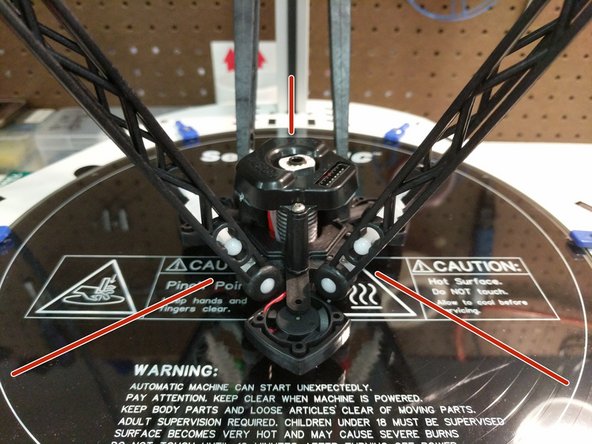
Next, you will attach the arms to the hot end. When installing the hot end: The fan in the upright position blowing across the hot end should be parallel with the Z (back) tower & The 8 pin connector should be in line with the Y axis (front right). Insert the tension spring into the arms and then snap the ball cup arms onto the ball joints.
-
Connect all three sets of arms to the hot end.
-
Ensure that you have installed the hot end in the correct orientation. Refer to the 3rd image.
-
-
-
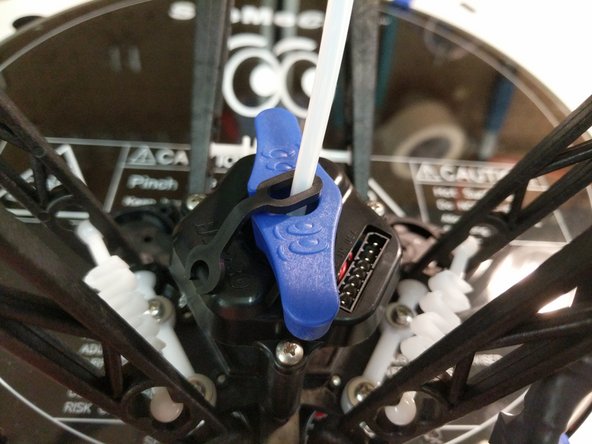
Install a retaining clip on the hot-end end of the Bowden tube and insert the Bowden tube into the hot end.
-
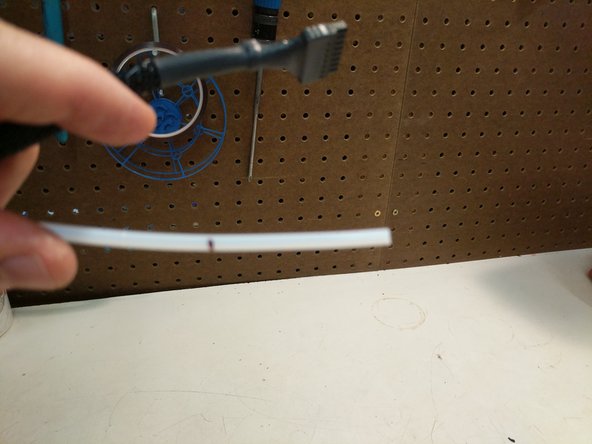
The Bowden tube will fit nearly the entire length of the hot end, so make sure it's fully seated. Our assembly team marks the Bowden Tube before inserting it into the hot end. The mark is placed at 46mm. When the tube is inserted it should be at or below the top of the black ring on the PTC adapter.
-
Kits shipped after 2/24 (from SeeMeCNC) will come with an HE280 PTC Tool. If you kit was shipped prior to this date, you can print your own tool (found on Repables.com) or simply use a pair of needle-nose pliers.
-
Loosen the PTC Adapter 2-1/2 Rotations. 2-1/2 rotations is a critical amount, do not loosen any more/less.
-
Rest the nozzle down against the build plate (or on a solid surface if the HE280 is removed from the machine)Seat the PTFE tube down in the hotend as far as it can go. Be sure to push hard to get it seated.
-
While maintaining downward pressure on the PTFE tube, tighten the PTC adapter slowly. Ensure that the heat sink, and heater block are not rotating while you are tightening the PTC adapter.
-
The PTC Adapter should tighten 2-1/2 full rotations (the amount you loosened it). This will cause the black ring in the top of the PTC adapter to rise up as its teeth engage the PTFE tube.
-
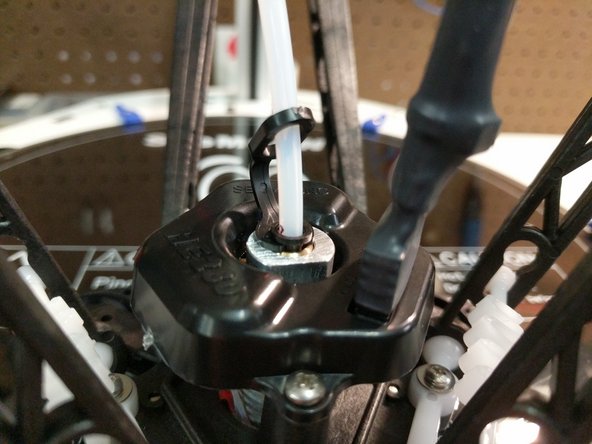
Insert the lanyard clip in the PTC adapter (under the black ring).
-
-
-
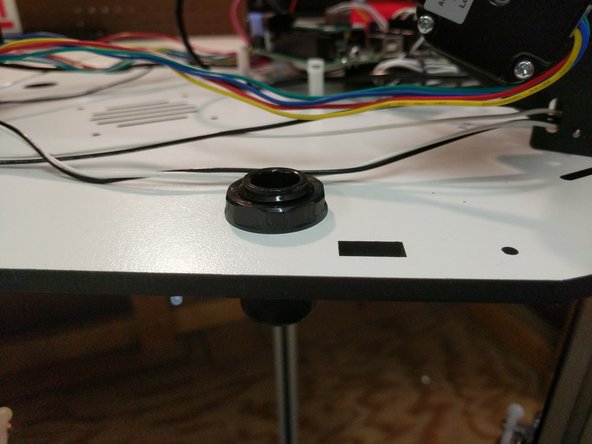
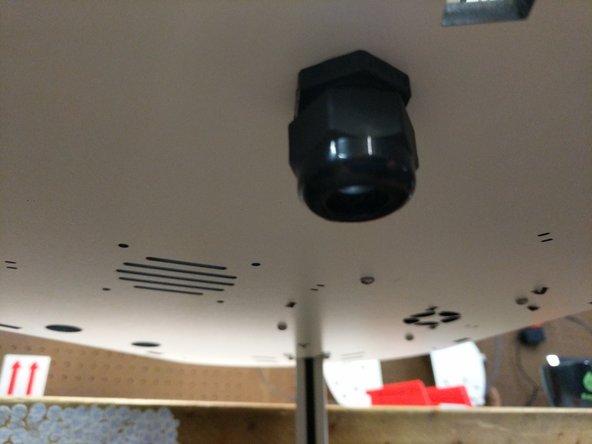
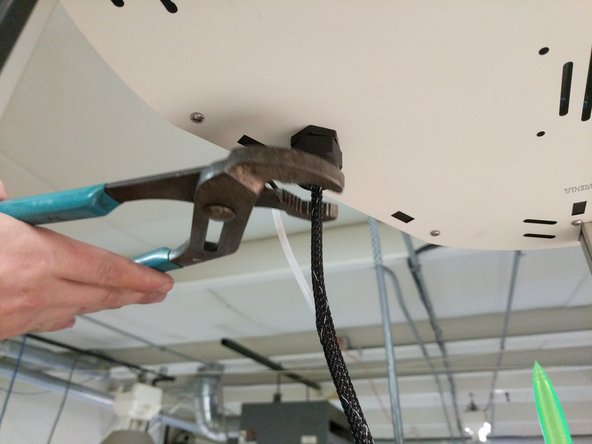
Tighten the strain relief nut on the bottom side of the top assembly
-
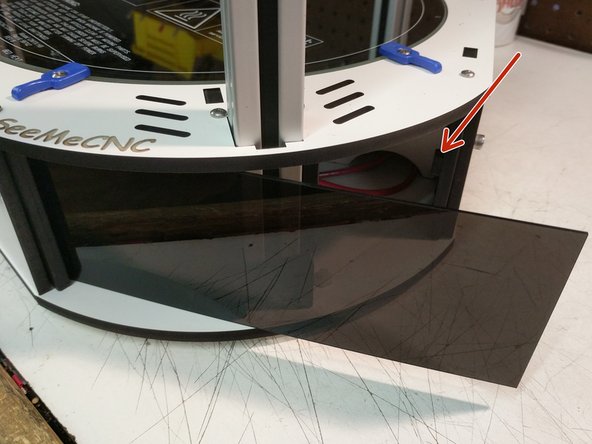
Remove the paper backing from both sides of the acrylic panels.
-
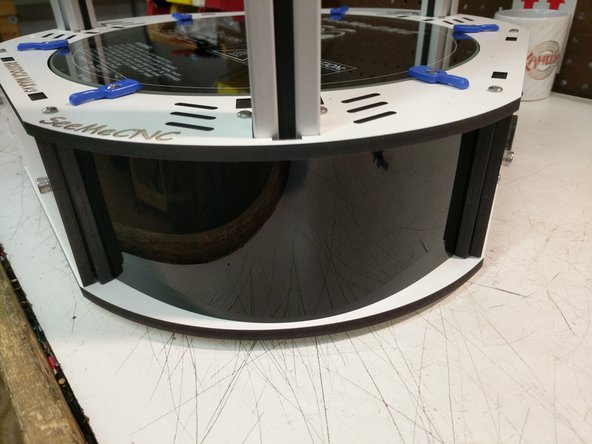
If you look at the injection molded base sides you will see the "stop" boss for the acrylic covers. Insert one side of the panel into the chosen corner, and then flex the panel into place.
-
Repeat for the remaining corner covers.
-