Difficulty
Moderate
Steps
4
Time Required

In Progress
This guide is currently being written. Reload periodically to see the latest changes.

User-Contributed Guide
This guide is not managed by the site's staff.

Private
This guide will not appear in search results and can only be viewed by team members!
Quiz
0
-
-
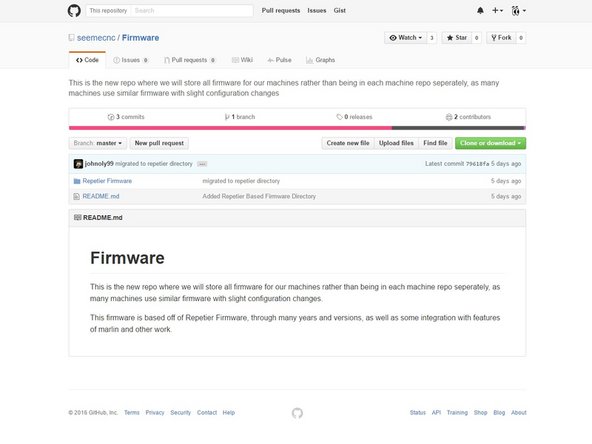
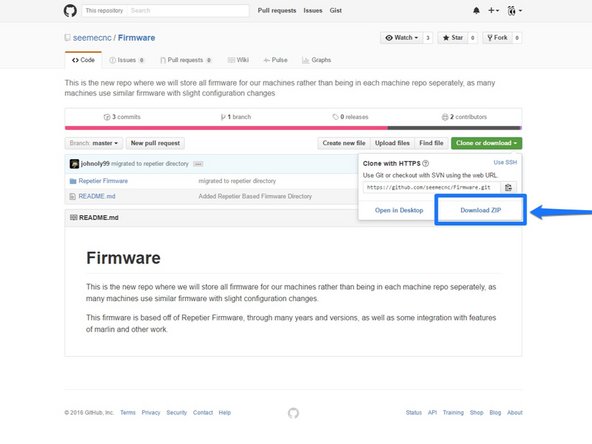
You can Download the firmware here: https://github.com/seemecnc/Firmware
-
Extract the files from the zipped folder.
-
If you are new to extracting files, you will need to go to the folder where the firmware was downloaded to (most commonly your downloads folder)
-
Right Click on the folder named: Firmware Master, and from the options available choose EXTRACT ALL.
-
Choose Extract in the dialogue box that pops up.
-
You can now copy and past the extracted folder of firmware files to your preferred location ie. Desktop, My Documents etc.
-
-
-
Download NanoDLP: http://www.nanodlp.com/nanodlp.zip
-
Extract the files after the download has completed.
-
-
-
Based on your computer's operating system follow one of these guides for:
-
-
-
-
NOTE: To copy NanoDLP SD image file, you need a computer with card reader.
-
-
-
Put microSD card into Raspberry Pi and turn the power to the Droplit v2 on
-
Connect an ethernet cable to the Raspberry Pi and your Router (this is a one time setup requirement until the wifi has been connected)
-
To find out your Raspberry Pi's IP address open your computer's network area. Or visit the online dashboard http://www.nanodlp.com/dashboard to see online nanoDLP printers in your network
-